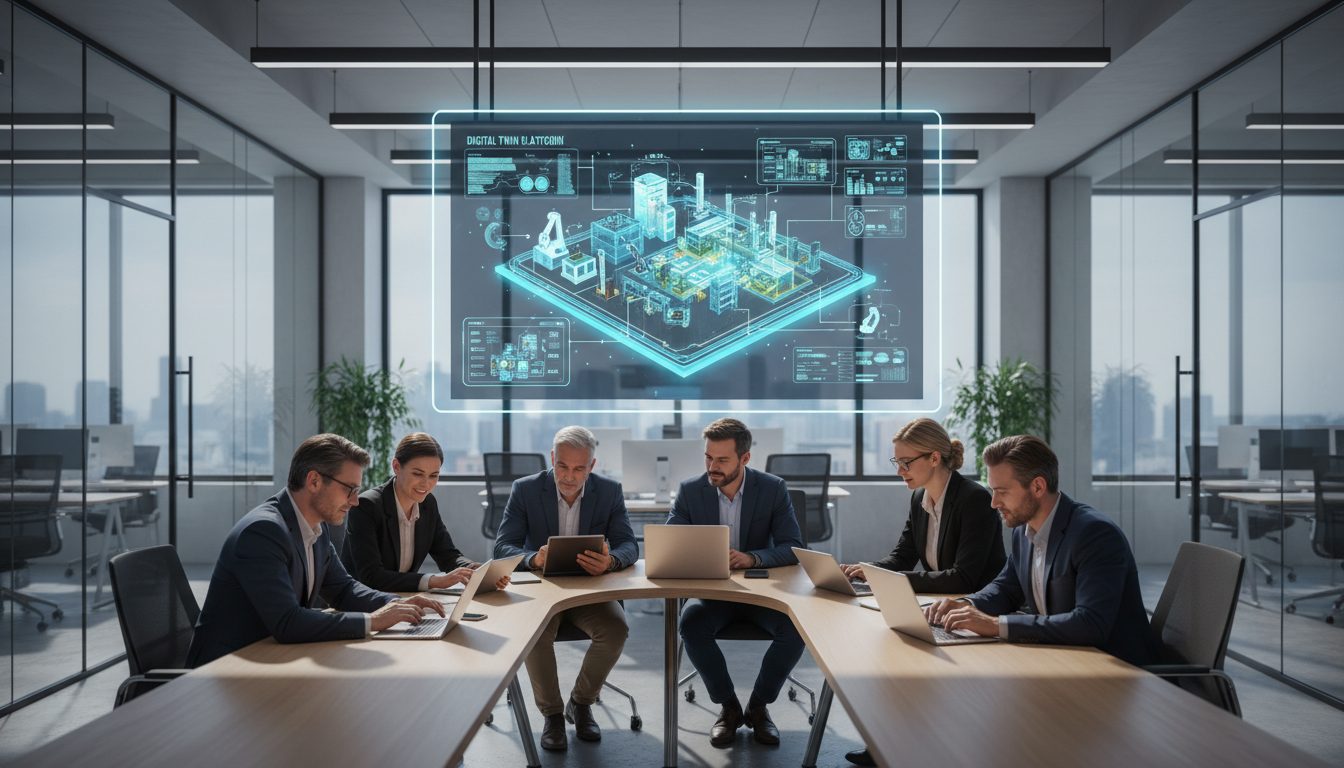
Enterprise Resource Planning systems are key to today’s business. They handle everything from money to stock. Training a team on this complex system is a big challenge.
Using the live system for practice is common but risky. One mistake can damage important data. It can also stop daily business suddenly.
We now have a safer way. Digital twin software makes a perfect virtual copy of your system. When used with secure sandbox environments, it offers a safe space for learning.
Employees can try, experiment, and even fail in this safe zone. There’s no risk to real data or processes. This method changes how teams learn.
In this analysis, we look at how these technologies create safe learning simulations. We’ll see how modern ERP training simulators help employees grow faster. Our aim is to give a clear plan for effective and safe learning in the enterprise.
Key Takeaways
- Training on live enterprise software risks data loss and operational disruption.
- A digital twin is a virtual, real-time replica of a physical system or process.
- Sandbox environments offer an isolated, secure space for practice and experimentation.
- This combination allows for mistake-driven learning with zero business impact.
- It is a critical tool for mastering complex workflows without stress.
- This approach reduces the high costs and risks associated with traditional training methods.
- Effective simulation builds user confidence and long-term system proficiency.
What are ERP Training Simulators?
ERP training simulators are interactive software that acts like real ERP systems. They let users practice without risking real data. This is a big change in how teams get ready for new software or changes.
Definition and Purpose
An ERP training simulator is a special software that looks and works like an ERP system. It’s like a safe place where users can try things out without fear. The goal is to make users more confident and skilled.
These simulators help avoid mistakes that could cost a lot. Users can try things, make mistakes, and learn without any worries. This way, they get better faster than just watching videos or reading manuals.
Simulated training makes users proficient faster by letting them practice until they get it right.
Types of ERP Training Simulators
There are different kinds of ERP training simulators. They vary based on what they’re used for. Knowing about these types helps pick the right one for training needs.
Simulators can focus on specific tasks, whole workflows, or roles. Each has its own purpose in training. Many tools offer a mix to make learning more complete.
| Simulator Type | Primary Focus | Common Use Case | Example Scenario |
|---|---|---|---|
| Task-Specific Modules | Mastering a single, discrete operation | Onboarding for a specific function | Processing a purchase order from creation to approval |
| Full Process Workflows | Executing a complete, cross-departmental process | Understanding end-to-end business impact | Managing the order-to-cash cycle from sales entry to invoicing |
| Role-Based Scenarios | Performing all tasks relevant to a specific job role | Role-specific certification and assessment | A warehouse manager completing inventory receipts, transfers, and cycle counts |
Task-specific modules are great for learning specific skills. They make complex systems easier to understand. For example, they can teach an accounts payable clerk how to enter vendor invoices.
Full process workflows show how different departments work together. They’re important for understanding how your work affects the whole company. This helps with thinking system-wide.
Role-based scenarios offer the most complete training. They match the daily tasks of a specific job, like a financial analyst. This makes training more relevant and useful right away.
Choosing the right mix of these simulator types is crucial for effective enterprise IT training. It makes learning efficient, relevant, and focused on business goals.
Benefits of Using Digital Twins
Using digital twins offers a safe yet realistic training space. It goes beyond simple manuals and basic simulations. It creates a dynamic, interactive copy of your ERP system. This boosts both employee skills and company efficiency.
The main benefits are in the depth of learning and the improvement of training programs.
Enhanced Realism in Training
ERP training simulators based on digital twins are incredibly realistic. They connect live to the production system, mimicking real-world processes and data flows. This makes them more accurate than generic training software.
Trainees work with a virtual version that looks and acts like the real software. They can practice tasks like processing sales orders or managing inventory. The system reacts like the real thing, showing realistic data and outcomes.
This realism is key for effective learning. It helps retain knowledge better. Employees gain confidence and learn the system’s logic, not just the steps. Mistakes are valuable lessons, not errors.
Streamlined Learning Processes
Digital twins also make training more efficient and flexible. They offer control and flexibility that traditional methods can’t match.
First, they allow for self-paced, repeatable practice. Learners can practice anytime, anywhere. They can repeat tasks without slowing down the live system. This speeds up learning and fits different learning speeds.
Second, they provide detailed tracking and analytics. Supervisors and trainers can see how each learner is doing. They track metrics like time spent on modules and completion rates. This helps focus coaching and improve training.
This approach makes training scalable and simple. You can train large teams or new employees quickly and consistently.
Digital twin-based ERP training simulators are a smart investment for businesses today. They offer a realistic practice space and efficient training delivery.
Introducing Sandbox Environments
Imagine a place where your team can try out every ERP feature without worry. This is what a sandbox environment offers. It’s like a playground for safe software testing and learning.
What is a Sandbox Environment?
A sandbox is a copy of your ERP system, but it’s separate from the real one. It has the same data and settings as your live system. It’s a place for practice and testing.
This setup is key. Changes in the sandbox don’t impact your real business. It’s a consequence-free zone for learning and trying things out.
It’s different from a digital twin. A twin is a virtual model that shows how things work. A sandbox is a static copy for hands-on practice. Twins are for watching and learning; sandboxes are for doing.
This makes the ERP training sandbox perfect for risk-free learning. Users can try out different things without fear of messing up.
Use Cases in ERP Training
Sandboxes are great for many training scenarios. They’re mainly for learning and getting better at using the system.
- New Employee Onboarding: New employees can get familiar with the ERP system right away. They can do real tasks and feel confident before working on the live system.
- Training for Major Upgrades: Teams can practice with new system updates in the sandbox. They learn new features and how to use them, making the transition smoother.
- Power User Experimentation: Advanced users can try out complex things like report settings and new processes. This encourages innovation and improvement without risking the system.
These examples show how valuable sandboxes are for safe software testing. They make training more interactive and effective.
The sandbox is where curiosity meets the system without risk, turning theoretical knowledge into practical skill.
By giving teams a safe space to learn, organizations help them grow. They reduce mistakes and improve skills across the board.
The Role of Digital Twin Technology
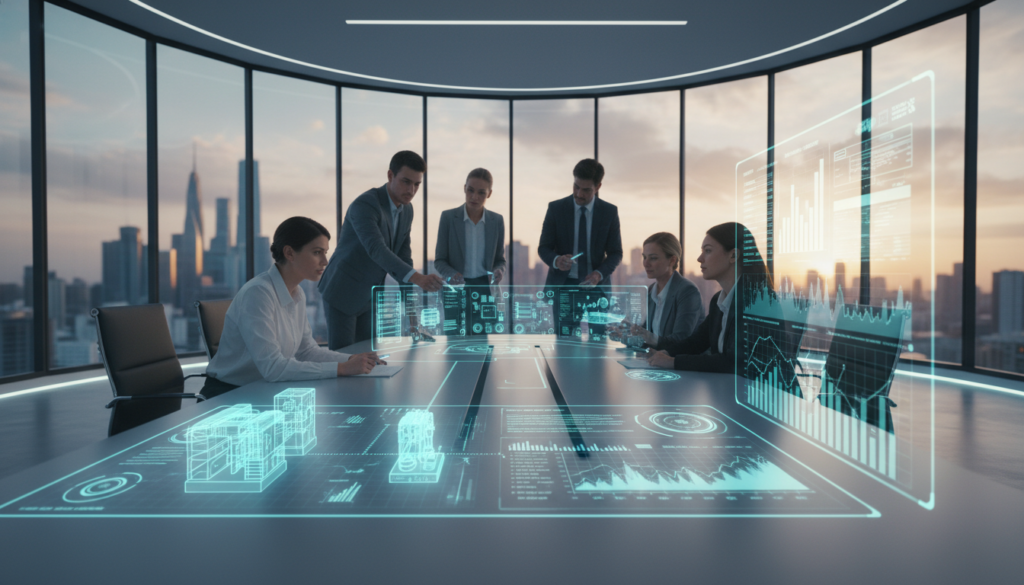
Imagine a training space where every action creates a ripple in a virtual mirror of your ERP. This is what digital twin technology offers. It goes beyond static tutorials and scripted scenarios. It creates a living, breathing replica of your business system.
Trainees interact with a model that acts just like the real environment. But, it’s safe, without any real-world risks.
Key Components of Digital Twins
To grasp its power, we need to look at its parts. A functional digital twin for ERP training has three main pillars.
The first is the virtual model. This is a detailed software version of your ERP’s modules and workflows. It’s a custom setup that mirrors your company.
The second part is the data feed. It can connect to your systems live, or use synthetic data for safety. This data makes the twin behave like the real thing.
The third pillar is the simulation engine. It’s the brain of the twin. It processes user inputs and updates the virtual state. Together, these parts make up a strong digital twin software platform.
How They Enhance ERP Training
These technical parts lead to big training benefits. The biggest is the chance to practice without risk.
Trainees can try things like posting wrong journal entries. The simulation engine shows how these actions affect the system. They see inventory changes and financial reports distort—all safely.
Also, digital twin software lets us practice rare scenarios. Think of a quarter-end closing during a system upgrade. We can simulate these scenarios for safe practice. Trainees learn crisis procedures without touching the real system.
This method turns training into real, hands-on learning. Employees learn how the system works, not just what buttons to press. They become more competent and confident from the start.
Creating a Safe Learning Space
Creating a safe software testing area is key for learning ERP skills well. It’s not just for training; it’s a safe place to try and learn. Here, people can try new things, make mistakes, and get better without worrying about messing up the real business.
Minimizing Risks During Training
Training on a live ERP system can be risky. One wrong move can mess up customer data, stop orders, or mess up money records. We avoid these risks by using a digital copy for practice.
We make sure training is safe and free from worries. We do this by:
- Data Anonymization: We use fake data that looks real but is safe. Instead of real clients, trainees work with “Acme Corporation”.
- Strict Access Controls: Users can only see and use what they need for their training.
- Environment Rollback: Instructors can easily go back to a clean start. This lets them practice the same things over and over.
This way, learning becomes safe and valuable. A training manager said, “Letting employees ‘break things’ to learn is super helpful.”
Ensuring Data Security
Keeping data safe in training is very important. Our safe software testing setup follows strict rules, like GDPR and HIPAA, even for training.
We use a few steps to keep data safe. First, the training area is separate from the main network. It’s in its own space, often on different servers or in a special cloud.
Second, we use fake or fully anonymous data. This keeps real people and private info safe. It also meets important data protection rules.
Lastly, we log and watch every action in the simulator. This helps with checking rules and helps in teaching. It makes a safe and effective safe software testing place for your team.
Implementing ERP Training Simulators
Setting up these advanced tools is more than just a technical task. It’s a strategic move that changes how we learn. We need a clear plan to move from idea to action. This includes taking on challenges head-on.
Steps to Follow for Successful Implementation
A successful launch follows a clear sequence. Skipping steps can lead to poor adoption and wasted resources.
1. Conduct a Thorough Needs Assessment
Begin by talking to IT, HR, and end-users. Find out where skills are lacking and where errors happen most. This information shapes your project and justifies the cost.
2. Evaluate Vendor Selection: Build vs. Buy
Next, decide if you’ll make it yourself or partner with a vendor. Each choice has its pros and cons.
| Consideration | Building In-House | Buying a Solution |
|---|---|---|
| Development Time | Longer (months to years) | Shorter (weeks to months) |
| Upfront Cost | Higher | Lower initial investment |
| Customization | Complete control | Limited to vendor offerings |
| Ongoing Maintenance | Requires dedicated IT staff | Often included in support |
For most, buying an ERP training sandbox is the quickest way to get results.
3. Configure the Training Environment
This step is about setting up the digital twin or sandbox. It should look like the real ERP system. Make sure it’s safe for trainees by keeping it separate from production.
4. Develop Engaging Training Content
Create scenarios that mirror real-life situations. For example, simulate a complex month-end closing or a new hire’s first day. Start with simple tasks and move to more complex ones.
5. Execute a Pilot Test
Test the simulator with a small group first. Get feedback on usability, scenario relevance, and system performance. Use this feedback to improve the simulator before the full launch.
Common Challenges and Solutions
Even with a good plan, problems will come up. Spotting them early helps solve them faster.
Challenge: Justifying the Budget
Leaders might doubt the cost of simulation training. Make a strong case for it.
Show the cost of errors in the live system, like data loss or fines. Explain how the simulator cuts down these risks right away.
Track metrics like fewer support tickets and faster learning to prove ROI.
Challenge: Allocating IT Resources
IT teams are already busy. Asking them to manage a simulator can be tough.
Solution: Roll it out in phases. Start with one department or module. This eases the IT load and shows quick wins.
Challenge: Driving Trainee Engagement
Employees might see training as a must-do. This can lead to low participation.
Solution: Use user adoption strategies like gamification and rewards. Add features like:
- Points and badges for completing modules
- Leaderboards to encourage competition
- Instant feedback and hints in scenarios
These methods make training fun, improving retention.
By following these steps and being ready for common issues, your organization can launch an ERP training sandbox. It will boost employee skills and system safety.
Evaluating Training Effectiveness
Measuring a digital training program’s success is more than just looking at who finished it. We need to see if it changed behavior and improved efficiency. For any enterprise IT training program, showing its value is crucial. It’s needed to keep support and funding.
We should ask if the training made our team better, not just if they finished it. This change in focus makes a big difference. It turns training into a valuable investment, not just a cost.
Metrics for Measuring Success
To see the impact, we track specific KPIs. These metrics show how well users are doing and if they’re using the system right. They are key to any user adoption strategies.
Four important metrics stand out:
- Time-to-Competency: How fast can users do key tasks on their own? Getting faster here means they’re learning well.
- Reduction in Post-Go-Live Support Tickets: Fewer tickets for basic stuff means the training is working. It saves IT a lot of time.
- Simulation Completion Rates: Completing tough, scenario-based modules shows users are really getting it.
- User Satisfaction Scores (Post-Training Surveys): Feedback on the training’s usefulness helps us improve right away.
The table below shows how to measure and understand these key KPIs:
| Key Metric | How to Measure | Target Benchmark | Why It Matters |
|---|---|---|---|
| Time-to-Competency | Track task completion time in the sandbox environment across multiple attempts. | 20-30% reduction from initial baseline. | Shows increased efficiency and confidence. |
| Support Ticket Reduction | Compare ticket volume for trained modules before and after go-live. | 40-50% decrease in “how-to” tickets. | Reduces operational costs and IT burden. |
| Simulation Completion | Analyze LMS data for module completion and scenario success rates. | Over 85% completion rate for core modules. | Indicates engagement and knowledge application. |
| User Satisfaction | Deploy short, focused surveys after key training milestones. | Average score of 4.0 or higher on a 5-point scale. | Ensures training meets user needs and expectations. |
Continuous Improvement Strategies
Evaluation is not a one-time thing. It’s the start of a cycle of getting better. The data from our metrics should lead to changes in the training program.
First, we update training scenarios to match ERP system changes. This keeps the training current and prevents knowledge from getting old.
Second, we look at metric trends over time. A sudden increase in support tickets for a process means we need to improve training for that area. We can then create a targeted micro-simulation to fix it.
Finally, we make sure to listen to feedback. We create ways for trainees, trainers, and ERP super-users to share their thoughts. This teamwork is key to good enterprise IT training. It keeps our user adoption strategies flexible and focused on the user.
The best training programs are always evolving. They adapt and grow as fast as the technology and people they support.
By always evaluating and improving, we build a culture of learning. This culture boosts skills, encourages innovation, and makes the workforce more resilient.
Integration with Existing Training Programs
Simulation-based training shines when it’s part of your current IT training. It should be a key part of your Learning and Development (L&D) system. This way, it helps your team learn real-world skills.
Aligning with Current Learning Objectives
Start by matching each simulator module with your learning goals. This ensures every practice session helps achieve your objectives. It makes the training more focused and effective.
For example, a module on inventory reconciliation helps employees learn cycle count procedures. This clear connection makes the simulator valuable for both learners and stakeholders.
First, find out where your team needs help in the ERP system. Then, create simulator scenarios to address those issues. This approach makes training more relevant and effective.
Collaborating with ERP Vendors
Working with your ERP vendor can speed up integration. Big names like SAP, Oracle, and Microsoft offer training tools and courses. Using these can make your program start strong and follow best practices.
Get vendor experts involved early on. They can share insights on common mistakes and suggest key training modules. This partnership helps tailor your program to your business needs.
Many vendors also offer co-development opportunities. If your workflows are unique, you can create custom simulator content. This makes the training more relevant and effective for your team.
Seeing your ERP vendor as a training partner opens up more support. It keeps your training up-to-date with software changes and trends. This protects your investment in your team’s skills.
Future Trends in ERP Training
New technologies are changing how we train for ERP systems. Today’s tools are just the start. We’re moving towards smarter, more immersive learning.
This change will make training quicker, more effective, and tailored to each person. It will also make simulation a key part of business strategy, not just for training.
Advancements in Technology
New technologies are driving this change. Artificial Intelligence, Virtual Reality, and advanced data analytics are coming together. They promise to create new training experiences.
AI will do more than just give feedback. It will create learning paths for each person. It will look at how fast you learn, your mistakes, and what you like.
Then, it will change the training to fit your needs. This makes learning more flexible and effective.
Virtual Reality will add a new dimension to ERP training. Imagine practicing in a virtual warehouse or doing machine maintenance. It makes learning more real and helps you remember better.
At the heart of these simulations will be digital twin software. Future versions will predict outcomes using real-time data. This lets you train for future scenarios, like sudden supply chain issues.
This way, you can prepare for different situations. It’s like training for the unexpected.
| Technology Trend | Key Feature | Benefit for Training | Expected Timeline |
|---|---|---|---|
| AI-Personalized Learning | Dynamic content adjustment based on user performance | Reduces training time by focusing on individual gaps | 1-3 years |
| VR/AR Immersion | Fully interactive 3D environments for spatial tasks | Enhances procedural memory and confidence in real-world tasks | 2-5 years |
| Advanced Digital Twins | Predictive analytics and real-time data integration | Enables training on future business scenarios and crisis management | 3-5 years |
| Predictive Performance Support | Just-in-time hints and guidance embedded in the live ERP | Shifts training from scheduled events to continuous, on-the-job learning | 5+ years |
Predictions for the Next Decade
We see these tools becoming common in the next decade. High-fidelity simulators and digital twin software will be standard in ERP contracts. Vendors will include them to show value and reduce risk.
This will make advanced training available to more companies, not just big ones. It’s a big change.
A big focus will be on safe software testing. As systems get more complex, testing without risk is key. Sandbox environments will become smarter testing grounds.
They will automatically find potential problems before changes are made. This proactive approach to safe software testing will be a major selling point.
The line between training and work will blur. We see systems that offer help when you need it. If you’re stuck on a task, the system can help right then.
This makes training part of your daily work. The goal is a self-improving, learning organization.
Adopting these trends needs vision. Investing in digital twin software today prepares you for tomorrow. Focusing on safe software testing builds a culture of innovation without risk.
The future of ERP training is about more than learning a system. It’s about building a team that’s agile, proficient, and ready for anything.
Conclusion: The Future of Employee Training
Our exploration of digital twins and sandbox environments shows a key point. Safe, hands-on ERP training is crucial for any company going digital. These tools let learners move from theory to real-world practice safely.
Emphasizing Continuous Learning
Good training never stops. With always-accessible simulators, workers can hone their skills whenever they want. This approach fosters a culture of ongoing improvement and preparedness. Smart strategies for user adoption make learning a part of everyday work.
Encouraging Adoption of Innovative Tools
Business leaders must make a strong commitment to these technologies. Tools like SAP’s digital twin or Microsoft’s sandbox are more than training aids. They are essential for a flexible and resilient workforce. By integrating them and focusing on user adoption, your company will be ready for what’s next.