Tracking Capital Expenditure (CapEx) for Large-Scale Nursery Projects in ERP

Managing a big nursery expansion is very complex. It involves a lot of money for things like greenhouses and irrigation systems. Without good tracking, these costs can get out of hand.

Bad CapEx management can cost a lot more than just money. It can also mean missing chances and losing profits. That’s why a special ERP system is key.

An agricultural financing ERP helps manage these big projects well. It makes tracking capital spending clear and easy. This article uses real examples to show how the right software can avoid overspending and open up new chances.

Key Takeaways

  • Big nursery projects need careful, high-value investments.
  • Using spreadsheets for tracking can lead to mistakes, delays, and lost money.
  • A special ERP system gives real-time, accurate views of spending on projects.
  • Good budget control boosts return on investment and makes operations more efficient.
  • Choosing a strong CapEx tracking software is a smart move that pays off.
  • It connects with other areas like buying, inventory, and accounting for a complete financial view.
  • The aim is to move from just reporting costs to actively managing investments.

Understanding Agricultural Financing ERP Systems

For nursery owners, an ERP for agricultural financing is essential, not just a luxury. Standard software can’t handle the unique needs of growing operations. We need a system designed specifically for agribusiness.

This specialized system combines financial functions with the daily tasks of plant production and asset management. It offers a single source of truth for your entire operation.

What is Agricultural Financing ERP?

An Agricultural Financing ERP is a unified software platform. It combines financial tools with farming and nursery operations. It’s like the central nervous system for your nursery’s finances and production.

Unlike generic accounting software, this system understands agricultural cycles. It links budgeting and accounting to inventory, procurement, and project timelines. This connection is key for tracking investments in greenhouses, irrigation systems, or land.

It’s the command center where financial and crop data meet. You can see how new equipment expenses affect production costs for the next season. This holistic view is impossible with disconnected spreadsheets and programs.

Key Features of ERP in Agriculture

The power of an agricultural ERP lies in its specialized features. These functionalities address the precise pain points of farm and nursery managers. They transform complex data into actionable insights.

Here are the non-negotiable features for any serious agribusiness:

  • Crop Cycle Costing: This feature allocates expenses to specific crops or batches across their entire growth cycle. It helps you pinpoint the true profitability of each plant variety, from seedling to sale.
  • Grant and Subsidy Management: Many agricultural projects rely on external funding. A robust ERP tracks application deadlines, compliance requirements, and fund utilization. It ensures you meet all reporting obligations to secure and retain financing.
  • Asset Lifecycle Tracking: From a new tractor to a climate-control computer, this tool monitors every capital asset. It logs purchase price, depreciation, maintenance schedules, and eventual disposal. This is crucial for accurate financial reporting and replacement planning.
  • Compliance Reporting: The agricultural sector faces strict regulations. A dedicated ERP automates the generation of reports for food safety, environmental standards, and labor laws. It reduces audit risk and administrative burden.

Implementing an agricultural financing ERP provides a structured framework for decision-making. It moves your nursery beyond simple bookkeeping into strategic financial stewardship. The right system turns data into a competitive advantage.

Importance of CapEx in Nursery Projects

Smart capital investments are key to a nursery’s success. They help nurseries grow and thrive. Understanding and managing Capital Expenditure (CapEx) is crucial. It supports the assets that make a nursery efficient and productive.

Good nursery investment management means making smart CapEx choices. These choices lead to better profits in the future.

Defining Capital Expenditure

Capital Expenditure is money spent on buying, improving, and keeping physical assets. In nurseries, these are big purchases that add value over time. They help the nursery grow and produce more in the future.

Examples of CapEx in nurseries include:

  • Land Development: Preparing new land for planting.
  • Greenhouse Construction: Building structures for year-round growing.
  • Irrigation Systems: Installing automated watering systems.
  • Specialized Machinery: Buying big machines like tractors and harvesters.

These assets last more than a year and are listed on the balance sheet. Their cost is spread out over time through depreciation. This matches the expense with the revenue the asset generates.

CapEx vs. OpEx in Agriculture

It’s important to know the difference between CapEx and Operating Expenses (OpEx). This affects your financial reports, taxes, and farming ROI.

Operating Expenses are daily costs like seeds, fertilizer, and labor. They keep the nursery running but don’t increase its value much.

Mixing up expenses can make your nursery’s financial health look worse. For example, treating a perennial plant as an OpEx would mess up your profits. This makes it hard to manage your nursery investment well.

The table below shows the main differences:

Aspect Capital Expenditure (CapEx) Operating Expense (OpEx)
Primary Purpose Buy/upgrade long-term assets Cover daily operations
Financial Statement Balance Sheet (as an asset) Income Statement (as an expense)
Tax Treatment Depreciated over the asset’s life Fully deducted in the current year
Nursery Examples New greenhouse, land purchase, drilling a well Monthly water bill, seasonal labor wages, potting soil
Impact on farming ROI Long-term; improves efficiency and scale over years Short-term; affects immediate profit margins

Good CapEx management is key to growing your nursery. By making smart investments, you can boost your farming ROI and ensure your nursery grows sustainably.

Benefits of ERP for CapEx Management

Modern ERP software brings big changes for managing big costs in nursery projects. We move from old ways to a new, data-driven approach. This change is not just about keeping records. It’s about controlling the money that drives growth and stability.

Real-Time Tracking of Expenses

Old spreadsheets can lead to surprises. An CapEx tracking software in ERP changes this. It shows live data on funds, orders, and payments all in one place.

This live view is a big help. Managers can see the money status of projects like new greenhouses or irrigation upgrades. They can spot budget issues fast and fix them quickly. This stops small problems from becoming big financial issues.

Live data helps in making decisions. If a supplier wants more money for special equipment, you can see the impact right away. This helps in making better deals and finding other sources before spending, keeping the budget safe.

Improved Budgeting and Forecasting

Good budgets come from reliable past data. An ERP system keeps all past spending in one place. This helps make better plans for future growth or updates.

A key feature is budget vs actual ERP reports. It’s not just for year-end checks. It helps spot issues as they happen. Knowing why spending went up helps plan better for the future.

We use this data to make forecasts that show why new investments are smart. Instead of guesses, we have solid data from past projects. This makes budgeting a strategic, not just an administrative task.

Aspect Traditional Budgeting ERP-Enhanced Budgeting
Data Source Disconnected spreadsheets & estimates Integrated, historical project data
Variance Analysis Manual, periodic, often delayed Automatic, real-time alerts
Forecast Accuracy Low, based on limited insights High, driven by actionable trends
Stakeholder Reporting Static documents Interactive dashboards and reports

In the end, ERP makes spending on capital a clear driver of value. With budget vs actual ERP insights, every dollar spent is linked to better operations and more money. This clarity is key for growing in the tough nursery market.

Key Components of CapEx in Nursery Operations

Capital expenditure in nursery operations is divided into key areas. Knowing where to invest is crucial for success. Funds go into physical assets and digital systems.

Each area needs careful planning and a big upfront investment. Understanding them is the first step to managing your finances.

Infrastructure and Equipment Investments

This category includes the physical assets you can see and touch. They are the foundation of a nursery’s operations. These investments have long lifespans and big tax implications.

Climate-controlled greenhouses are a big investment but essential for year-round production. They manage temperature, humidity, and light automatically.

Automation also applies to potting and material handling. Automated potting lines and conveyor systems speed up production. They cut labor costs and improve consistency, paying off over time.

Post-harvest infrastructure is also critical. Cold storage facilities keep inventory fresh. A reliable delivery fleet ensures products reach customers in top condition. These assets boost sales and customer satisfaction.
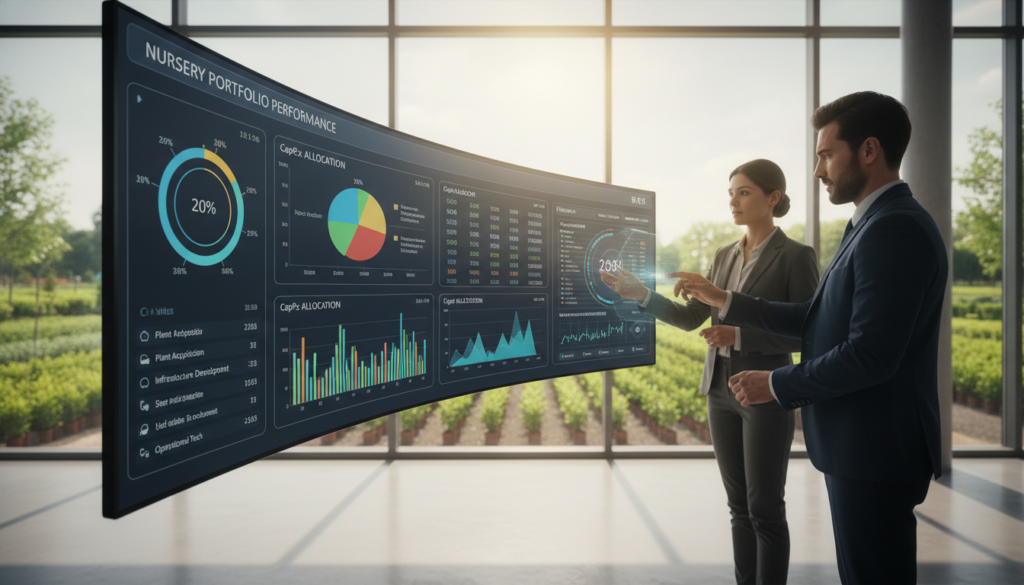
nursery investment management technology dashboard

Technology and Software Solutions

Digital investments are now vital in nursery management. Software and systems drive efficiency. They should be planned and budgeted for like any physical asset.

The ERP system itself is a significant investment. It connects finance, inventory, and sales. A strong ERP provides data for strategic decisions.

Beyond ERP, specialized solutions make a nursery “smart”. IoT sensors collect data on soil moisture and climate. Automated irrigation control software optimizes water and nutrients. This technology reduces waste and improves plant health.

Seeing technology as a capital asset changes the perspective. It’s not just an operational cost. It’s an investment in data, control, and competitive advantage.

CapEx Component Category Primary Examples Key Benefit Typical Lifespan & Consideration
Infrastructure & Equipment Greenhouses, automated lines, cold storage, vehicle fleet Creates production capacity and physical workflow Long (5-15+ years). Requires maintenance and depreciation planning.
Technology & Software ERP system, IoT sensors, automation software Enhances decision-making, control, and operational efficiency Medium (3-7 years). Faces faster obsolescence; requires updates.
Financial Characterization Tangible, Fixed Assets High upfront cost, depreciates over time Easier to finance through traditional loans.
Financial Characterization Intangible, Digital Assets Recurring update costs, drives ROI through efficiency May involve subscription models (SaaS) alongside purchase.

A balanced approach to nursery investment management is key. Physical assets enable scale. Digital assets enable smart, profitable scale. Ignoring either leaves potential growth and efficiency untapped.

Implementing ERP for Capital Expenditure Tracking

Putting CapEx tracking software into action is more than just a theory. It requires a careful, step-by-step approach. A hasty setup can lead to budget overruns and system rejection. We will guide you through a proven path to integrate an agricultural financing ERP successfully.

Steps to Integrate ERP in Your Nursery

A phased approach reduces risks and builds confidence. Follow these four core steps to ensure your new system controls capital expenditure effectively.

  1. Conduct a Comprehensive Needs Assessment. Start by auditing your current CapEx processes. Identify pain points like manual data entry for equipment purchases or unclear approval workflows. Define clear objectives for what your ERP must achieve.
  2. Execute Rigorous Vendor Selection. Not all ERP systems are built for agriculture. Evaluate vendors based on their experience with nursery operations, scalability, and specific CapEx tracking modules. Request demos focused on asset lifecycle management.
  3. Plan and Execute Data Migration. This is often the most critical phase. Clean your existing asset data before import. A messy chart of accounts will cripple reporting. Start with a pilot dataset, like all greenhouse structures from the past year, to validate accuracy.
  4. Run a Focused Pilot Test. Select one upcoming capital project, such as a new irrigation system installation, to test the ERP live. Involve the project manager and finance team. Use this test to refine workflows before a full-scale rollout.

Best Practices for Transitioning

Our experience shows that technical steps are only half the battle. Adopting these best practices safeguards your investment and drives user adoption.

  • Secure Executive Sponsorship Early. Leadership must champion the project. Their active support secures budget and motivates team members to engage with the new agricultural financing ERP.
  • Start with a Clean, Standardized Chart of Accounts. Define asset categories, depreciation methods, and cost centers precisely before go-live. This foundational step is non-negotiable for accurate CapEx tracking software reports.
  • Involve Project Managers from Day One. These end-users understand the nuances of nursery projects. Their input during configuration ensures the system matches real-world workflows for purchasing and installing capital assets.
  • Invest in Phased Training. Roll out training sessions tailored to different roles. Accountants need different knowledge than operations managers. Continuous support prevents frustration post-implementation.

To visualize common hurdles and their solutions, review the following table. It contrasts frequent pitfalls with proactive best practices.

Common Implementation Pitfall Potential Impact Best Practice Solution
Rushing the needs assessment phase Selecting an ill-fitting system; costly customizations later Dedicate 2-3 weeks to interview stakeholders from finance, operations, and procurement.
Migrating legacy data without cleansing Garbage-in, garbage-out; unreliable capital expenditure reports Run data validation scripts and assign a team to rectify discrepancies before import.
Underestimating change management Low user adoption; teams revert to old, manual processes Create a communication plan highlighting WIIFM (What’s In It For Me) for each department.
Skipping the pilot testing stage System-wide failures upon launch; major operational disruption Mandate a pilot on a non-critical, recent CapEx project to work out kinks in a controlled setting.

By following this structured approach, you transform your agricultural financing ERP from a simple software purchase into a powerful engine for financial control. The next phase involves navigating the ongoing challenges of CapEx management.

Common Challenges with CapEx Tracking

Managing capital budgets in nursery operations faces two big challenges: hidden cost overruns and seasonal cash flow cycles. An Agricultural Financing ERP gives you the tools you need. But, it’s how you use them to overcome these challenges that matters. We’ll look at these issues and how your ERP can help you tackle them.

Identifying Cost Overruns

Cost overruns in nursery projects often sneak up on you. They come from small changes that add up. For example, a delay in getting greenhouse panels can increase labor costs. Or, a small change to the irrigation system can add up across different areas.

This gradual increase in costs can make your final project cost much higher than planned. Without quick visibility, you might not notice the difference until it’s too late.

Modern ERP analytics are key here. They offer exception reporting to alert you to any spending that’s off track. This way, you can quickly check on any issues, like supplier delays or unauthorized changes. It turns CapEx tracking into a tool for real-time management.

Managing Seasonal Variability

Nursery finances go up and down with the seasons. You make big purchases in the quiet months, but you don’t get as much money then. This creates a cash flow problem.

Buying at the wrong time can hurt your finances. It’s not just about what to buy, but when. You need to plan your spending to keep your cash flow healthy all year.

Advanced ERP systems help with this. They let you forecast different scenarios. You can see how your cash flow will change with different sales predictions. This helps you plan your spending better.

This way, you can time your investments to match when you expect to make money. You can get discounts in the off-season and keep your operations running smoothly. It makes seasonal changes part of your financial plan, not a problem.

Case Studies of Successful ERP Implementations

To see how ERP helps with nursery investment management, we look at two examples. These stories show how ERP tackles big spending challenges. They also boost farming ROI in real ways.

Each example tackles different problems and finds solutions. The results are clear.

Nursery Project in California

A 500-acre nursery in California was expanding with a $10 million greenhouse project. This big step highlighted their old financial system’s weaknesses.

The main issues were:

  • They used different software for budgeting, buying, and accounting.
  • Tracking invoices and deliveries manually caused many mistakes.
  • They couldn’t see how spending matched their budget in real-time.

They needed a single system for all finances. They chose a comprehensive ERP for agriculture. This system became the truth for all financial matters related to the project.

The new system automated tracking of purchases and payments. It linked to the project’s budget. Managers could see daily updates on a dashboard.

The results were amazing. The nursery cut project costs by 15%. They understood their farming ROI better. Financial reports, once a long process, now took just a few clicks.

“The ERP didn’t just track our money; it gave us the confidence to manage our largest investment strategically.”

A Look at Midwestern Nursery Success

This nursery had a different problem. They managed equipment CapEx at five sites. Each site had its own way of budgeting and buying.

Getting reports to headquarters was a monthly struggle. They couldn’t compare costs or get better deals from vendors. Their nursery investment management was scattered and not efficient.

They picked an ERP for its strong consolidation tools. The focus was on making financial processes the same across all sites.

They used features like:

  • A central asset registry for all equipment.
  • Automated reports on capital spending.
  • Standardized processes for new purchases.

Quickly, they saw the benefits of consolidation. Headquarters got a clear view of equipment spending. They found ways to save thousands by buying in bulk.

Most importantly, they could now track the performance and farming ROI of assets at each site. This data changed their long-term nursery investment management strategy.

These examples show that a dedicated ERP is key for managing agricultural finance. It helps whether you’re growing or streamlining.

Future Trends in Agricultural Financing ERP

ERP systems for farming are getting smarter and more focused. We’re moving from just keeping records to offering real financial advice. Soon, nursery managers will make better, quicker, and greener investment choices.

These changes come from two main areas: artificial intelligence and green business practices. Knowing about these trends helps us get ready for new tools that will change how we work in agribusiness.

Increased Automation and AI Integration

Tomorrow’s ERP will be like a smart financial partner. It will use AI to predict when you’ll need to spend money on new things. It might tell you when to replace old greenhouse systems before they break down.

This smart system will also help with buying things. It will automatically send out orders for new equipment, making things easier and less prone to mistakes. The biggest change will be in how it analyzes money.

These systems will give deep insights into how your budget is doing. They won’t just show if you’re over or under budget. They’ll tell you why. This helps turn data into a tool for making better financial decisions.

Sustainability Focus in CapEx Decisions

Money won’t be the only thing we look at when making choices. Future ERPs will also consider the environment and social impact. This means we can see how our spending affects the world.

These systems will have tools to track carbon and the life cycle of investments. Before buying something big, like solar panels, we’ll see how it affects our wallet and the planet. We’ll look at both the financial and environmental benefits.

This way, we can make sure our spending helps our business and the planet. It’s not just about saving money now but also about being sustainable for the future. This approach will help our nurseries grow and stay strong.

In the end, ERP will be key for planning ahead. It will help us spend money wisely and in a way that’s good for the environment. This will secure the future of our nurseries and our planet.

Selecting the Right ERP for Your Nursery

Choosing the right ERP for your nursery is crucial. There are many software options out there. We’ll help you find the best one by looking at key factors and popular systems.

Factors to Consider When Choosing an ERP

Not all ERPs are the same, especially for nurseries. You need more than just basic accounting. Look for features that help manage long-term assets and projects well.

We suggest focusing on these four areas:

Depth of the Asset Management Module: A good ERP should manage fixed assets well. It should handle depreciation, maintenance, and lifecycle costs for greenhouses and special equipment.

Flexibility in Project Accounting: Big projects in nurseries cost a lot. Your ERP should track all costs for a project in real time.

Industry-Specific Functionality: A generic ERP might not work. Look for features like inventory management, lot tracking, and climate control integration. This saves time and reduces mistakes.

Scalability and Integration: Your nursery will grow. Your ERP should grow with you. It should also work well with other tools you use.

Popular ERP Systems in Agriculture

The market has many ERP options. Some are broad, while others focus on agriculture. Knowing what they offer helps you ask the right questions.

Here’s a table showing some popular platforms and their features for nurseries:

ERP System Key Features for Nurseries Deployment Model
SAP S/4HANA Agriculture Strong asset lifecycle management, advanced analytics for project costing, and industry solution maps for agribusiness. Primarily cloud-based, with on-premise options.
Oracle Cloud ERP Comprehensive project portfolio management (PPM) module, robust financial controls, and strong global compliance tools. Cloud-native SaaS (Software-as-a-Service).
Acumatica Cloud ERP Flexible, role-based dashboards, integrated project accounting suite, and highly customizable for mid-sized operations. Cloud-based with flexible licensing.
Specialized Vertical Solutions (e.g., certain ag-tech ERPs) Pre-built workflows for plant propagation, harvest tracking, and direct integration with agricultural hardware. Varies (often cloud-focused).

This is not a list of the best ERPs. It’s a starting point for your research. SAP or Oracle might be great for big companies. But Acumatica or ag-ERPs could be better for growing nurseries.

Ask for detailed demos focused on asset and project tracking. Test the ERP with your own scenarios. This shows how it works in your daily life.

Choosing the right ERP is an investment. It helps manage capital expenses and supports your nursery’s growth.

Training Your Team on ERP Systems

The best ERP system needs skilled users to work well. Investing in software is not enough if your team doesn’t know how to use it. Training should be a key part of setting up the system.

Importance of Employee Education

Teaching your team is crucial for using the system right. Without training, they might go back to old ways or make mistakes. This can mess up reports and forecasts.

For tracking money, this is a big problem. Accurate budget vs. actual ERP reports need correct data entry. If your team makes mistakes, it’s hard to manage big projects.

Good training makes everyone more careful with data. When they see how their work affects the company’s money, they do better. This is what makes an ERP system truly useful.

ERP system training for team

Resources for ERP Training

There are many ways to help your team learn ERP. A mix of outside help and in-house support works best. This way, everyone can learn in a way that fits them.

Here are some key resources:

  • Vendor-Provided Training: ERP providers often have training programs. These are great for learning the basics and best practices from the experts.
  • Internal “Power Users”: Pick some tech-savvy staff to be your team’s go-to for help. They can answer questions and support each other.
  • Quick-Reference Guides: Make simple guides for specific tasks. For example, a checklist for logging expenses can help avoid mistakes.
  • Simulation Environments: Use the system’s test area to practice. This is a safe place to try out complex tasks, like budget vs. actual reports, before using real data.

Using these resources regularly turns theory into action. It makes sure your team can handle tasks that keep your nursery’s finances in order.

Conclusion: Enhancing CapEx Management in Nurseries

Managing capital spending well is key for big nurseries today. Using a strong agricultural financing ERP system makes CapEx more than just a number. It becomes a tool for growth.

The Future of Agricultural Financing ERP

Systems are getting smarter. Soon, we’ll see more use of predictive analytics and AI. This will make budgeting and forecasting even better. It will help nurseries grow more efficiently.

Final Thoughts on Efficiency and Growth

Controlling capital spending with technology is more than saving money. It’s about growing with confidence. Seeing CapEx as a way to grow sustainably means your nursery gets the most out of its investments. The right ERP system gives you a financial edge.

FAQ

What is an Agricultural Financing ERP system, and how is it different from regular accounting software?

An Agricultural Financing ERP is a special platform for agribusiness. It’s not just accounting software. It links your financials with data on inventory, crops, and equipment. This gives you a complete view of your nursery’s performance and asset health.

Why is tracking Capital Expenditure (CapEx) so critical for a nursery’s success?

CapEx is key for your nursery’s growth. It includes big investments like new greenhouses and irrigation systems. Tracking these assets right is crucial for your finances and planning for the future.

How does an ERP system improve our budgeting and forecasting for large projects?

Our ERP offers detailed budget tracking. You can see how actual expenses compare to your budget in real time. This helps you spot and fix issues quickly. Over time, it also improves your forecasting for future projects.

What are the common challenges in CapEx tracking that an ERP can solve?

ERPs help with cost overruns and cash flow issues. They alert you to changes and help plan for different seasons. This ensures you have enough money when you need it.

What are the key steps to successfully implement an ERP for CapEx management?

Start with a clear needs assessment. Choose a vendor with experience in agribusiness ERPs. Begin with a small project to test the system. Make sure to get executive support, clean your data, and train your team well.

What future trends should we consider when investing in an Agricultural Financing ERP?

Look for automation and sustainability features. AI can predict when assets will fail and automate orders. ERPs are also adding tools for environmental impact analysis. This helps you see the environmental benefits of your investments.

How do we choose the right ERP system for our nursery operation?

Consider what you need for managing investments. Look at asset tracking, project accounting, and crop costing. Compare systems like SAP S/4HANA Agriculture and Oracle Cloud ERP. Choose one that grows with you and has a good track record in agriculture.

Why is training so important for realizing the full value of our ERP investment?

The best ERP is only as good as the data you enter. Good training ensures your team logs data correctly. This is key for accurate tracking and ROI. Create “power users” and use vendor training to make the most of your ERP.


Voice Analytics and AI Sales Coaching Integrated into B2B CRM

The modern B2B world asks more from sales teams. Consistent, effective coaching is hard to find. Insights from customer talks are often ignored.

We created a solution to fill this gap. Our system combines conversation intelligence and automated coaching in the core CRM. It goes beyond just tracking contacts.

This setup forms a closed-loop system for sales excellence. Every talk leads to personalized feedback and strategic steps. It turns data into a growth tool.

The results are clear and measurable. Teams see better win rates, improved rep performance, and more accurate forecasts. This case study shows how.

Key Takeaways

  • Traditional CRMs often lack tools for deep analysis of sales conversations.
  • Integrated voice analytics turns every customer call into a source of actionable intelligence.
  • AI-driven coaching delivers personalized, immediate feedback to representatives.
  • This synergy fosters a truly data-driven culture within sales organizations.
  • The closed-loop system directly links conversational insights to strategic CRM actions.
  • Measurable benefits include higher win rates and improved forecast accuracy.
  • The platform provides managers with objective data to guide team development.

Understanding AI Sales Coaching and Its Benefits

AI sales coaching turns feedback into a consistent, data-driven process. It goes beyond traditional coaching sessions. It offers a continuous learning loop for sales teams.

What is AI Sales Coaching?

AI sales coaching is an automated system that analyzes rep performance. It uses algorithms and machine learning for personalized feedback. This is different from manual coaching, which often relies on a manager’s memory.

The system creates a detailed performance profile for each rep. It looks at communication, deal progression, and customer engagement. This approach removes guesswork and personal bias from coaching.

Key Benefits of AI in Sales Coaching

AI-driven coaching offers several advantages for sales teams. These benefits improve rep performance and team productivity.

Objective Performance Baselines: AI sets clear, measurable benchmarks. This eliminates subjective reviews. Everyone is judged by the same standard.

Scalable Personalized Training: The system coaches the whole team at once, but the advice is tailored. It focuses on specific areas for improvement, like handling objections or improving questions.

Consistent Reinforcement of Best Practices: AI ensures coaching is ongoing. It continuously monitors interactions and reinforces successful behaviors. This embeds winning strategies into daily routines.

  • 24/7 availability and analysis
  • Faster ramp-up time for new hires
  • Data-backed coaching conversations

How Voice Analytics Enhances Sales Coaching

Voice analytics powers modern AI sales coaching. It turns spoken conversations into structured data. This is more advanced than simple call recording.

The technology performs a deep call recording analysis. It automatically transcribes sales conversations. Advanced natural language processing then analyzes this text to identify critical elements.

It extracts key metrics like talk-to-listen ratios and customer sentiment shifts. It flags important moments like a prospect expressing a clear need. This turns subjective call reviews into objective coaching opportunities.

For example, the AI might flag a rep who uses too much technical jargon. The data shows a link between this and prospect disengagement. A manager can then coach the rep on simplifying their language, using specific calls as examples.

This level of call recording analysis provides context that a scorecard alone cannot. It understands not just what was said, but how it was received. This empowers coaches to give specific, behavior-changing guidance.

Integrating AI Sales Coaching into Your CRM

AI in sales is powerful when used right in your CRM. It turns data into coaching that boosts performance. But, a bad setup can waste your time and money. We’ll show you how to make your CRM a sales growth engine.

Choosing the Right CRM for AI Integration

Not all CRMs work well with AI tools. You need a system that’s built for growth and data smarts.

We look at three important things:

  • Open API Architecture: Your CRM must have strong APIs. This lets AI tools like Gong or Chorus work with your data smoothly.
  • Ecosystem Partnerships: Choose a CRM with good partnerships. Salesforce and HubSpot have easy connections that save time.
  • Data Governance Capabilities: Your CRM should manage data well. This keeps your AI learning from clean data and controls who sees coaching notes.

Opt for a CRM that checks these boxes to protect your investment and speed up results.

Steps for Seamless Implementation

Roll out AI in phases to get everyone on board. A big launch can confuse and upset people.

  1. Start with a Pilot Team: Pick a small group to test and give feedback. They’ll help make the rollout smoother.
  2. Ensure Clean Historical Data Migration: Clean up your CRM data before adding AI. Bad data means bad results.
  3. Configure Coaching Workflows Aligned with Sales Stages: Use AI insights to guide your sales process. For example, alert reps when they miss important questions.

AI sales coaching CRM integration

  1. Integrate Feedback Loops into Existing Rituals: Use AI insights in regular meetings. This makes the tool a natural part of your workflow.

Best Practices for Maximizing AI Effectiveness

AI alone can’t change how you work. How you use it matters a lot.

First, see AI as a tool to help, not watch you. Be open about its purpose. It’s to help reps win, not spy on them.

Second, don’t overwhelm your team. Focus on 1-2 key metrics at first. This helps set clear goals for improvement.

Lastly, use AI data to keep getting better. Use common issues to make better training. This turns insights into actions, improving your sales team.

Real-World Success Stories of AI Sales Coaching

The true value of any technology is seen in how it works in real life. We see the impact of AI sales coaching through clear business results for revenue teams.

Case Study: A B2B SaaS Client’s Transformative Journey

A mid-market SaaS company using Salesforce CRM had a big problem. They had low discovery call conversion rates and an inconsistent pipeline. But after using an AI sales coaching platform, they quickly saw how calls were going.

Key Metrics and Results from AI Integration

In just six months, the company’s qualified opportunities jumped by 27%. Their sales cycle got shorter by 15%. Reps also followed key messaging 40% better. These improvements came from insights from conversational intelligence.

Lessons Learned and Future Considerations

Getting leadership on board and managing change well were key to success. Looking ahead, these systems will keep getting better. We’ll see more predictive coaching and closer ties with marketing automation.

This will make the CRM the heart of the revenue team. It will be powered by advanced conversational intelligence.

FAQ

What exactly is AI sales coaching, and how does it differ from traditional sales coaching?

AI sales coaching uses data to help sales teams improve. It’s built into platforms like Salesforce or HubSpot CRM. It analyzes how reps perform and gives them feedback to get better.

Unlike old-school coaching, AI gives feedback all the time. It’s based on real customer talks, helping the whole team get better.

How does voice analytics CRM functionality work with call recording analysis?

Our tech records, transcribes, and analyzes sales calls in your CRM. It spots important parts like how much talking versus listening, mentions of competitors, and how customers feel. It turns each call into data for better coaching and sales help.

What are the primary benefits of integrating AI sales coaching into our existing CRM?

It makes a strong system. It sets clear goals, helps coach everyone at once, and makes sure everyone knows the best ways to sell. This boosts win rates, makes forecasts more accurate, and gets reps up to speed faster.

What should we look for in a CRM to ensure successful AI and voice analytics integration?

Look for a CRM with a good API, partnerships with top AI tools, and strong data handling. The best CRM is a hub for your sales team, not just a place to store data.

How can we ensure our team adopts AI sales coaching effectively and doesn’t see it as surveillance?

Make sure they see it as a tool to help them, not watch them. Start with a small group, focus on a few key areas to improve, and tie it into regular meetings. Being open about how the data helps everyone is key.

What kind of tangible results can we expect from implementing this integrated approach?

Real companies have seen big improvements. For example, one SaaS company got 27% more qualified leads, cut sales cycles by 15%, and improved rep messaging by 40% in six months. The data showed exactly where to improve.

Ensuring GDPR Compliance in Global B2B ERP and CRM Implementations

Modern businesses face a big challenge when they work across international borders. They need to make their core processes better while keeping personal data safe. This is why having a strong data privacy framework is crucial for success.

We focus on putting these important regulations into the heart of enterprise software. We don’t just check boxes for GDPR compliance. We make it a key part of business systems, turning it into a powerful strategic asset.

This approach does more than pass audits. It builds trust with partners and clients all over the world. By linking process efficiency with privacy-by-design, we make a complex rule into a clear advantage.

Key Takeaways

  • Data protection must be a core component of global business operations.
  • A strategic, embedded approach to regulations is more effective than a reactive one.
  • Building privacy into enterprise systems fosters stronger international relationships.
  • Proactive adherence to standards can directly support business growth and scalability.
  • Trust becomes a tangible asset when operational and regulatory goals are aligned.

Understanding GDPR and its Importance for Businesses

For any business handling European data, understanding GDPR is essential. This law changes how we collect, use, and protect personal information. Knowing it well is key to following all compliance rules, especially in complex systems like ERP.

Its importance cannot be overstated. In the B2B world, data moves across borders all the time. This includes customer, employee, and partner information. Ignoring this law can lead to very high penalties.

What is GDPR?

The General Data Protection Regulation (GDPR) is a major data privacy law from the European Union. It started fully on May 25, 2018. It aims to give people control over their data and make international business rules simpler.

This law affects any company, no matter where it is, that handles EU data. So, a U.S. company selling to French businesses must follow it. It applies to both “controllers” and “processors.”

Personal data is very broad. It includes names, email addresses, and online IDs. In B2B, it often means professional contact details of people at client companies.

Key Principles of GDPR

The GDPR is built on seven main principles. These are not just suggestions; they are legal musts. They guide how we handle data from start to finish.

Let’s make these legal terms into real business actions. Each principle tells us how to manage data from the moment it comes into our systems.

Principle Legal Definition Practical Business Implication
Lawfulness, Fairness, & Transparency Processing must have a legal basis and be done openly. We must clearly tell people why we need their data and get their consent or use another legal reason.
Purpose Limitation Data is collected for specific, clear, and valid reasons. We can’t use customer data for new marketing unless that’s why we got it in the first place.
Data Minimization Only collect data that’s enough, relevant, and needed. Our forms shouldn’t ask for too much info. We only collect what we really need.
Accuracy Personal data must be accurate and up to date. Our CRM needs to update and correct client info regularly.
Storage Limitation Data is kept in a way that lets us identify people for as long as needed. We need clear data retention policies and automated ways to archive or delete data in our ERP.
Integrity & Confidentiality Data must be processed securely, protected from unauthorized or illegal use. This means we need strong security like encryption, access controls, and regular checks in our systems.
Accountability The controller must be able to show they are following the law. We need to document our compliance efforts, keep records of data activities, and do regular audits.

The accountability principle is very important. It makes the company prove they are following the law. This is why ERP systems are key for keeping records and showing compliance.

Who Needs to Comply?

Two main groups must follow the GDPR: data controllers and data processors. Many businesses are both, depending on the situation.

Data Controllers decide why and how data is processed. In B2B, this is usually the company with the customer relationship. They choose what data to collect and why.

Data Processors handle data for the controller. This could be a cloud ERP vendor, a payroll service, or a marketing platform. Processors have their own GDPR duties, like keeping data safe and helping the controller.

If your business sells to EU people or watches their behavior, you likely need to follow GDPR. This rule applies even if no money is exchanged. It focuses on where the data subject is, not the company.

Implications of Non-Compliance

Not following GDPR can lead to big problems: fines and damage to your reputation.

Fines are serious. For the worst cases, fines can be up to €20 million or 4% of the company’s global annual turnover, whichever is more. This is not just a risk; big companies have faced huge fines.

Here are some possible violations:

  • Not having a good reason for processing data.
  • Not meeting data subject rights requests on time.
  • Not keeping data safe, leading to a breach.
  • Not telling the supervisory authority about a breach within 72 hours.

Reputation damage can be even worse. Losing customer trust in B2B is very bad. Partners and clients expect their data to be handled carefully. A public action or data breach can hurt your reputation a lot.

Also, not following GDPR makes things harder to do. Bad data management leads to mistakes, duplication, and security issues. A proactive approach based on these principles makes things smoother and builds trust. This is why making GDPR part of ERP systems is smart for business.

The Role of ERP Systems in GDPR Compliance

ERP systems are at the heart of data management, posing both risks and opportunities. They are where all sensitive information comes together. This makes them key for both following rules and facing scrutiny.

Understanding ERP’s role is crucial. It can be a tool for compliance, not just a system.

ERP Systems: A Dual Perspective on Data Privacy
Potential Risk Vector Powerful Compliance Tool
Centralized storage creates a single target for data breaches. Centralization allows for uniform security policies and controls across all data.
Complex data flows can obscure where personal information is stored and processed. Provides a unified system to map and inventory all personal data.
Legacy or poorly configured systems may lack necessary privacy features. Modern platforms offer built-in functions for consent management, access logging, and data subject requests.
Broad user access can lead to unauthorized data exposure. Enables granular, role-based access controls to enforce the principle of least privilege.

How ERP Systems Manage Data

ERP systems are the brain of data management for businesses. They bring together data from all departments. This includes employee records, supplier contracts, customer data, and financial info.

Every transaction, from sales to HR, goes through this system. It doesn’t just store data; it manages its entire life cycle. This meets GDPR’s demands for personal data management.

Benefits of ERP for GDPR Compliance

With a focus on privacy, ERP systems become a major asset. They act as foundational data privacy software. The benefits include:

  • Unified Data Governance: One system means one set of rules. You can apply consistent data retention schedules, classification labels, and protection standards across all personal data, regardless of its origin within the company.
  • Streamlined Access Controls: ERP platforms allow administrators to define user roles with precision. You can ensure employees only access the data necessary for their job. This enforces the GDPR principle of data minimization by design.
  • Automated Audit Trails: Comprehensive logging is built-in. The system automatically records who accessed what data and when. This creates a reliable audit trail for demonstrating compliance during an investigation or regulatory review.

An ERP system set up for compliance does more than store data. It actively manages and protects it. This turns a core business platform into your most powerful data privacy software, embedding compliance into daily operations.

Integrating GDPR into ERP Projects

Adding GDPR to your ERP project is essential, not just an afterthought. It’s a key part of the whole project. We see compliance as a main part of the project, not just a checklist. This way, we avoid costly mistakes and build trust from the start.

Our experience shows that a careful, step-by-step approach works best. We aim to make privacy a part of the system’s core.

Steps to Ensure Compliance from the Start

Starting with a clear plan is crucial. We suggest these important steps to make sure your project follows GDPR rules.

  1. Appoint a Data Protection Officer (DPO) to the Core Team. Your DPO should be part of the project team from the beginning. They guide on privacy, ensure privacy by design, and talk to regulators.
  2. Conduct a Formal Data Protection Impact Assessment (DPIA). Do this DPIA in the early stages of the project. It finds high-risk data activities in the new ERP and requires safety steps before starting.
  3. Initiate Enterprise Data Mapping During Blueprinting. This is a key technical step. You need to map out personal data, where it is, how it moves, and who can see it. A detailed enterprise data mapping is essential for all compliance decisions.
  1. Clearly Define Data Processing Roles. Figure out if you’re a controller, processor, or both for different data in the ERP. Knowing this helps you understand your legal duties and contracts with third parties.
  2. Integrate Privacy Controls into System Design Specifications. Make sure the technical specs include privacy features like data minimization and user rights. This means adding features like access control, audit logs, and data anonymization into the system.

Common Challenges Businesses Face

Even with good plans, companies face big hurdles. Spotting these challenges early helps plan and solve them better.

Legacy system complexity is a big one. Old systems have hidden data flows and hard-to-change structures, making data mapping hard. People also resist new, compliant ways of working, seeing them as too complicated.

Leaders often struggle to balance strict rules with the need for quick, innovative changes. It’s important to explain the risks of not following rules and how following them can make things more efficient in the long run.

Challenge Description Recommended Mitigation Strategy
Legacy System Integration Old systems lack modern data rules, making enterprise data mapping hard. Implement in phases. Use temporary data tools and cleaners to make a compliant layer before moving everything.
Internal Process Resistance Teams don’t want to use new, GDPR-mandated ways, preferring old shortcuts. Get department leaders involved in design early. Show them how new processes lower their risks.
Compliance vs. Agility Trade-off People think privacy controls slow things down or make reports harder. Do pilot projects to show that following rules can actually speed things up and make them more reliable.

By planning for these challenges and starting with the right steps, your ERP project can make GDPR compliance a strength, not a weakness.

Data Mapping and Inventory in ERP Systems

Before we can protect data, we must first know what data we have and where it is. This is the core of enterprise data mapping. It’s essential for following GDPR rules. Without it, securing data and respecting user rights is hard.

Importance of Data Mapping

Many think data mapping is just for setup. But it’s an ongoing task. Your ERP system is always changing. A map that doesn’t update is useless.

Keeping your data map current is key. It helps follow GDPR rules. It shows where data is, making it easier to delete it when needed. Dr. Lena Schmidt says:

“A dynamic data map is not just for checking boxes. It’s the heart of ethical data management. It helps organizations be proactive in data care.”

Dr. Lena Schmidt, Data Privacy Strategist

This process makes legal rules real for IT and business. It proves to regulators and builds trust with customers.

Conducting a Comprehensive Data Inventory

Creating a detailed data map needs a careful plan. We suggest a step-by-step method for your ERP data inventory.

The steps include:

  1. Catalog Data Categories: Begin with broad categories like “Customer PII,” “Employee Records,” and “Financial Transactions.”
  2. Identify Personal Data Fields: Look closely at each category in your ERP. Find the exact fields with personal data, like names and email addresses.
  3. Document Processing Purposes: Explain why you collect and use each data type. Link it to business processes, like “process payment.”
  4. Trace Data Flows: Show how data moves in your ERP and outside systems. Track a customer’s email from start to finish.
  5. Pinpoint Storage & Retention: Find every place data is stored. Add a schedule for when it should be kept or deleted.

A detailed inventory is key. Here’s what it should include:

Data Category Personal Data Field (Example) Primary Processing Purpose ERP Module/Flow Retention Schedule
Customer Master Data Full Name, Billing Address, Email Contract fulfillment, invoicing CRM → Sales → Finance 7 years post-contract end
Employee Profile Social Security Number, Bank Details Payroll processing, benefits administration HR → Payroll → Finance Termination + 6 years
Website Contact Form IP Address, Inquiry Message Marketing lead generation, customer support Web Portal → CRM → Service 2 years from last contact
Supplier Contract Company Reg. Number, Contact Person Phone Procurement, payment processing Procurement → Finance 10 years post-contract end

Doing this detailed enterprise data mapping is hard but necessary. The final inventory is your guide for all compliance tasks. It helps you quickly answer data requests and follow policies. This work makes data management a valuable business asset.

Privacy by Design: Building Compliance into ERP

Building GDPR compliance into ERP starts with a big change. It involves using data privacy software ideas from the start. This way, we don’t just add security later. We make it a part of the system’s core.

This approach creates a tool that’s not just compliant. It’s a strong business platform ready for today’s rules.

What is Privacy by Design?

Privacy by Design is a way to make data protection a part of IT systems and business practices. It’s about making privacy a standard, not an extra feature. The goal is to make following rules the default, not something you choose.

It’s based on seven key ideas by Dr. Ann Cavoukian. These ideas include being proactive and making privacy the default. Cavoukian said:

“Privacy by Design advances the view that the future of privacy cannot be assured solely by compliance with regulatory frameworks; rather, privacy assurance must become an organization’s default mode of operation.”

— Dr. Ann Cavoukian

In ERP, this means thinking about privacy from the start. Every part of the system is designed with privacy in mind.

Incorporating Privacy Principles into ERP Implementation

Turning these ideas into an ERP system means making specific technical and design choices. It makes abstract rules into real system behaviors.

Enforcing Least Privilege with Role-Based Access (RBAC): A key idea is to minimize data. We set up user roles to only access data needed for their job. For example, an accounts payable clerk shouldn’t see HR records.

Designing for Data Minimization: The system’s design also shows Privacy by Design. We make sure screens and forms only ask for what’s needed. We check each field and make sure it’s justified. This stops unnecessary data from getting in.

Automating Data Lifecycle Management: Compliance isn’t just a one-time thing. We add rules for data retention and purging into workflows. This way, data is kept or deleted automatically, following storage rules.

Implementing Pseudonymization for Analytics: We also make sure reporting doesn’t hurt privacy. We use pseudonymization for reports, so data is safe. This way, we can still do important analysis without risking privacy.

By making these features part of the system’s design, we create a place where data protection is natural. The system itself helps follow rules, reducing mistakes. This is what makes a good ERP system stand out.

User Rights under GDPR and ERP Systems

GDPR’s core user rights need more than just policies. They require systems that can handle access, erasure, and portability requests well. A modern ERP or CRM platform is key, making legal rules easy to follow and track.

We design these systems to quickly and accurately process Subject Access Requests (SARs).

Right to Access

When someone asks for their personal data, you have a month to give it to them. Gathering this data from different systems is hard and risky.

A GDPR-ready ERP system makes this easier. It can automatically create a detailed report of a person’s data. This includes data from HR, sales, and finance, all in one document.

This automation helps meet the deadline, cuts down on mistakes, and keeps a clear record of each request. The efficiency gain is huge, making this task routine.

Right to Erasure

The “right to be forgotten” is a big challenge, especially in a CRM system. Deleting a record can mess up important business data like sales history or invoices.

We solve this by using secure rules. We can erase some data but keep other data for legal reasons. For example, we might keep financial records but erase marketing data.

GDPR right to be forgotten CRM process

Every change is recorded in a secure log. This shows what data was changed, when, and why. It protects both the person’s privacy and the company’s needs.

Right to Data Portability

This right lets people get their data in a format they can use elsewhere. GDPR says the data must be in a structured, commonly used, and machine-readable format, like JSON or XML.

Modern ERP systems make this easy with good data export tools and APIs. Instead of a messy file, you get a clean, complete data package. This includes the person’s profile and any other personal data.

This makes businesses more transparent and builds trust. It helps customers and makes it easier to switch between services.

In the end, adding these features to your ERP makes following GDPR rules a part of serving your customers well.

Consent Management within ERP and CRM

Getting consent is key for GDPR, especially for certain activities. A good CRM system for consent is more than just following the law. It’s about being open and building trust. It should handle consent from start to finish.

Obtaining Customer Consent

GDPR gives several reasons for processing data. For B2B, “legitimate interest” often works. But for direct marketing, it’s different.

In B2C, you need clear consent for marketing. B2B has its own rules, but for emails to specific contacts, you need their okay. This consent must be clear and direct.

CRM systems are set up to get this consent right. No pre-checked boxes are allowed. You must explain why you’re using the data. It’s best to let people choose what they agree to.

Understanding the difference between B2B and B2C consent is key. Here’s a table showing the main differences:

Processing Scenario Typical B2C Basis Typical B2B Basis
Sending a product invoice Contractual necessity Contractual necessity
Post-sale support communication Legitimate interest Legitimate interest
Promotional email newsletter Explicit Consent Explicit Consent (for individual contact data)
Analyzing data for product improvement Legitimate interest (with transparency) Legitimate interest (with transparency)

Managing Consent Records Effectively

Getting consent is just the start. Keeping accurate records is the real challenge. Your CRM must be the go-to for all consent information.

Each record should have all the important details. This makes it easy for regulators to check.

  • What consent was given for (the specific purpose).
  • When it was obtained (date and timestamp).
  • How it was collected (the method and context).
  • The version of the privacy notice active at that time.

Good systems also handle consent over time. They can automatically ask for consent again when needed. This keeps your marketing lists clean and legal.

When someone wants to withdraw consent, your CRM must act fast. This is where right to be forgotten CRM is crucial. It should automatically stop marketing to that person.

The CRM should also tell other systems to stop using the data. This keeps your data safe and follows holistic GDPR compliance ERP.

“Consent under GDPR is not a one-time event but a renewable and revocable permission. Systems must be built to respect this dynamism at scale.”

Seeing consent as a key part of your CRM can be a big plus. It shows you respect people’s rights and strengthens your GDPR compliance ERP. By making these processes work well, you make sure right to be forgotten CRM is a key part of your data strategy.

Data Security Measures in ERP for GDPR

Strong data security is key for any ERP system to meet GDPR’s strict rules. The regulation calls for “appropriate technical and organizational measures” to safeguard personal data. For global B2B operations, this means creating a security posture that goes beyond basic compliance. It turns your ERP into a trusted, resilient platform.

True data privacy software must be built on a foundation of unshakeable cybersecurity. We cannot separate privacy from protection. The following measures are not just best practices; they are essential components of a GDPR-aligned ERP strategy.

Encryption and Data Protection Strategies

Encryption is the last line of defense, making data useless if intercepted. GDPR explicitly recommends encryption as a protective measure. We must apply it in two key states:

  • Encryption at Rest: This protects data stored on servers, databases, and backups. Advanced Encryption Standard (AES-256) is the industry benchmark.
  • Encryption in Transit: This safeguards data moving between users, systems, and cloud services. Transport Layer Security (TLS 1.3) protocols are mandatory.

Encryption alone is not enough. A layered defense strategy is critical. This includes robust Identity and Access Management (IAM) to ensure only authorized personnel access data. Network segmentation isolates sensitive databases from general traffic. Secure API management governs how external applications interact with your ERP.

The table below outlines core data protection strategies and their role in GDPR compliance:

Protection Strategy Core Function Direct GDPR Benefit
Encryption at Rest Secures stored data on disks and databases. Mitigates risk of data breach from physical or server access.
Encryption in Transit Protects data moving across networks. Ensures integrity and confidentiality during data transfers.
Identity & Access Management (IAM) Controls user permissions and authentication. Enforces principle of least privilege and access logs.
Network Segmentation Divides network into secure zones. Contains breaches and limits lateral movement of threats.
Secure API Management Governs and monitors application programming interfaces. Prevents unauthorized data exposure through integrations.

Regular Security Audits and Assessments

Technology and threats evolve constantly. A system that was secure last year may have vulnerabilities today. GDPR’s accountability principle requires you to proactively identify and address risks. This is where regular, independent security audits become non-negotiable.

These assessments should be conducted at least annually or after any major system change. They typically include:

  1. Penetration Testing: Ethical hackers simulate real-world attacks to find weaknesses before criminals do.
  2. Vulnerability Assessments: Automated scans identify missing patches, misconfigurations, and known security flaws.
  3. Configuration Reviews: Experts check if security settings align with industry benchmarks and internal policies.

The findings from these audits provide a clear roadmap for remediation. They turn compliance from a static checklist into a dynamic process of continuous improvement. Documenting these audits also demonstrates due diligence to regulators.

Implementing these data security measures transforms your ERP from a business tool into a powerful engine for trust and compliance. It is the technical backbone that makes advanced data privacy software functional and reliable.

Continuous Monitoring and Reporting for Compliance

Compliance is not just a goal; it’s an ongoing effort. For companies handling European B2B data, starting a compliant ERP system is just the start. We need a strong internal system to keep watching over our data. This makes compliance a part of our daily work.

Our system should have clear leaders, regular checks, and tools in our ERP and CRM. We aim to spot problems early and adjust to new rules and changes in our business.

Importance of Regular Compliance Audits

Audits are key to keeping our model alive. They help us move from just talking about compliance to actually doing it. Audits are not about finding who’s wrong. They’re about making sure our systems protect data as they should.

One important part of audits is checking our data processing against our official plans. We look for new data types or changes in how we use data. This keeps our records up to date and reliable.

We also review who has access to our systems and what they can do. We look for any unusual access or permissions that don’t match job roles. Plus, we regularly test our plans for handling data breaches. This makes sure our team knows what to do if something goes wrong.

There are different types of monitoring for different needs. A good program covers all of them.

Monitoring Activity Primary Focus Typical Frequency Key Output
Compliance Audit Alignment with GDPR principles & data map Bi-annually or Annually Gap analysis and corrective action plan
Access Log Review User behavior and permission integrity Monthly or Quarterly Report on anomalies and revoked access
Security Scan Technical vulnerabilities (e.g., unpatched software) Weekly or Monthly Patch and mitigation priorities
Response Plan Test Team readiness and procedure effectiveness Semi-annually Updated response playbook

Reporting Obligations under GDPR

Clear reporting is key to being accountable. The biggest rule is to report any data breaches. If a breach happens, we have to act fast.

The GDPR says we must tell the right authorities within 72 hours of finding out about a breach. This is not optional. It’s required unless the breach is unlikely to harm people’s rights.

Our system needs to find, assess, and report breaches quickly. This isn’t something we do after the fact. We need alerts for odd activities and clear steps for reporting.

The steps for reporting a breach include:

  • Detection: Automated alerts or staff reports start the process.
  • Assessment: A team checks the breach, its scope, and risk, and if it’s personal data.
  • Containment: We take immediate steps to stop the breach and secure our systems.
  • Notification: If needed, we tell the supervisory authority and affected people within the legal time.
  • Documentation: We record all about the breach and our response to prove we followed the rules.

Building these steps into our system workflows is crucial. It makes following the rules a regular part of our work. This approach reduces legal risks and builds trust with our European partners.

Training Staff on GDPR Compliance in ERP Context

ERP systems are key to managing data, but it’s your team that makes it work. Without proper training, even one mistake can lead to big problems. We see training as the final and most critical control layer for GDPR compliance in ERP.

Developing a Compliance Training Program

Every employee is different, so training can’t be the same for everyone. We create programs that match each role, linking GDPR rules to everyday tasks in your systems. This makes training more relevant and helps people remember it better.

For example, HR staff need to know how to handle employee data in the ERP’s HR module. They learn about legal data processing, keeping data to a minimum, and protecting sensitive info. On the other hand, sales teams get training on getting consent, handling opt-outs, and data portability rights in the CRM.

GDPR compliance ERP staff training

Creating this training involves linking GDPR rules to specific system functions and roles. Below is a sample framework for a role-based GDPR training program in an ERP environment.

Employee Role Key GDPR/ERP Focus Areas Recommended Training Methods
HR Staff Processing employee data; Right to access & erasure workflows; Data retention policies in HR modules. Interactive workshops; Simulated data subject request drills.
Sales & Marketing Teams Consent management in CRM; Recording consent basis; Handling customer data portability requests. Scenario-based e-learning; CRM walkthroughs with compliance checkpoints.
IT & System Administrators System security configurations; Audit logging; Data encryption and pseudonymization features. Technical deep-dive sessions; Vendor-led security training.
Data Protection Officer (DPO) Oversight of training efficacy; Monitoring ERP access logs; Managing data protection impact assessments. Advanced regulatory updates; Peer networking forums.

Ongoing Education and Awareness

Training is just the start. Rules change, and people leave. We help clients build a culture of data protection awareness that lasts. This makes your organization always ready for compliance.

Regular updates are key. We suggest quarterly briefings on new rules or policy changes affecting ERP use. Using tactics like simulated phishing emails helps keep everyone alert and ready.

It’s also crucial for employees to know how to report data concerns. Having clear, separate reporting channels helps staff be your first line of defense. When everyone feels responsible for data protection, your GDPR compliance is much stronger.

By educating your team and giving them clear reporting channels, you turn them into data privacy guardians. This human layer completes your defense, making sure your technology investments pay off in the long run.

Leveraging Technology for Enhanced Compliance

Choosing the right technology is key to making compliance a strategic advantage. Modern tools help us go beyond just checking boxes. They create smart systems that protect data by design.

This approach turns rules into a way to improve how we work. The right tech stack does more than avoid fines. It builds trust with customers and makes data governance strong.

Choosing the Right ERP Solution

Not all ERP systems are good for protecting data. A system focused only on finance might not meet GDPR’s privacy needs. We need to look for systems that focus on compliance.

The best system is like data privacy software. It has privacy controls built into its core, not added later. This is crucial for compliance that grows with your business.

Look for certifications like ISO 27001 and SOC 2. These show a vendor’s commitment to security. They prove the provider meets high international standards.

Your ERP must be flexible for global operations. It should let you set up different rules for different places. Being able to control where data is processed is a big plus for companies worldwide.

ERP Feature Assessment for GDPR Readiness
Core Feature Functional Description Direct GDPR Benefit
Built-in Privacy Controls Default settings that minimize data collection and enable pseudonymization. Embodies Privacy by Design, reducing breach risk and simplifying user rights fulfillment.
Security Certifications Independent validation (e.g., ISO 27001) of the vendor’s security management system. Provides documented evidence of technical and organizational security measures required by Article 32.
Data Localization Configurability Tools to restrict data processing and storage to specific geographic regions. Ensures compliance with data sovereignty laws and simplifies cross-border transfer management.
Comprehensive Audit Logging Automatic, immutable records of all data access, creation, and modification events. Supports accountability, enables breach investigation, and fulfills documentation obligations.
Integrated Consent Management A central module to capture, store, and manage withdrawal of customer consent. Streamlines compliance with lawful basis for processing and the right to withdraw consent.

Utilizing Data Analytics for Compliance Monitoring

Data in your ERP is key to smart governance. Advanced analytics turn this data into a tool for constant monitoring. This makes your system a proactive protector of privacy.

One great use is tracking user access patterns. Analytics can spot unusual activity, like an employee downloading lots of customer data.

This alerts your security team in real-time. It changes their focus from audits to always being on guard. This helps catch internal threats or compromised accounts fast.

Analytics also change how we do enterprise data mapping. Manual mapping is slow and outdated quickly. Automated tools scan your ERP database, mapping data flows and storage.

This creates a living inventory of your data. It updates as your system changes. It gives you a current, accurate view of your data, essential for handling DSARs quickly.

By using these analytics, your ERP becomes proactive data privacy software. It doesn’t just store data. It helps you manage it wisely and shows compliance through insights.

Future Trends in GDPR Compliance and ERP Systems

The rules for data privacy keep changing. For companies handling European B2B data, staying ahead is key. Being proactive is now the norm to stay compliant and competitive.

Evolving Regulatory Landscape

GDPR is always being looked at for updates. At the same time, laws like California’s CCPA and CPRA are adding to the mix. The Schrems II ruling has made checking international data transfers even stricter.

This makes it harder for businesses to move data across borders. It’s a big challenge for those dealing with European B2B data.

Anticipating Changes in Data Privacy Regulations

Success depends on having ERP systems that can change quickly. These systems need to handle new rules on consent, data rights, and security easily. This way, compliance becomes a key part of the business.

Seeing GDPR as a long-term strategy, not just a task, helps a company stay strong. It builds trust with partners and customers. An ERP system set up this way is crucial for dealing with the ups and downs of global data privacy.

FAQ

What is GDPR and why is it critical for our global B2B operations?

GDPR stands for General Data Protection Regulation. It’s a law from the EU that controls how data is used. It affects any company worldwide that deals with EU data. This means your data on European contacts and customers must follow strict rules.

Not following these rules can lead to big fines and harm your reputation. So, making sure your ERP system follows GDPR is very important.

How can an ERP system help us achieve GDPR compliance?

A modern ERP system can be a powerful tool for data privacy. It helps manage data in one place, making it easier to control who sees what. This makes it easier to follow GDPR rules like keeping data to a minimum.

By using an ERP system, you can make sure your business follows GDPR rules well.

What is the first step in integrating GDPR into a new ERP implementation?

The first step is to map out all the data in your system. We work with your team to list all personal data and where it goes. This helps make sure GDPR rules are followed from the start.

What does “Privacy by Design” mean in the context of an ERP project?

Privacy by Design means making data protection a part of the system’s design. In an ERP, this means setting up access controls and designing screens to only ask for what’s needed. It also means setting rules for how long data is kept and making sure it’s not easily traceable.

We build compliance into your system, not just add it on.

How does an ERP system handle a “right to be forgotten” request for European B2B data?

Handling “right to be forgotten” requests is a big challenge. We make sure data can be erased securely, keeping important data for legal reasons. This way, your system can handle these requests correctly and follow GDPR rules.

How should we manage consent for B2B marketing within our CRM under GDPR?

A> Managing consent for B2B marketing needs a clear plan in your CRM. We help set up systems that track consent clearly. This includes making sure consent can be withdrawn and that it’s applied everywhere.

This keeps your CRM and ERP in line with GDPR rules.

What security measures are essential for GDPR compliance in an ERP system?

GDPR requires strong security measures. This includes encrypting data, controlling who can access it, and segmenting your network. We focus on building a secure system that meets GDPR’s standards.

Regular security checks are also important to stay compliant.

Is GDPR compliance a one-time project or an ongoing process?

GDPR compliance is an ongoing process, not just a one-time task. We help you keep up with it through regular checks and audits. This includes making sure you can report breaches quickly.

How do we train our staff on GDPR within the specific context of our new ERP?

Training should be specific to each role. We help create training for different teams, like HR and IT. Our goal is to create a culture where everyone understands and follows GDPR rules.

What should we look for in an ERP solution to future-proof our GDPR compliance?

Look for an ERP with built-in privacy features and strong security certifications. It should also be flexible for handling data in different regions. A system that can monitor itself for compliance is best.

Choose an ERP that can grow with your needs and the changing rules.

Implementing Crypto Payroll Modules for Global Remote B2B Teams

We faced a big challenge in managing pay for our global team. We wanted a fast, secure, and compliant way to handle it.

Old payment methods were slow, expensive, and complicated. We needed something better for today’s digital workers.

We chose a special software for digital currency. It was a big change. Right away, we saw big benefits: faster transactions, lower costs, and better financial clarity worldwide.

Key Takeaways

  • Managing payments for a global, remote team presents unique challenges in speed, cost, and compliance.
  • Traditional international wire transfers can be slow and expensive for modern business needs.
  • A specialized digital payment system was identified as the strategic solution.
  • The implementation led to significantly faster transaction settlement times.
  • Substantial cost reductions were achieved in administrative and transfer fees.
  • Greater transparency and visibility into the payment process became a major benefit.
  • This project positioned the company for more efficient and scalable global operations.

Understanding Crypto Payroll ERP Solutions

Crypto payroll ERP solutions blend traditional finance with blockchain tech. For our global B2B work, this was more than an update. It was a must. It lets us handle payroll in one system, using digital money. The heart of this is blockchain HR principles, ensuring everything is clear and safe.

What is Crypto Payroll ERP?

A Crypto Payroll ERP is a software that automates salary and contractor payments. It uses cryptocurrencies like Bitcoin or stablecoins. But it does more than just send digital money.

The system handles complex tasks like tax calculations and compliance reporting. It does this automatically. All transactions are recorded on a distributed ledger.

Blockchain HR is key here. Every payment creates a permanent, time-stamped record. This makes it easy to track payments for both our team and regulators. Our platform is the single truth for all global payroll.

Benefits of Using Crypto for Payroll

We saw big benefits right after starting. These changes helped our international work a lot.

First, payments were almost instant. Traditional wire transfers take days. But crypto payments confirm in minutes, no matter where they go. This helped our cash flow and team happiness.

Second, fees dropped a lot. Sending money with banks costs a lot in fees and bad exchange rates. But crypto networks charge very little, saving us a lot on each payroll.

Third, we could hire better talent. Many top freelancers and remote workers want crypto payments. Offering this made our job offers more appealing worldwide.

Here’s a comparison of traditional and modern systems:

Payroll System Comparison
Feature Traditional Bank Payroll Crypto Payroll ERP
Transaction Speed 3-5 business days Minutes to a few hours
Cross-Border Cost High (fees + FX margin) Very Low (network fee only)
Talent Appeal Standard High (for crypto-savvy professionals)
Record-Keeping Centralized, manual audit Immutable blockchain HR ledger
Operational Hours Banking hours only 24/7/365

Challenges in Implementation

Our journey had its hurdles. We faced and beat three main challenges that any company should expect.

Regulatory Ambiguity was our first challenge. Crypto laws vary a lot and change often. We created a compliance team to keep up with these changes in every country.

Price Volatility Management was another big worry. Paying in a volatile asset isn’t fair to employees. We use stablecoins for most payments. For those wanting crypto, we have clear guidelines.

Finally, Employee Education needed a lot of work. Not everyone knew about digital wallets and private keys. We made a detailed onboarding program. It covers security and how to use funds.

Each challenge showed us how important blockchain HR is. Clear policies and ongoing education turned these challenges into manageable steps.

The Rise of Remote Work and Cryptocurrency

Two big trends are changing how we work and pay people. The shift to remote work and using cryptocurrency is happening now. It’s changing how businesses pay their teams today.

Talent is everywhere, but old money systems are stuck in one place. This creates problems. But, remote work and crypto offer a solution.

paying employees in crypto

Statistics on Remote Work Trends

Remote and hybrid work is now common. Many workers don’t go to an office anymore. This change is big.

In the U.S., over 40% of workers can work from home. Most companies plan to keep or grow these flexible work options. This change is here to stay.

This shift means businesses face new challenges. They must manage teams across different places. Payroll gets complicated with different currencies and rules.

The Role of Cryptocurrency in Modern Payroll

Cryptocurrency is becoming useful for businesses, not just for investing. It’s changing how we pay people. This change is hard to ignore.

Using crypto for salaries solves many problems. Transactions are fast, and there are no bank fees. It makes paying people easier and cheaper.

The main benefit is that it works everywhere. For workers in Buenos Aires or Bangkok, crypto payments are faster and more reliable. It gives them control over their money.

We see paying employees in crypto as a smart move. It’s a way for businesses to stand out in a global market. It turns payroll into a way to attract top talent.

Globalization and B2B Teams in the Crypto Era

Global work is not just for big companies anymore. Small and medium businesses are working together worldwide. This is shown in B2B networks and freelance platforms.

Companies often work with experts from all over for projects. They need fast and easy payment systems. Old methods often don’t work.

Here are some challenges:

  • High fees for international wire transfers.
  • Long times for transactions to process.
  • Losses from converting currencies.

Crypto payroll fixes these problems. It makes sending money easy and fast between businesses and contractors worldwide. This helps the global economy work better.

For B2B teams, using crypto for payroll is a game-changer. It makes working with people from other countries easier. It builds trust with clear and quick payments. This is why we focused on creating modern payroll solutions.

Integrating Crypto Payroll Modules into Existing Systems

Our journey to add crypto payroll showed us three key things: technology, people, and process. It’s not about replacing your current ERP. Instead, it’s about making it better. We aimed to create a strong, decentralized finance ERP that uses blockchain’s benefits while keeping traditional finance stable.

Key Factors to Consider for Integration

Before starting, we looked at several important factors. This helped us avoid costly changes later on.

API Compatibility: The new crypto module had to work well with your current HR and finance software. We checked API documents for easy data sharing on employee records and more.

Security Protocols: This was a must. We checked the vendor’s security and how it fit with ours. We looked at private key management, multi-signature wallets, and financial rules.

Vendor Selection: Not all crypto payment providers are the same. We made a comparison matrix to pick the best one.

Evaluation Criteria Provider A Provider B Provider C
Supported Cryptocurrencies BTC, ETH, USDC BTC, ETH, 5+ altcoins BTC, Stablecoins only
Integration Complexity Low (API-first) Medium (Custom SDK) High (Legacy system)
Compliance Features Automated tax reporting Manual reporting tools Basic KYC checks
Cost Structure Transaction fee + monthly Percentage of payroll High flat fee

Choosing the right partner turned our financial system into a more agile, decentralized finance ERP, ready for the future.

Step-by-Step Implementation Guide

We took a phased approach to reduce risk and learn more. Rushing a full-scale rollout is a bad idea.

  1. Phase 1: Discovery & Design: We mapped every touchpoint between payroll, accounting, and the new crypto gateway. We defined approval workflows and reconciliation procedures.
  2. Phase 2: Pilot Program: We launched the system with a small, volunteer team of remote employees. This “sandbox” environment allowed us to test transactions, gather feedback, and iron out technical glitches without company-wide impact.
  3. Phase 3: Limited Deployment: After refining the process, we expanded to a single department or region. This phase focused on stress-testing the integration under a higher volume and training internal support staff.
  4. Phase 4: Full-Scale Rollout & Optimization: With confidence gained, we deployed the module globally. The focus then shifted to monitoring performance and optimizing the decentralized finance ERP workflows for efficiency.

“The pilot phase wasn’t just about testing technology; it was about understanding human behavior toward a new form of payment. That insight was invaluable.”

Our Project Lead

Best Practices for a Smooth Transition

Technical integration is only half the battle. Managing the human and procedural side ensured long-term success.

Proactive Change Management: We communicated the “why” behind the change early and often. We talked about benefits like faster cross-border payments and financial autonomy for employees, which built buy-in and reduced anxiety.

Comprehensive Stakeholder Training: We created tailored training for different groups. Finance teams learned reconciliation. HR learned onboarding procedures. Employees received clear guides on wallet setup and tax implications.

Establish Clear Governance Policies: From day one, we defined who could authorize crypto payments, set transaction limits, and manage volatility protocols. This governance framework is the bedrock of a secure decentralized finance ERP operation.

By focusing on these pillars, our transition was systematic, not chaotic. We built a resilient system that pays our global team seamlessly today and is prepared for tomorrow’s innovations.

Future Trends in Crypto Payroll for B2B Teams

The use of crypto payroll systems is just the start. For global B2B teams, the financial world is about to change fast. We need to look ahead to stay ahead.

Predictions for Cryptocurrency Adoption in Payroll

We see a move towards using regulated digital assets for paying salaries. Central Bank Digital Currencies (CBDCs), like China’s digital yuan, might become options. Stablecoins, such as USDC, will likely be popular for their stable value and growing acceptance.

Innovations in Payroll Technology

Smart contract platforms, like Ethereum, will make automatic payments possible. New privacy features, using zero-knowledge proofs, will keep employee data safe. These changes will bring more efficiency and trust.

How Companies Can Prepare for Upcoming Changes

Businesses should invest in flexible payroll software that can handle new assets. Keeping up with local laws is key. Using automated solutions for real-time global wage compliance is crucial. Being proactive in adapting to these trends will give a strategic edge in managing international teams.

FAQ

What is a Crypto Payroll ERP system?

A Crypto Payroll ERP system is a platform that automates paying employees and contractors in digital currencies. It handles tasks like tax withholding and keeps records on the blockchain. This system is key for modern finance, blending traditional controls with blockchain efficiency.

Why did you choose to start paying employees in crypto?

We started paying in crypto to solve problems with our global team. Traditional payments were slow and expensive. Crypto payments are fast, cheap, and transparent. It also helps us hire talent worldwide who prefer digital assets.

How do you handle price volatility when paying salaries in cryptocurrency?

Managing volatility was a big challenge. We use stablecoins for most transactions to avoid market swings. For others, we offer tools and education on managing risks.

Is paying employees in crypto compliant with global regulations?

Ensuring compliance is crucial. Our system automatically handles taxes and keeps records for audits. We work with legal experts and choose software that keeps up with regulations.

What were the biggest challenges in implementing a crypto payroll module?

The main challenges were integration, change management, and regulations. Integrating with existing systems was complex. Training the team and understanding tax laws in different countries were also big tasks.

How does blockchain technology improve HR and payroll processes?

Blockchain makes payroll better by creating a secure, transparent ledger. It solves payment disputes and simplifies reconciliation. It also boosts security by reducing fraud risks.

What are the first steps a company should take to integrate crypto payroll?

Start with a legal review and choose a reputable software provider. Run a pilot with a small team. Develop educational materials and support channels. Finally, create policies for crypto management before full rollout.

How do you see the future of cryptocurrency in global payroll?

The future looks bright with stablecoins and CBDCs leading the way. Innovations like smart contracts will make payments automatic. Companies ready with decentralized finance ERP will lead in global talent management.

IoT and Predictive Maintenance: Preventing Machine Failure via ERP Alerts

In today’s manufacturing, equipment failures are a big worry for managers. They stop production, delay shipments, and cut into profits. The real cost of downtime goes way beyond just fixing things.

Imagine if machines could warn us before they break down. Thanks to the Internet of Things, this dream is now a reality. Smart sensors watch over machines, checking things like vibration and temperature all the time.

This data needs a smart system to understand it. That’s where enterprise software comes in. It looks at trends and sends out warnings when needed.

By combining these technologies, we get a strong defense against failures. We switch from fixing things after they break to planning maintenance ahead of time. This makes operations more reliable and less prone to surprises.

Key Takeaways

  • Unplanned machine failure causes significant financial and operational damage across a facility.
  • IoT sensors provide continuous, real-time monitoring of critical equipment health parameters.
  • ERP systems act as the central command hub for processing and analyzing vast streams of sensor data.
  • Automated, intelligent alerts enable maintenance teams to intervene before a catastrophic breakdown occurs.
  • This combined approach fundamentally transforms equipment upkeep from a reactive cost center to a proactive strategic advantage.
  • Implementing this integrated strategy directly targets and reduces expensive, unscheduled production downtime.

Introduction to Predictive Maintenance ERP

Predictive maintenance is all about looking ahead. It uses data to stop machines from breaking down before it’s too late. This is a big change from old ways.

Now, we use data to predict problems instead of waiting for them to happen. This change comes from using new technologies in our work. A modern Enterprise Resource Planning system is at the heart of this change.

What is Predictive Maintenance?

Predictive maintenance is a forward-thinking approach. It uses data analysis to spot potential equipment failures. It relies on sensors and past performance data.

This method is different from just fixing things after they break. It’s also better than regular maintenance, which is based on a schedule. Predictive maintenance is based on the condition of the equipment and real-time data.

We use algorithms to look at trends and patterns in machine behavior. These algorithms can catch small issues that people might miss. The system then sends alerts to maintenance teams to act quickly.

This approach reduces unplanned downtime and makes better use of resources. It turns maintenance into a strategic part of the business. This leads to a more reliable and efficient production process.

Importance of ERP in Modern Manufacturing

Enterprise Resource Planning systems are key to modern manufacturing. They bring together different business functions into one platform. This is vital for managing assets well.

An ERP system keeps all operational, financial, and maintenance data in one place. This is key for accurate predictive analytics. Without it, data is scattered and less useful.

Modern ERP solutions help manage all physical assets from start to end. They track performance, maintenance history, and costs in one spot. This gives a clear view for better decisions and planning.

The role of ERP goes beyond just business software. It’s the center for managing assets. It connects different systems for a complete view of operations.

This connection lets information flow smoothly from the factory floor to the top. Maintenance plans can match production and budget needs. Every decision is based on full, up-to-date data.

Getting a strong ERP is more than just updating IT. It’s a key step to excellence and staying ahead. It helps move from making guesses to making decisions based on solid data.

The Role of IoT in Predictive Maintenance

Industrial IoT acts as the brain for predictive maintenance, always watching and sending out important signals about equipment health. It’s a network of smart devices that turns raw data from machines into useful insights. This technology helps us move from just checking things to actually fixing them before they break.

Connecting Devices and Systems

The first step is to put sensors on important machines. These sensors watch how the machines are working in real-time.

  • Vibration sensors detect imbalances and bearing wear.
  • Temperature probes identify overheating components.
  • Pressure transducers monitor hydraulic and pneumatic systems.

To connect these sensors to the main ERP system, we use strong industrial networks. We use protocols like OPC UA and MQTT for safe, reliable data sharing. Wireless mesh networks and industrial Ethernet help link the busy shop floor to the ERP’s clean data space.

Real-time Data Collection

The real strength of industrial IoT is its ability to collect data continuously and in real-time. This replaces old, manual checks. Instead of a mechanic checking a machine once a week, we get thousands of data points every hour.

This constant flow of data creates a detailed digital picture of equipment health. For example, in a packaging line study, vibration data from a motor was tracked all the time. The ERP system spotted a small increase in amplitude before any noise was heard. This allowed for a planned repair, avoiding a big failure during production.

Real-time data collection changes maintenance from a cost center to a strategic, predictive role. It gives the facts needed for machine learning algorithms to make accurate predictions about future performance and failure.

How Predictive Maintenance Works

Imagine a system that listens to your machines and warns you of trouble. This is predictive maintenance in action. It turns raw data into forecasts of equipment failure. This helps prevent machine downtime by planning ahead.

Understanding Machine Learning Algorithms

Machine learning algorithms are the brain of predictive systems. They learn from historical data like temperature and vibration levels. They spot patterns that show when a machine might fail.

“Machine learning doesn’t predict the future by magic. It identifies the fingerprints of failure from past events, giving maintenance teams a actionable head start.”

– Industry Data Scientist

There are many algorithms, each suited for different tasks. The right one depends on the data and the failure mode we want to predict.

Algorithm Type Primary Function Best For Data Requirement
Supervised Learning Classifies data or predicts numerical values based on labeled historical examples. Predicting remaining useful life of a known component. Large sets of labeled failure and non-failure data.
Unsupervised Learning Finds hidden patterns or groups in data without pre-existing labels. Detecting novel anomalies or unknown failure modes. Unlabeled operational data from sensors.
Reinforcement Learning Learns optimal maintenance policies through trial and error in a simulated environment. Optimizing complex, multi-component system schedules. Interactive simulation environment and reward feedback.

Analyzing Data for Predictive Insights

The journey from sensor reading to alert is complex. First, IoT devices collect data. Then, data processing cleans and normalizes it. It removes noise and extracts important features.

The machine learning model analyzes these features. It compares them to learned baselines. When it finds an anomaly, it predicts failure probability and time frame.

This insight is key for preventing machine downtime. It allows maintenance to plan during shutdowns, avoiding costly stops. The process turns chaotic data into clear work orders, helping teams act before problems grow.

Benefits of Predictive Maintenance ERP

Factories using IoT-driven predictive maintenance software see big wins. They save money and keep their equipment in top shape. This leads to lower costs and more reliable assets.

predictive maintenance software benefits

Let’s look at how this saves money. A smart plan with the right predictive maintenance software targets three big areas of spending.

Cost Reduction through Machine Efficiency

This method cuts down on waste. It stops unexpected breakdowns by predicting failures. Here are the main points:

  • Lowered Emergency Repair Costs: Fixing things on the fly is pricey. It needs quick parts and high labor rates. Predictive alerts let you plan repairs, saving a lot of money.
  • Reduced Inventory for Spare Parts: You don’t need to stock every part. With accurate forecasts, you order just what you need. This saves money and space.
  • Optimized Labor Scheduling: Maintenance teams focus on planned work, not just fixing things. This makes them more efficient and saves on overtime. They can do more important tasks.

This leads to a more efficient maintenance budget. The table below shows how costs change.

Operational Cost Comparison: Reactive vs. Predictive Maintenance
Cost Component Reactive Maintenance Predictive Maintenance Estimated Impact
Emergency Repairs High frequency, unpredictable Rare, planned interventions Up to 30% reduction
Spare Parts Inventory Large safety stock required Minimal, demand-based stock 20-25% capital freed
Labor Overtime Frequent, unplanned Minimal, scheduled work 15-20% efficiency gain
Unplanned Downtime Major production losses Dramatically reduced Increase in Overall Equipment Effectiveness (OEE)

Extended Equipment Lifespan

Using predictive maintenance also means your equipment lasts longer. Constant repairs and sudden failures wear down machines. They work them too hard.

But proactive care keeps machines running smoothly. It’s like giving them regular check-ups instead of waiting for emergencies.

This means your expensive equipment lasts longer. It improves your return on investment and delays big expenses. Replacing a $250,000 machine in year 10 instead of year 7 is a big win. Your predictive maintenance software protects your most valuable assets.

ERP Alerts: An Essential Feature

Timely notifications are key to making IoT data useful. ERP alerts are crucial for this. They turn sensor data into clear actions. The right alert at the right time can prevent big problems.

An effective IoT ERP alert system does more than alert. It gives context, sets priorities, and starts workflows. This helps maintenance teams focus on what’s important.

Types of Alerts Generated by ERP

Not all machine warnings are the same. A good ERP platform sorts alerts by urgency and type. We set up three main alert levels.

Critical Failure Warnings are urgent and immediate. They signal a machine is about to break down or is unsafe. These alerts require quick action, often stopping equipment to avoid damage or injury.

Early-Stage Anomaly Notifications warn of small changes from normal. These might show a bearing is getting too hot or a vibration pattern has shifted. They let us fix issues before they get worse.

Routine Condition-Based Maintenance Reminders are based on usage or environmental conditions. They replace fixed schedules with actual need. This saves resources by only doing maintenance when it’s really needed.

Customization of Alert Systems

Alert systems are most powerful when they can be tailored. A one-size-fits-all approach doesn’t work because different roles and risks exist. We customize ERP alert systems in three ways.

First, we set alert thresholds for each machine and sensor. Thresholds for a pump in a hot area are different from those in a cool room. This reduces false alarms and catches real issues.

Second, we create escalation paths. A small issue might first alert a technician. If ignored, it goes to a supervisor. A big problem alerts the maintenance manager and plant director right away, making sure no alert is missed.

Finally, we choose delivery channels based on urgency and role. Critical alerts might go to a phone for quick action. Detailed reports go to email for analysis. All alerts also show up on a dashboard for a quick overview. This way, information reaches the right person in the best way.

By adjusting thresholds, escalation, and delivery, we make IoT ERP alerts useful. This customization turns a basic feature into a key operational tool.

Integration of IoT with ERP Systems

Connecting IoT devices with an ERP system is a big challenge. It creates a strong center for making smart decisions in manufacturing. But, it’s hard to overcome technical and organizational obstacles. We’ll look at common problems and how to solve them for strong connections.

Challenges in Integration

Linking machines to digital systems is tough. Old equipment often can’t talk to new software. This makes it hard to get them to work together.

Data gets stuck in different systems. Industrial IoT sensors send info that’s hard to see across the whole factory. Also, many machines use different ways to communicate, like Modbus and MQTT.

Another big worry is keeping everything safe from hackers. With more devices connected, there’s more to protect. We need strong security without slowing down data.

Solutions for Seamless Connectivity

To solve these problems, we need a strong plan. The first step is the IoT gateway. It collects data, changes protocols, and gets it ready for the cloud or ERP.

Middleware acts as a translator and hub. It helps manage data, apply rules, and connect devices to systems like SAP or Oracle ERP.

APIs are key for modern connections. They let the ERP and IoT systems talk in a safe, standard way. This makes it possible for the ERP to send commands to the factory floor.

Our experience shows important lessons for success:

  • Start with a clear data strategy: define what data is needed and why.
  • Choose solutions with open standards to avoid vendor lock-in.
  • Implement security at every layer, from the device to the cloud.
  • Plan for scalability to accommodate future industrial IoT expansion.

The table below shows common problems and how to fix them:

Integration Challenge Primary Impact Recommended Solution Key Benefit
Legacy Machine Compatibility Data cannot be extracted from old equipment. Deploy retrofitted IoT sensors & gateways. Extends life of capital assets without full replacement.
Protocol Mismatch Devices and ERP cannot communicate. Use middleware with multi-protocol support. Creates a unified data language across the factory.
Cybersecurity Risks Increased vulnerability of operational technology. Implement zero-trust architecture & segment networks. Protects critical production systems from external threats.
Data Overload & Quality ERP is flooded with irrelevant or noisy data. Employ edge computing for filtering & aggregation. Ensures only high-value, actionable insights reach the ERP.

Getting industrial IoT and ERP to work together is a big task. It needs teamwork from operations, maintenance, and IT. With the right plan, manufacturers can make the most of sensor data for better business decisions.

Case Studies of Successful Predictive Maintenance

Real-world examples show the power of predictive maintenance. These stories come from various sectors. They show how IoT data and ERP alerts can lead to profit.

Let’s look at three industries. Each has a unique challenge, solution, and results. These examples highlight the importance of a strong enterprise asset management strategy.

Industry Examples of Effective Implementation

Discrete Manufacturing (Automotive Parts Supplier)

This company had a big problem with downtime on its presses. Breakdowns were causing delays and expensive repairs. They needed to predict bearing failures before they happened.

They set up an IoT sensor network on key motors. This data went to their ERP system. Machine learning analyzed the data, and the ERP sent out work orders before a failure.

The results were amazing. Downtime dropped by 40% in six months. Maintenance costs fell by 22%, and on-time delivery rates hit 99.5%. This shows how predictive maintenance can protect profits.

A major bottling plant had issues with sanitary pump failures. These failures could contaminate the product and shut down the line for cleaning. They wanted to keep the product clean while using the equipment more.

They used predictive maintenance with flow and pressure sensors. The data went to their cloud-based ERP. The system alerted them to potential problems before they happened.

The results were impressive. Pump seal life increased by 30%. Production line availability went up by 15%. And, they had zero contamination incidents related to pump failure for a year.

Pharmaceuticals (Tablet Production)

In a tablet coating department, small changes could ruin a batch. This was a big problem because each batch was very expensive. They needed to be precise and follow regulations.

The company connected coating pan sensors to their quality module in the ERP. This created a closed-loop enterprise asset management system. It predicted problems like clogs and temperature issues, so they could fix them before they happened.

This led to a 50% drop in batch rejections. Overall equipment effectiveness (OEE) went up by 18%. The system also made it easier to meet regulatory requirements.

Key Takeaways from Success Stories

These cases share common success factors. Any organization can use these principles.

  • Executive Sponsorship is Critical: Each successful project had clear backing from leadership. This secured budget and prioritized company-wide adoption.
  • Start with a Pilot Project: All three companies began with a single, high-value machine or line. This proved the concept, built confidence, and delivered a quick ROI to fund expansion.
  • Integrate Technology with Change Management: The best technology fails if people don’t use it. Training maintenance staff and aligning their KPIs with the new system was a universal step.
  • Focus on Actionable Data, Not Just Data Collection: The ERP’s role in turning IoT streams into prioritized work orders was the key differentiator. This is the core of modern enterprise asset management.
Industry Primary Challenge Core Solution Measurable Outcomes
Discrete Manufacturing Unplanned press downtime causing delivery delays IoT sensors on bearings with ERP-generated work orders 40% less downtime, 22% lower maintenance costs
Food & Beverage Sanitary pump failures risking contamination Flow/pressure monitoring triggering ERP alerts for wear 30% longer seal life, 15% higher line availability
Pharmaceuticals Machine variability scrapping expensive batches Sensor integration with ERP quality module for prediction 50% fewer batch rejections, 18% higher OEE

The table above shows the patterns from these successes. The journey to predictive maintenance is about data, integration, and people. These examples offer a clear path forward.

Common Challenges in Predictive Maintenance ERP

Starting a predictive maintenance system in an ERP can face two big challenges. These are managing lots of data and getting people to accept change. These problems can slow down even the best plans. Knowing about them early is key to a successful start.

Data Overload and Management

IoT sensors send out a lot of information. Companies often get lost in the sea of data without the right tools. The real issue isn’t too much data, but not enough actionable intelligence.

To manage data well, a smart plan is needed. We suggest a tiered system. Raw data is first processed at the edge. Then, only important data goes to the ERP. This makes the system work better.

predictive maintenance data overload management

With a good data plan, data overload can become a strength. The aim is to have one place for all data in the ERP. This gets rid of data silos and helps make better maintenance choices. Below is a table showing common data problems and how to solve them.

Challenge Impact Recommended Solution Key Benefit
Unstructured IoT Data Influx Slows system performance; obscures critical alerts Implement edge computing and data filtering protocols Focuses ERP on high-value signals only
Lack of Data Governance Inconsistent data quality; unreliable predictions Establish clear data ownership, quality standards, and lifecycle rules Ensures accurate and trustworthy predictive models
Skill Gap in Data Analysis Data collected but not interpreted or acted upon Invest in training for maintenance staff or use augmented analytics platforms Transforms raw data into preventive work orders
Integration with Legacy Systems Predictive insights trapped outside core workflows Use middleware or API-first ERP modules for seamless data flow Embeds predictive alerts directly into technician dashboards

Data is a precious thing and will last longer than the systems themselves.

Tim Berners-Lee

Resistance to Change in Organizations

People can be harder to change than technology. Teams used to old ways might doubt new systems. They fear the unknown and changes to their routine.

To overcome this, we need to understand and talk to them clearly. We should show how new tools can make their jobs better. The goal is machine downtime prevention, which helps everyone.

Here are some ways to handle this cultural shift:

  • Inclusive Training: Go beyond just reading manuals. Use workshops where teams practice with the new ERP alerts.
  • Highlight Early Wins: Share when a predictive alert stops a problem. This builds trust and support.
  • Empower Champions: Find team members who want change. Give them the power to help others.
  • Link to Core Goals: Always connect new processes to things teams care about. Like safer work, less overtime, and reliable equipment.

Change is a journey, not a single event. By tackling data and people issues, organizations can overcome these challenges. They can then fully use their predictive maintenance investment.

Future Trends in Predictive Maintenance Technologies

We’re entering a new era where predictive maintenance systems will not only predict problems but also solve them. The next big leap is driven by better integration, smarter devices, and more independent software. This change will help us move from just avoiding downtime to optimizing entire operations.

Two main forces are leading this change. The Internet of Things (IoT) is making it easier and cheaper to collect data. At the same time, Artificial Intelligence (AI) is evolving from just diagnosing to making decisions. Together, they are the foundation of the next predictive maintenance software.

Advancements in IoT Applications

The physical side of predictive maintenance is seeing a quiet revolution. For years, it was hard to monitor remote or mobile assets because of power and connectivity issues. Now, Low-Power, Wide-Area Networks (LPWAN) like LoRaWAN and NB-IoT are solving this. These networks let small sensors send data over long distances for years on a single battery, bringing more assets into the fold.

Sensor technology is also advancing. We now have smaller, tougher, and cheaper sensors that can measure many things at once. A single device can check vibration, temperature, humidity, and pressure. This gives a fuller picture of each machine’s health at a lower cost.

Edge computing is also playing a big role. Instead of sending all data to the cloud, smart gateways can do some analysis locally. This cuts down on network load and lets for quicker, local responses to important alerts.

Sensor Type Key Advancement Impact on Predictive Maintenance
Vibration Sensors MEMS-based, ultra-compact size Enables installation on previously inaccessible components, catching imbalances earlier.
Thermal Imaging Cameras Affordable, automated continuous monitoring Detects overheating in electrical panels and bearings before catastrophic failure.
Acoustic Emission Sensors High-frequency detection of stress waves Identifies micro-cracks and leaks in pipes and pressure vessels well in advance.
Multi-parameter Units Integrated sensing suites in one housing Provides correlated data (vibration + temp + pressure) for more accurate fault diagnosis.

The Evolving Role of AI

Artificial Intelligence is becoming the core of maintenance operations. Early AI systems were great at finding anomalies in data. The future is about AI that not only finds problems but also knows what to do about them. This shift from just describing problems to solving them is key.

Generative AI is changing how we handle unstructured data. Modern predictive maintenance software can use these models to understand maintenance logs, technician notes, and equipment manuals. It can then summarize failure patterns or suggest fixes, cutting down diagnostic time.

The biggest change is moving towards prescriptive analytics. Soon, systems won’t just warn you of a potential bearing failure. They will suggest the right replacement part, create a work order, check inventory, and schedule a technician. This level of automation is the next step in predictive analytics.

Looking ahead, we see systems that can fix problems on their own. For certain faults, AI could automatically adjust settings via the control system. This could change a pump speed or bypass a valve until a human can fix it. This makes operations even more resilient.

In short, the future of predictive maintenance software is all about being contextual, prescriptive, and proactive. It combines widespread IoT sensing with advanced AI to manage asset health. This turns maintenance from a cost center into a strategic driver of reliability and efficiency.

Choosing the Right ERP System for Predictive Maintenance

There are many ERP platforms out there. Finding the best one for IoT-driven predictive maintenance is key. This choice affects your efficiency and investment for years.

Choosing the right ERP is a two-step process. First, find the essential features you need. Then, match those needs with the right vendor.

Key Features to Look For

Not all ERP software is good for predictive maintenance. Look for systems with these main features:

  • Native IoT Platform Integration: The system should connect directly to sensors and machines. It should not need a lot of third-party software.
  • Advanced Analytics Modules: The system should have tools for analysis, machine learning, and visualizing trends. It should interpret data, not just store it.
  • Customizable Workflow Engines: The system must let you set up rules for alerts. It should assign tasks and escalate issues automatically.
  • Mobile Capabilities for Technicians: Field staff need access to data on tablets or smartphones. Offline access is a big plus.
  • Open API Architecture: An extensible platform lets you add specialized tools. This is useful as your program grows.

Recommendations on Top ERP Solutions

The market offers two main paths. Your choice depends on your company’s size, IT resources, and growth plans.

Established Enterprise Suites (e.g., SAP S/4HANA, Oracle Cloud ERP):

These solutions have deep functionality and global support. They are great for large, complex organizations with the resources for implementation.

“The value of a platform like SAP or Oracle lies in its single source of truth. When maintenance data flows directly into financials, supply chain, and planning modules, the business impact is fully visible.”

Cloud-Native Platforms (e.g., Plex Systems, Rootstock):

These systems are agile and affordable. They are designed for connectivity and real-time data. They are good for mid-sized manufacturers and fast-growing companies.

The key factor is openness. A platform that limits you to a proprietary ecosystem will hold you back. Look for solutions with strong APIs and a partner network. This ensures your IoT ERP alerts system can grow with new technologies and needs.

The right ERP boosts your predictive maintenance strategy. It turns IoT data into clear insights and action.

Measuring the Success of Predictive Maintenance

Success in predictive maintenance comes from data, not guesses. It’s about using key performance indicators. By using IoT alerts and ERP integration, we achieve a big step. But, we must keep measuring to see the real value.

This way, we prove ROI and get support from executives. It helps teams work more efficiently. A strong framework with KPIs and tools in your enterprise asset management system is key.

KPIs to Monitor

Choosing the right metrics is crucial. We focus on equipment health, maintenance efficiency, and financial impact. These four KPIs are the foundation of any predictive maintenance program.

KPI Full Name What It Measures Why It Matters
MTBF Mean Time Between Failure The average operational time between equipment breakdowns. Increasing MTBF signals improved reliability and fewer unplanned stoppages.
MTTR Mean Time To Repair The average time required to restore a failed asset to operation. A lower MTTR indicates a more efficient, prepared maintenance team.
OEE Overall Equipment Effectiveness The combination of availability, performance, and quality. This holistic metric shows the true productive capacity of your assets.
Maintenance Cost % Maintenance Cost as % of Replacement Asset Value Total maintenance cost relative to the cost of replacing the asset. Keeps maintenance spending in check and justifies capital expenditure.

Tracking MTBF and MTTR together gives a complete picture of asset reliability and response speed. A rising OEE score shows your predictive strategies are effective. Meanwhile, controlling the maintenance cost percentage ensures financial discipline.

Tools for Evaluation

Modern ERP systems have the tools to collect, analyze, and act on KPI data. We use built-in functionalities to turn numbers into actionable insights. The goal is to make performance evaluation routine, not a quarterly task.

The most powerful tool is the real-time dashboard. These visual interfaces in your enterprise asset management module show key metrics at a glance. Teams can see live OEE, alert statuses, and MTBF trends without complex reports.

Advanced reporting suites go deeper. They allow for:

  • Custom Report Generation: Drill down into specific asset groups, time periods, or failure modes.
  • Trend Analysis: Identify seasonal patterns or gradual degradation in equipment.
  • Root Cause Reporting: Link alerts and work orders to uncover common failure points.

Finally, benchmarking capabilities are invaluable. Leading systems can compare your KPIs against industry standards or anonymized peer data. This external context answers a vital question: “Are we good, or are we industry-good?”

What gets measured gets managed. In predictive maintenance, what gets managed gets improved.

By consistently using these evaluation tools, we turn data into decisions. This closes the loop on our predictive maintenance strategy, ensuring it delivers lasting value and a clear competitive edge.

Conclusion: The Future of Preventive Maintenance Through ERP

The shift from fixing things after they break to smart, predictive care marks today’s industrial success. This change comes from combining industrial IoT and enterprise resource planning systems.

Summary of Key Insights

Industrial IoT sensors and ERP systems work together to provide constant, useful data. We’ve moved away from just following a schedule for maintenance. Now, data helps predict when machines might fail.

ERP systems send alerts that turn sensor data into urgent tasks. The main goal is to prevent machines from going down. This keeps operations running smoothly and boosts profits.

Call to Action for Implementation

First, assess your maintenance level. Choose a key asset where breakdowns hurt your finances. Start a small project with a strong ERP system, like Microsoft Dynamics 365 or Infor CloudSuite Industrial.

This initial effort proves the system’s worth and gets you ready for more. Take this data-driven approach to make your operations more efficient and strong.

FAQ

What exactly is predictive maintenance, and how does it differ from traditional methods?

Predictive maintenance uses data and tools to forecast when a machine might fail. This way, maintenance can be done just in time. It’s different from fixing things after they break or doing maintenance on a set schedule.

By using predictive maintenance software and IoT sensors, we can check equipment health. This helps prevent unexpected downtime and extends equipment life.

How does an ERP system enhance a predictive maintenance program?

An ERP system is like the brain of asset management. It combines real-time IoT data with financial and inventory info. This creates a single source of truth for our predictive analytics.

The ERP doesn’t just spot a problem; it can create work orders and schedule repairs. It even calculates the cost impact, turning alerts into action.

What kind of data do IoT sensors collect for predictive maintenance?

IoT sensors on machines collect data like vibration, temperature, and power use. This data replaces old, manual checks. It builds a “health signature” for each asset.

Our machine learning looks for trends and anomalies in this data. It can predict failures like bearing wear weeks ahead of time.

What are the primary business benefits of implementing a predictive maintenance ERP strategy?

The benefits are clear and big. We see big cost savings through better machine efficiency. This means less emergency repairs, less downtime, and better spare parts use.

Proactive care also makes equipment last longer, saving your investment. Other benefits include safer workers, higher equipment effectiveness, and better records.

How are IoT ERP alerts configured and managed?

IoT ERP alerts are set up to act fast. We customize them to send the right message at the right time. This includes everything from urgent shutdown warnings to early alerts.

We define who gets the alerts and how, like via SMS or email. The goal is to prevent downtime by getting the right info to the right person.

What are the biggest challenges when integrating IoT with an existing ERP system?

Integrating IoT with an ERP can be tough. It often involves old machines without modern sensors and different data protocols. Plus, there’s the risk of cyber threats.

We tackle these by using IoT gateways and secure platforms. Starting small with a pilot helps manage the integration and shows value early.

What future trends will shape predictive maintenance technologies?

Two big trends are changing predictive maintenance. First, better IoT sensors and networks for remote monitoring. Second, AI is getting more advanced, moving from prediction to prescriptive actions.

AI will soon interpret maintenance logs and notes, making predictions even better.

What key features should we look for in an ERP system for predictive maintenance?

When choosing an ERP, look for IoT, analytics, and machine learning. Also, a flexible workflow engine for alerts and maintenance. Strong mobile apps for technicians are key.

The system should be open and have strong APIs for sensors. Look for solutions from SAP, Oracle, or cloud-native platforms.

How do we measure the success and ROI of our predictive maintenance program?

We track success with specific KPIs. Look for higher MTBF, lower MTTR, and better OEE. Also, check maintenance costs as a percentage of asset value and downtime reductions.

Modern ERP systems have dashboards for tracking these KPIs. They show the return on investment clearly.

AI Sentiment Analysis in CRM: Prioritizing High-Risk B2B Accounts

In the world of B2B partnerships, losing a major account is a big deal. It’s not just a lost contract. It’s a hit to revenue, stability, and long-term plans.

For a long time, our account management was too slow. We often found out a client was unhappy when they were leaving. This was expensive and avoidable.

We knew we had to change. To keep our most important relationships safe, we needed a proactive, data-driven strategy. Our customer relationship management system was the answer.

We added advanced emotional intelligence tools to our CRM. It now listens and predicts. This change lets us spot high-risk accounts before they become big problems.

Now, we use our resources wisely. We focus on making our key relationships stronger. This protects our revenue and makes our partnerships more solid.

Key Takeaways

  • B2B customer loss carries significant financial and strategic consequences.
  • Reactive account management often fails to detect early warning signs of churn.
  • Modern CRM systems can be enhanced with predictive emotional intelligence tools.
  • A proactive strategy is essential for protecting key revenue streams.
  • Data-driven insights allow teams to prioritize high-risk accounts effectively.
  • Strengthening client relationships preemptively is more effective than damage control.

Understanding AI Sentiment Analysis

We started with AI sentiment analysis because old metrics didn’t show the whole picture. We wanted to understand the emotions behind emails, tickets, and notes. So, we added advanced language analysis to our customer work.

What Is AI Sentiment Analysis?

AI sentiment analysis is about finding the emotional tone in text. It’s more than just finding keywords. It uses AI to get the real meaning behind words.

This means we can tell if a client is happy, upset, or just okay. It’s a big change from guessing how people feel.

It turns unstructured data into useful insights. We now know exactly how our clients feel, not just guess.

Seeing every interaction as a chance to learn changed how we work. A support ticket shows how happy a client is. An email tells us about the relationship’s health.

How It Works in CRM Systems

Adding AI sentiment analysis to our CRM made feedback better. It works in three steps. First, it collects text from emails, tickets, and more. This data goes straight to the analysis engine.

Then, AI algorithms break down the text. They find important words and understand the sentences. They compare this to huge datasets to find emotions.

Finally, the data shows up on our dashboards. In Salesforce, we see scores on each account. In HubSpot, we see trends. This lets our teams act fast when things look bad.

It’s made a big difference. Support managers focus on tickets that upset customers the most. Sales teams know when to reach out. Executives see how clients feel overall. This NLP in CRM has turned guesses into facts.

Importance of Sentiment Analysis in B2B

AI sentiment analysis in B2B CRM is key to managing customer relationships before problems start. We’ve seen it boost revenue and keep customers. It helps us move from just fixing problems to building strong partnerships.

In B2B, deals are big and the risks are high. One unhappy key person can ruin a whole deal. Sentiment analysis helps us see these risks and manage them well.

Enhancing Customer Relationships

We listen closely between meetings to keep our customers happy. This way, our account managers can fix issues before they get worse. It builds trust and teamwork.

For instance, a small change in a client’s email tone can show they’re getting frustrated. Our system notices this. Then, a manager talks to them about the problem. Often, this fixes things before it affects the project.

This careful listening boosts the customer health score. It makes us more than just a supplier. Clients feel understood and valued, which keeps them loyal for a long time.

Identifying At-Risk Accounts

Sentiment trends help us see if an account is stable. We use these insights with our churn prediction software. A steady negative sentiment score warns us before a client cancels.

Our method is simple but works well. The software checks emails, support tickets, and calls. It tracks how each account feels over time. If it sees a trend going down, we act fast.

This way, we spot accounts at risk early. The actionable intelligence from our churn prediction software helps us save these accounts. We can focus our efforts where they matter most.

By linking sentiment to the customer health score, we get a full picture of risk. This lets our team make smart choices about who to keep. Our client base becomes more stable, and our income more predictable.

Key Components of a Sentiment Analysis Model

A sentiment analysis model relies on two key things: diverse data sources and advanced NLP techniques. The quality of a model depends on the data it uses and how it understands that data. Our systems are built on this core principle.

We choose our inputs carefully and use advanced language processing. This turns raw customer interactions into useful insights. B2B teams can then understand the emotions behind every message.

Data Sources for Sentiment Analysis

Our AI sentiment analysis models need a wide range of data for accurate insights. We add customer communication directly to the CRM environment.

This gives a complete view of an account’s health. The main data sources we use are:

  • Email Correspondence: The core of B2B communication, offering detailed context and history.
  • Chat Logs: Real-time support and sales talks that capture immediate reactions and urgent issues.
  • Survey Responses: Structured feedback from Net Promoter Score (NPS) and Customer Satisfaction (CSAT) surveys.
  • Social Mentions & Reviews: Public feedback on platforms like LinkedIn, G2, or Capterra that shape brand perception.

Using these sources together ensures our analysis is balanced. It helps us spot subtle changes in sentiment across the customer journey.

Natural Language Processing Techniques

Once data is gathered, NLP in CRM systems work their magic. These techniques understand human language, not just what is said but how it’s felt.

We use a variety of methods to grasp this deep understanding:

Tokenization breaks down text into individual words or phrases. This is the first step in making language machine-readable. It lets the system analyze each part of a sentence.

Named Entity Recognition (NER) finds and categorizes key information. It spots specific product names, people, dates, or monetary values in a support ticket. This adds important context to the emotional score.

Aspect-Based Sentiment Analysis is especially useful for B2B. It doesn’t just label an entire email as “negative.” Instead, it shows that a client is upset with the billing process but likes the product’s performance.

This detailed analysis is what makes AI sentiment analysis so powerful. It guides customer success teams to the root of a problem. They can then focus their efforts on the right issues, improving relationships and protecting revenue.

Benefits of Implementing Sentiment Analysis

Using AI sentiment analysis greatly helped our B2B account management. We went beyond simple numbers to really understand our clients’ feelings. This gave us a big advantage and showed clear results from our investment.

Our team now knows more about account health. We can guess what clients need and fix problems before they get worse. This big change has changed how we help customers succeed.

benefits of sentiment analysis implementation

Improved Decision-Making

Sentiment data changed our strategy from guesses to facts. We stopped making assumptions and started using real customer feedback. This helped us use our resources better across all accounts.

For example, we now focus on features that solve big problems based on what clients say. We listen to what clients really need. This way, we make what matters most to them.

By combining this analysis with our churn prediction software, we got a great warning system. We can spot accounts at risk not just by how much they use our product, but by how happy they seem. This helps us act fast and fix problems before they get worse.

“Sentiment scores became our leading indicator for account health, often signaling issues months before renewal discussions.”

Our Head of Customer Success

The table below shows how our decision-making got better after using sentiment analysis:

Decision Area Before Sentiment Analysis After Sentiment Analysis Key Benefit
Resource Allocation Reactive, based on support tickets Proactive, based on sentiment trends 20% more efficient use of account manager time
Product Prioritization Internal stakeholder votes Weighted by client sentiment impact Higher adoption of new features
Risk Intervention Relied on churn prediction software usage metrics alone Combined usage metrics with sentiment scores Intervention success rate increased by 35%
Renewal Forecasting Historical spend and contract length Sentiment trajectory added to model Forecast accuracy improved by 25%

Enhanced Customer Experience

Our better decisions led to a better customer experience. We fixed problems early, so clients didn’t get frustrated. This made our relationships stronger.

Our Net Promoter Score (NPS) went up a lot after we started using sentiment analysis. Clients felt we listened because we acted on their feedback. This made a cycle of good communication and improvement.

Renewing contracts became a clear win. When we listened to clients and fixed issues, we got 15% more renewals. This showed the real value of using this analysis in our B2B account management.

We made the experience better in many ways:

  • Personalized Check-ins: We reached out when sentiment was low, not just at regular meetings.
  • Tailored Solutions: We offered specific help based on what clients were unhappy about.
  • Transparent Roadmaps: We shared how their feedback helped shape our plans.

This focus made us more than just vendors. It helped us build strong, lasting B2B account management relationships and growth.

Common Challenges in AI Sentiment Analysis

Our journey with AI sentiment scoring showed us the common pitfalls. The potential for deeper customer insight is huge, but it comes with challenges. We think being open about these issues helps build trust and offers a clear path for others.

Data Quality and Volume

Good data is key for any AI model. Our first hurdle was the scattered nature of customer communication. Emails, support tickets, and more were all separate, with different formats and missing history.

To make a reliable model, we had to merge these sources into one place. This meant removing duplicates, standardizing dates, and cleaning out bad data. Without this step, our models would have learned from bad data, leading to wrong results.

Having a lot of data was both good and bad. More data can make AI better, but it takes a lot of work to get it ready. We focused on the latest and most active accounts to start with.

Analyzing Mixed Sentiments

Human language in B2B settings is rarely just positive or negative. We often saw mixed feedback, like praise and criticism together. Sarcasm, jargon, and subtle language made it hard for machines to understand.

For example, a client might say, “The platform is powerful, but the reporting module feels clunky.” Simple models might miss the negative part, leading to a wrong customer health score.

We improved our scoring by making recent feedback more important. We also stopped relying only on sentiment. This change helped us see when customers were unhappy, even if they said nice things.

Sentiment is important, but it’s not enough. We need to look at how customers use the product and other signs for a full picture.

We created a customer health score that uses both sentiment and usage data. This mix gave us a better understanding of account health, helping us act quickly.

Challenge Manifestation Our Strategic Response
Data Quality & Volume Fragmented, unclean data across silos; inconsistent historical records. Centralized data consolidation; implemented rigorous cleaning protocols; prioritized high-value datasets for initial model training.
Analyzing Mixed Sentiments Nuanced language, sarcasm, and blended feedback leading to misclassification. Refined NLP rules to handle context; developed a weighted, time-sensitive sentiment score; integrated sentiment with quantitative usage data to calculate a robust customer health score.
Model Bias & Adaptation Early models struggled with industry-specific terminology and evolving communication styles. Established a continuous feedback loop with sales and success teams; scheduled regular model retraining with new data to reduce bias and improve relevance.

Overcoming these challenges was an ongoing effort. It showed that AI sentiment analysis is a powerful tool, but it needs constant improvement. The reward is a clearer view of your customer relationships.

Tools and Technologies for AI Sentiment Analysis

We looked closely at different technologies to find the right fit for our CRM. The right tools help us turn ideas into useful insights every day.

Popular Sentiment Analysis Software

The market has many solutions, from simple platforms to big suites. We checked out MonkeyLearn, Brandwatch, and IBM Watson Natural Language Understanding.

Each had its own strengths. We chose based on what we needed for our B2B work.

  • Accuracy and NLP Depth: We wanted software that understood complex business language, not just simple scores.
  • Scalability and Customization: The tool had to handle more data and let us train models on our data.
  • Ease of Use and Support: Our teams needed easy-to-use dashboards and reliable help from the vendor.
  • Cost Structure: We looked at the total cost to make sure it fit our budget and expected benefits.

This careful approach helped us find a tool that really helped with AI sentiment analysis.

Integrating with CRM Platforms

Choosing good software is just the start. It must work well with our CRM to be truly useful. Without this, insights are stuck and actions are slow.

We aimed to make a smooth workflow where sentiment data goes straight to our CRM. We looked at three main ways to do this.

Native Integrations are easy to use but might not offer as much customization.

API Connections gave us the most freedom. We could build a custom pipeline using the APIs of our CRM and analysis tool.

For complex setups, Middleware Solutions helped by gathering data from various sources before sending it to the CRM.

Our goal was clear: to show sentiment scores, alerts, and customer quotes on our CRM dashboards. This way, managers can see important information right next to their work.

The most advanced sentiment model is useless if it doesn’t reach the right person at the right time.

We also focused on getting data to our teams quickly. A sentiment alert should pop up within hours, not days. This makes data a valuable tool for keeping and growing important relationships.

Case Studies: Successful Implementations

We’ve seen big improvements in customer health by using a churn prediction software system. This section shows how sentiment analysis changes B2B account management. We’ll look at companies that have adopted this technology and share our own success story.

Leading Brands Utilizing Sentiment Analysis

Big names in tech and services have added sentiment analysis to their CRM systems. Companies like Salesforce, Microsoft, and HubSpot use these tools to understand customer feelings from support tickets and social media. They aim to engage with customers before they leave.

We focused on using sentiment analysis in our B2B setting. We built a custom model and linked it to our CRM. Our goal was to spot accounts at risk before they decided to leave. This proactive approach is key to good churn prediction software.

One industry leader talked about the big change this technology brought.

“Sentiment analysis changed us from just reacting to being proactive in managing relationships. It’s like knowing what a customer is thinking versus just reading their words.”

– Senior CRM Director, Fortune 500 Tech Firm

Measurable Outcomes from Implementation

Our investment in sentiment analysis paid off in big ways. By looking at how people communicate, we could act fast to help accounts with negative trends. Here are the improvements we saw over a year after starting.

Key Performance Metric Pre-Implementation Baseline Post-Implementation Result Improvement
Annual Churn Rate 18% 12% 33% Reduction
Average CSAT Score 78 86 10% Increase
Escalation Resolution Time 72 hours 48 hours 33% Faster
High-Risk Accounts Identified Proactively 40% 85% 112% More

The 33% drop in churn rate came from our model spotting unhappy clients. Our account managers then used special plans to keep them. This shows how accurate churn prediction software can be.

Also, our customer satisfaction scores went up as we tackled issues sooner. The system helped us focus on what really mattered to our clients. We moved from generic checks to meaningful, sentiment-based interactions.

Our experience shows that AI sentiment analysis is more than just a tech update. It’s a major change in how we succeed with our customers. Our results offer a clear guide for other B2B companies.

Best Practices for Using Sentiment Analysis

Our experience shows that the greatest insights from NLP in CRM come from following a disciplined operational framework. Just having the tools is not enough. To transform sentiment data into a reliable strategy for prioritizing high-risk accounts, you need actionable best practices.

Regularly Update Your Models

AI models for NLP in CRM are not static artifacts. Treating them as a “set and forget” solution is a common pitfall. Without regular updates, their accuracy decays as language and business contexts evolve.

Industry jargon changes, new product names emerge, and customer communication styles shift. Your sentiment analysis must learn these nuances to stay relevant. We established a process for continuous model refinement.

Our retraining protocol includes several key steps:

  • Scheduled Refresh Cycles: We retrain our core algorithms on a quarterly basis using the latest batch of customer interactions.
  • Incorporate New Data Streams: We constantly feed new support tickets, meeting transcripts, and email threads into the system.
  • Manual Review of Edge Cases: Our team regularly audits low-confidence sentiment scores to teach the model about ambiguous or complex phrasing.

This ongoing maintenance ensures our sentiment detection remains precise and attuned to the specific language of our B2B relationships.

Combine Quantitative and Qualitative Analysis

A single sentiment score is just a data point, not a diagnosis. Relying on it alone can lead to misguided actions. The real intelligence emerges when you correlate this qualitative signal with hard quantitative metrics.

We learned to never view sentiment in isolation. For example, a slightly negative sentiment score becomes a critical alert when paired with a 40% drop in product usage and a spike in support tickets. Conversely, a neutral score alongside a recent contract renewal and high engagement is likely not a risk.

We built a holistic account health dashboard by weaving together several data strands:

  • Sentiment trend lines from emails and calls
  • Product usage and feature adoption metrics
  • Support ticket volume and resolution time
  • Key dates like contract renewals and quarterly business reviews

This is where the true power of NLP in CRM is realized. It creates a composite, actionable view. Your team can instantly see which accounts need immediate, personalized attention and which are stable. This practice moves you from reactive firefighting to proactive, strategic relationship management.

Future Trends in AI Sentiment Analysis

We’re moving into a new era where AI can understand complex human feelings. It’s going from simple text analysis to grasping emotions and intentions. This change will bring huge benefits for business relationships.

We aim to use these new tools to improve how we manage customers. The future is about systems that can predict and shape customer feelings, not just report on them.

The Role of Machine Learning

Machine learning, especially deep learning, is driving this change. Old models struggled with understanding context and specific words. But new models like BERT and GPT are making a big difference.

These models look at whole sentences and paragraphs, not just words. This lets them catch subtle feelings, like when someone says “This is great…” but really means it’s not. Machine learning is now about understanding, not just classifying.

We’re adding these smart models to our CRM systems. This lets us go beyond simple good or bad scores. We can spot emotions like urgency or loyalty in what customers say. This insight helps us focus on accounts that need our attention most.

Emerging Technologies to Watch

The next big thing in sentiment analysis is combining text with voice tone from calls. A person’s words might sound neutral, but their voice can show their true feelings.

Another exciting area is predictive sentiment analytics. AI can look at how often customers contact us and what they talk about. This helps us know when a customer might start to feel unhappy. This gives us a chance to fix things before it’s too late.

We’re making our CRM systems ready to work with these new tools. We want a single dashboard that shows all the emotions from emails, calls, and even how customers use our products.

The table below shows how current systems fall short compared to what’s coming:

Aspect Current Common Capability Future Trend-Driven Capability
Data Input Primarily structured text (emails, surveys) Multimodal (text, voice, behavioral logs)
Analysis Depth Sentiment polarity (Positive/Negative/Neutral) Emotion detection (joy, frustration, confidence) and intent
Time Orientation Reactive: Analyzing past interactions Proactive: Predicting future sentiment shifts
Context Understanding Limited, can be fooled by sarcasm or idioms High, uses deep learning for conversational context
Actionability General alerts for negative sentiment Prescriptive insights tailored to specific risk factors

We’re also looking at tools like real-time chat analysis and emotion AI for video calls. These will make AI sentiment analysis a key part of managing customer relationships, not just a tool for reports. Our CRM systems are designed to easily add these new features as they become available.

Measuring Success: Key Performance Indicators

Without clear metrics, sentiment analysis is just a concept. We set and track KPIs that link directly to keeping customers and growing revenue. This turns our AI insights into a key driver for managing accounts.

Our framework looks at indicators that show how well client relationships are doing and how our actions are working. It helps us answer a key question: Is our sentiment analysis program really making a difference in business outcomes?

Metrics to Track for Sentiment Analysis

We focus on a set of metrics that give us a full view of account sentiment. These KPIs go beyond simple scores to show trends, risks, and chances.

The Sentiment Trend Line is our main measure. It shows how sentiment scores for key accounts change over time. A steady increase means the relationship is getting better.

Account Migration Rate shows how many accounts move from being at-risk or negative to neutral or healthy each quarter. This metric shows how our efforts to recover are working.

Renewal Likelihood Correlation looks at the link between sentiment scores and contract renewal rates. We find that a high customer health score, which includes sentiment, is a strong sign of renewal chances.

To keep track, we use a clear dashboard. Here’s a table of our main KPIs:

KPI Definition Target
Sentiment Trend Score 30-day moving average of sentiment for top 20 accounts Positive & stable
At-Risk to Healthy % Quarterly percentage of accounts improving from negative to positive sentiment >15% per quarter
Sentiment-Renewal Correlation Statistical correlation coefficient between sentiment score and renewal >0.7
Customer Health Score Composite index of sentiment, engagement, and support tickets >75 out of 100

This dashboard is our go-to for truth. The customer health score is especially useful. It combines sentiment with behavior for a full picture.

customer health score kpi dashboard sentiment analysis

Analyzing Customer Feedback

Just looking at scores is just the start. When we see a negative trend or a low customer health score, we dive into the feedback behind it.

Our analysis has three steps:

  1. Theme Extraction: We use NLP to group negative feedback into common themes like “slow support response,” “product feature gap,” or “billing confusion.”
  2. Root Cause Analysis: For each major theme, we work with account managers to find the real issue behind it.
  3. Action Plan Generation: We turn our findings into specific tasks for customer success teams.

For example, feedback about “feature gap” leads us to review the product roadmap with that client. This turns a negative sentiment into a chance for strategic alignment.

The real power lies in closing the loop. We track how our action plans affect sentiment, creating a cycle that proactively strengthens relationships before problems arise.

This detailed analysis makes our KPIs more than just numbers. They are direct ways to hear from our customers, guiding our daily work to build stronger B2B partnerships.

Conclusion: The Path Forward for B2B Companies

AI sentiment analysis has shown its worth in B2B settings. It turns customer feedback into useful insights. This tech helps teams focus on high-risk accounts with accuracy.

Effective B2B account management now needs this level of insight.

Embracing AI for Better Customer Insights

Using AI tools is now a must for staying competitive. They offer a deeper look into what customers feel and need. Start by checking your current data sources like emails and support tickets.

Next, link sentiment analysis with your CRM. This makes your B2B account management more proactive and based on solid data.

Preparing for Future Challenges

AI isn’t a one-time effort. It requires ongoing work to keep models up to date and data quality high. Your team must be flexible as language and customer needs change.

See this as a long-term investment. The systems you create today will need to grow with your business.

The future is clear. Start by seeing how sentiment intelligence can protect your key relationships. The ability to predict and respond to customer feelings will set B2B leaders apart.

FAQ

What is AI sentiment analysis, and how does it work in a CRM?

AI sentiment analysis uses Natural Language Processing (NLP) to understand emotions in text. It works with platforms like Salesforce or HubSpot. This way, it analyzes data from support tickets and emails in real-time.

This gives our team insights into each account’s health. It moves beyond just guessing to real, actionable data.

Why is sentiment analysis particularly important for B2B account management?

In B2B, relationships and contracts are very valuable. Losing them can be very costly. Sentiment analysis acts as an early warning system.

It helps us spot at-risk accounts before they become formal complaints. This lets our account managers act quickly to strengthen relationships and protect revenue.

What are the main benefits of implementing sentiment analysis?

The benefits are huge. It leads to improved decision-making by making account management proactive. It also results in a better customer experience.

By fixing issues early, we see higher satisfaction and more successful renewals. It also helps us have a more accurate customer health score in our CRM.

What are common challenges with AI sentiment analysis, and how do you overcome them?

Two big challenges are data quality and mixed sentiments. We fixed the first by cleaning up data and training our models well.

For mixed sentiments, we use aspect-based analysis. This helps us pinpoint specific issues. We also use sentiment scores with usage data for a complete view.

What tools and CRM integrations do you recommend for sentiment analysis?

We looked at many tools, including NLP platforms and API services from IBM Watson. The key is finding one that works well with your CRM.

Look for a solution that gives you sentiment insights and alerts in your dashboards. This makes workflow smoother.

What are the best practices for maintaining an effective sentiment analysis system?

Two practices are essential. First, regularly update your AI models with new data. Second, combine qualitative sentiment analysis with quantitative data.

This combination is what drives proactive account management. It gives you a complete picture of customer health.

How do you measure the success of a sentiment analysis initiative?

We track KPIs like sentiment trend lines and accounts moving from “at-risk” to “healthy”. We also look at how improved sentiment scores affect renewal rates.

Success is not just about the data. It’s about how it guides action, like reducing escalation time or addressing feedback.

What future trends in AI and sentiment analysis should B2B companies watch?

The future is in more advanced machine learning models. These models will understand context and nuance better.

We’re also excited about emerging technologies like multimodal analysis. It combines text sentiment with vocal tone for deeper insights. Predictive analytics will forecast sentiment shifts, allowing for early intervention.

Integrating ERP with Headless E-Commerce Platforms for B2B Agility

The digital world moves quickly. For B2B companies, keeping up is crucial. We must adapt, personalize, and deliver fast. Traditional e-commerce systems often hold us back.

They create rigid silos that slow down innovation and scaling. A strategic shift is needed. Integrating Enterprise Resource Planning systems with modern, headless commerce platforms is key. It unlocks the agility B2B operations need.

Old systems struggle with change. Every front-end tweak can require massive back-end overhauls. This delays new customer experiences and market entries.

A headless commerce ERP approach breaks these chains. It separates the customer-facing presentation layer from the core commerce and business logic. This gives teams the freedom to design unique buying experiences without disrupting critical backend processes.

Your agile business systems can finally respond in real-time. This article will explore how this integration works. We will detail how it provides the flexibility, scalability, and speed required to win.

Key Takeaways

  • B2B companies must achieve greater operational agility to compete in fast-moving digital markets.
  • Traditional, monolithic e-commerce platforms create bottlenecks that hinder rapid adaptation and growth.
  • Integrating ERP with a headless commerce architecture decouples the front-end experience from back-end systems.
  • This separation grants unparalleled flexibility to update customer interfaces without disrupting core business operations.
  • The combined approach enables faster time-to-market for new features and sales channels.
  • Building agile business systems is central to gaining a sustainable competitive advantage.
  • This strategic integration forms the foundation for scalable and future-proof B2B operations.

What is Headless Commerce?

Headless commerce is a game-changer for B2B companies looking to be more agile. It uses a decoupled architecture, unlike traditional platforms. This means the front-end and back-end are separate, giving businesses control over both the customer experience and the commerce engine.

This setup is strategic. It lets businesses quickly adapt to market changes and customer needs. The front-end is what customers see, like a website or app. The back-end handles the commerce tasks, like inventory and orders, through APIs.

Overview of Headless Commerce

Imagine a restaurant with an open kitchen. The dining area (front-end) can be any theme, and the kitchen (back-end) works its magic. Orders are taken via APIs, ensuring smooth service without the kitchen controlling the dining room.

This architecture is API-first. Every function, from product catalog to checkout, is exposed via an API. Developers can then create any user interface on any device. This is the heart of a modern, flexible commerce system.

Aspect Traditional Commerce Architecture Headless Commerce Architecture
Front-end & Back-end Relationship Tightly coupled; changes to one often require changes to the other. Fully decoupled; front-end and back-end evolve independently.
Deployment of New Channels Slow and complex, often requiring platform-level updates. Fast and agile; new channels (apps, IoT) connect via API.
Customization for User Segments Limited by the platform’s templating system. Unlimited; completely bespoke experiences can be built for each client type.
Technology Upgrades Monolithic upgrades can be disruptive. Individual services can be updated without affecting the customer interface.

Benefits of Headless Commerce for B2B Companies

Headless commerce offers unique benefits for B2B operations. When paired with an ERP system, it creates a powerful headless commerce ERP ecosystem. This boosts efficiency and customer engagement.

1. Customized, Brand-Specific Buying Experiences

B2B sales involve complex relationships and contracts. A headless setup allows for tailored storefronts for different clients. For example, a portal for procurement officers can have bulk pricing, while another for engineers focuses on product specs.

2. Faster Deployment of New Sales Channels

Speed is key. With headless, deploying a mobile app for field sales is easy. Developers can build the app and connect it to your APIs without rebuilding your platform. This agility lets you meet customers wherever they are.

3. Future-Proofing Your Technology Stack

Technology changes fast. A headless approach protects your investment. You can update individual services, like payment processors, without redesigning your website. This modularity is crucial for a resilient, long-term headless commerce ERP strategy.

In summary, headless commerce gives B2B firms the freedom to innovate. It transforms the commerce platform into a flexible set of services. This is the first step toward achieving true business agility in the digital age.

Understanding ERP Systems in E-Commerce

For B2B companies, ERP systems are key in digital transformation. They act as a central hub for all business data. This connects finance, sales, and supply chain on one platform.

This centralization is vital. Without it, e-commerce platforms lack real-time data. Your online store must work with your ERP for true agility.

Key Features of ERP Systems

Modern ERP solutions manage every part of a B2B operation. They have modules for each area, creating a unified view.

Here are the main components of ERP systems:

  • Inventory Management: Tracks stock levels in real-time. It prevents overselling and automates reordering.
  • Order Processing: Manages orders from start to finish. It handles B2B rules like minimum orders.
  • Customer Relationship Management (CRM): Stores client profiles and purchase history. This enables personalized service.
  • Financials and Accounting: Automates invoicing and financial reports. It ensures accurate books.
  • Supply Chain Modules: Works with suppliers and manages logistics. It’s key for just-in-time inventory.

These features share data seamlessly. This eliminates data silos and manual errors.

How ERPs Support Business Operations

ERP systems streamline complex B2B processes. They turn manual workflows into efficient sequences.

For example, a bulk order from a corporate client is handled automatically. The ERP checks credit terms, applies contract pricing, and reserves inventory. It generates a professional quote without human help.

This automation applies to critical operations:

  • Quote Generation: ERPs create accurate quotes quickly by using real-time data.
  • Contract Pricing: They enforce complex pricing automatically at checkout.
  • Bulk Ordering: Systems handle large orders with ease, managing approvals and shipments.
  • Automated Fulfillment: The ERP triggers picking tickets and shipping labels, updating the customer portal.

For e-commerce to work well, it must interact with ERP functions in real-time. This requires a true API-driven synchronization.

A strong B2B e-commerce API connects your storefront to the ERP. This creates seamless interaction for agile business systems that adapt quickly.

When your commerce platform and ERP communicate through APIs, you avoid delays and errors. Your business becomes faster and more accurate in modern B2B markets.

Why Combine ERP with Headless Commerce?

B2B companies need a strong online presence. Combining ERP and headless commerce gives them a unified digital core. This is key for modern omnichannel retail IT, making businesses agile and customer-focused.

ERP and headless commerce integration diagram

Enhancing Customer Experience

Today’s B2B buyers want easy, personalized experiences. A headless front-end offers the fast, sleek interfaces they need. Powered by real-time ERP data, the experience is unmatched.

Customers see accurate inventory and pricing instantly. This cuts down on errors and emails. It builds trust and a self-service environment.

This seamless flow is crucial for omnichannel retail IT. Buyers can start quotes on mobile apps, change them on desktops, and finish orders on tablets. The ERP keeps everything consistent, building loyalty.

Streamlining Operations and Efficiency

Manual data entry is costly and error-prone. Integrating ERP with headless commerce automates this. Orders flow directly into the ERP for fulfillment and updates.

This automation cuts processing time and errors. The order-to-cash cycle speeds up. Your team can focus on customer service and strategy.

The table below shows the benefits of this integration:

Business Area With Siloed Systems With ERP-Headless Integration Key Improvement
Order Processing Manual data entry, high error rate, slow turnaround Automated via B2B e-commerce API, near-zero errors, real-time Speed & Accuracy
Inventory Management Delayed updates, risk of overselling or stockouts Real-time sync, accurate visibility across all channels Reliability
Customer Service Multiple systems to check, delayed response times Single source of truth, instant access to order & account data Efficiency
Financial Reporting Manual consolidation, lagging reports Automated revenue recognition, real-time P&L insights Timeliness

Driving Data-Driven Decisions

The integration creates a unified data pool. It combines sales, inventory, customer interactions, and finance data. This gives leaders a complete view of the business.

You can analyze customer behavior and product trends. This clarity is key for smart forecasting and planning.

With this omnichannel retail IT foundation, decisions are data-driven. Teams can spot opportunities and risks quickly. They can tailor marketing and optimize inventory with confidence, driving growth.

Key Components of a Headless Commerce ERP Integration

An ERP system and a headless commerce platform work together through specific parts. These parts make sure the system is flexible, data flows smoothly, and B2B companies can move fast. Their role is crucial.

A strong integration goes beyond just connecting systems. It’s built on two key elements: an API-first approach and a microservices architecture. Together, they make a digital commerce engine that’s strong and can grow.

API-First Approach

An API-first strategy means everything is built around APIs. For B2B e-commerce, this is essential. Good APIs connect the front-end and the ERP backend.

This B2B e-commerce API layer handles important data exchanges in real-time. It’s about things like inventory, customer prices, and order status. When the front-end needs data, it asks the API, which gets it from the ERP.

“In modern commerce, the API is the contract. It defines how systems talk, ensuring reliability and speed for complex B2B transactions.”

The benefits are obvious. Teams can update the front-end without changing the ERP. New sales channels can be added by connecting to the same APIs. This makes your investment future-proof and supports a true decoupled architecture.

Microservices Architecture

Microservices architecture breaks down big commerce apps into smaller, independent services. Each service handles a specific task. For example, shopping cart, product search, checkout, and payment processing.

This design fits well with the decoupled architecture of headless commerce. Each microservice can be worked on, deployed, and scaled separately. If the product search service gets too busy, you can just scale that without affecting others.

Here are some benefits for B2B operations:

  • Independent Development: Teams can work on different services at the same time, speeding up progress.
  • Resilience: A problem in one service, like the cart, won’t stop the whole buying process.
  • Technology Flexibility: Each service can use the best technology for its job.

When combined with an API-first design, microservices create a strong, flexible base. The front-end uses these services through APIs, while each service works with the ERP for backend data. This setup is the technical heart of a modern, flexible B2B commerce platform.

Steps to Successfully Integrate ERP with Headless Commerce

To build agile business systems, companies must follow a structured integration process. This journey connects your operational backbone with a modern commerce front-end. A methodical approach reduces risk and ensures the system supports your long-term goals.

We have learned that skipping foundational steps leads to costly rework. Each phase builds upon the last, creating a stable and scalable headless commerce ERP environment.

steps for headless commerce ERP integration

Assessing Business Needs

The first step is a deep dive into your organization’s specific requirements. This is not about technology alone. It is about aligning the integration with strategic business outcomes.

Work with stakeholders from sales, finance, IT, and operations. Map out current pain points in order management, inventory visibility, and customer data flow. Define clear goals, such as reducing manual data entry by 30% or enabling real-time pricing updates.

This assessment creates a blueprint. It tells you exactly what the integrated system must achieve. Without this clarity, you risk building a solution that misses the mark.

Choosing the Right ERP Solution

Your ERP is the core of your agile business systems. Selecting the right one is critical for a smooth headless commerce ERP connection. Look beyond basic features to integration readiness.

Key evaluation criteria include:

  • API Maturity: The ERP should offer robust, well-documented APIs for bi-directional data flow.
  • Cloud-Native Architecture: Cloud-based ERPs offer better scalability and easier updates.
  • Industry-Specific Functionality: Ensure it handles your unique business rules and compliance needs.
  • Vendor Ecosystem: A strong partner network can provide proven connectors and support.

We recommend creating a scoring matrix to compare solutions objectively. Focus on how each ERP will connect to a headless front-end, not just how it operates in isolation.

Selecting a Headless Commerce Platform

The commerce platform is the customer-facing layer. Its ability to integrate seamlessly with your ERP determines the user experience. Your choice should prioritize flexibility and connectivity.

Look for platforms with strong pre-built connectors to major ERP systems. If a pre-built connector isn’t available, the platform must offer powerful, flexible API tools for custom development.

Ask potential vendors about their experience with B2B integrations. Can their platform handle complex pricing models, bulk orders, and customer-specific catalogs pulled directly from the ERP? The right platform acts as a natural extension of your backend, creating a unified headless commerce ERP stack.

This selection process is foundational. The right technology partnership empowers your team to build and adapt quickly, truly embodying the promise of agile business systems.

Common Challenges in ERP and Headless Commerce Integration

Every integration project faces its own set of challenges. Merging ERP systems with a headless commerce platform is no exception. We see these challenges as opportunities for growth, not roadblocks. Successful B2B companies prepare for these hurdles and plan their way through.

Data Synchronization Issues

Keeping data consistent across a decoupled architecture is key. The ERP holds master data, while the headless front-end needs instant access. This is a major concern.

Choosing between real-time and batched data syncs is a big decision. Real-time updates are great for stock levels but can be taxing. Batched updates are simpler but might sell out-of-stock items.

Managing complex product hierarchies and attributes is another challenge. A product bundle in the ERP might need to be shown as individual SKUs on the commerce site. Without careful mapping, data inconsistencies can harm customer trust.

To ensure a single source of truth, robust middleware and clear data governance rules are essential from the start.

Integration Complexity

The technical side of this integration is complex. Many organizations face legacy ERP systems not built for modern, API-first commerce. These systems are hard to connect to agile headless platforms.

Key areas of complexity include:

  • Middleware Requirements: Building or configuring a dedicated integration layer to translate data and processes between systems.
  • Testing Intricacies: Validating every customer journey, order scenario, and data flow across the newly connected systems is a massive undertaking.
  • Microservices Coordination: In a decoupled architecture, ensuring various microservices (cart, checkout, search) all correctly pull from the integrated ERP data source adds another layer.

This complexity affects timelines, budgets, and resource allocation. A phased approach, starting with a core B2B e-commerce API for critical data, helps manage the scope.

Change Management

Technology is just part of the equation. The human element—change management—is often overlooked. Teams used to old systems must adapt to new workflows in a decoupled architecture.

Sales and customer service staff need training on new admin panels or how orders flow from the website directly into the ERP. The finance team must understand new reporting data sources. Securing buy-in from these departments is crucial.

Resistance to change is natural, but it can be lessened through early involvement, clear communication of benefits, and comprehensive support.

We suggest creating cross-functional teams from IT, sales, operations, and finance during planning. This fosters ownership and smooths the transition, turning potential resistance into advocacy for the new system.

Future Trends in Headless Commerce and ERP

The future of business is bright with headless commerce and ERP. This combo is more than a solution to current problems. It’s a foundation for future tech advancements.

We’re moving towards systems that know what we need before we ask. These agile business systems are built for change.

AI and Automation

Artificial intelligence turns data into useful insights. With ERP data, AI can predict market changes with great accuracy.

Predictive analytics manage inventory without human help. This prevents stockouts and overstock. Dynamic pricing adjusts B2B quotes instantly based on many factors.

AI search understands complex part numbers and customer needs. It offers accurate product suggestions, speeding up sales. RPA handles routine tasks, freeing up staff for more important work.

RPA bots do tasks like invoice reconciliation and order processing. This lets employees focus on strategy, improving productivity.

Omnichannel Strategies

The goal of modern commerce is seamless experiences everywhere. A headless front end and a central ERP make this possible. The same data and logic work across all platforms.

This is what omnichannel retail IT is all about. Customers can start their journey on a smart device, then finish on a web portal or with a sales rep.

The agile business systems behind this ensure a consistent experience. This includes IoT sensors and third-party marketplaces where your products appear seamlessly.

Creating such a unified system is challenging. But it’s the key to staying ahead. Companies that succeed will win in customer loyalty and efficiency.

They will truly showcase the power of omnichannel retail IT. Every interaction will be informed, consistent, and efficient.

Case Studies: Successful ERP and Headless Commerce Integrations

A B2B manufacturer’s journey shows the benefits of a headless commerce ERP strategy. Real-world examples are more valuable than theories. We’ll look at one example and share lessons for businesses considering this path.

Example of a Leading B2B Company

A global industrial equipment maker faced a big challenge. Its old e-commerce site couldn’t meet different regional needs. Its SAP ERP inventory wasn’t in sync with the online store, causing errors and upsetting distributors.

The company aimed to solve these problems. It wanted a single view of inventory worldwide and to set prices and payment terms for each market. They chose a headless commerce platform linked to SAP through a strong B2B e-commerce API.

The team used a step-by-step, microservices approach. First, they made product and inventory data from SAP available through APIs. Then, they built a new frontend using JavaScript. This frontend used the APIs to show up-to-date stock and prices.

The results were clear and positive. Errors in order processing fell by over 40% thanks to real-time checks. Launching new country-specific sites went from months to weeks. This speed gave them a big advantage in quick markets.

Lessons Learned from Integration Challenges

These cases offer key insights for a successful integration. The path is not always smooth, but planning helps.

Embrace a Phased Rollout: Avoid the “big bang” launch. The company started with one product and one region. This allowed them to test, get feedback, and fix issues before going global.

Invest in API Governance from Day One: As more B2B e-commerce API connections are made, managing them gets harder. Setting API standards early on helps avoid a mess later. This is crucial for stability.

Prioritize Change Management: The technical side is just half the battle. Teams need training on the new system. Clear communication about changes helps everyone adapt smoothly.

Choose Partners, Not Just Vendors: Pick an ERP and headless platform provider with experience in integration. Their support teams should know how to connect these systems. A good partner offers more than just software.

These lessons show that technology is just a tool. People and processes are what really matter. A well-done headless commerce ERP integration sets the stage for B2B agility.

Final Thoughts on Headless Commerce ERP Integration

Our journey shifts from theory to a key strategy. Merging an ERP system with a headless commerce platform is more than a tech task. It’s a big leap towards modern B2B agility.

The benefits of this merge are clear when we look at its main perks.

Recap of Key Advantages

Businesses see huge gains in efficiency. Tasks like order management and inventory updates become smoother. The customer experience gets a big boost, with tailored paths.

Having one source of truth for data leads to smarter choices. This is thanks to a modern, decoupled setup.

Knowing these benefits, we must take action.

Encouraging Adoption for B2B Agility

In today’s fast-paced market, being agile is crucial. B2B companies need to quickly meet customer needs and explore new sales paths. A strong headless commerce ERP integration is a key investment.

It’s the foundation for excelling in omnichannel retail IT. This move prepares your business for the digital economy. It’s time to build your agile base.

FAQ

What is headless commerce, and how does it differ from a traditional platform?

Headless commerce is a decoupled architecture. It separates the front-end presentation layer from the back-end commerce engine. Unlike traditional platforms, headless uses APIs to deliver commerce functionality to any front-end channel. This lets businesses design unique customer experiences while using a powerful, centralized commerce back-end.

Why is integrating our ERP with a headless commerce platform so critical for B2B agility?

A headless commerce ERP integration is key for modern agile business systems. It connects your ERP directly to customer-facing channels via APIs. This eliminates data silos and automates complex B2B processes. It also lets you quickly deploy new sales channels or update the user experience, giving you a competitive edge.

What are the main benefits of using an API-first approach for this integration?

An API-first approach ensures all communication is through robust B2B e-commerce APIs. This enables real-time data synchronization for inventory, pricing, and order status. It creates a foundation for adding new front-ends or back-end services easily, essential for scaling and adapting your omnichannel retail IT strategy.

What are the common challenges when integrating ERP with headless commerce, and how can we mitigate them?

Common challenges include data synchronization issues and integration complexity with legacy ERPs. Change management for teams is also a challenge. Mitigation involves a clear data governance strategy, selecting platforms with mature APIs, and involving stakeholders early to ensure the new systems meet needs and gain adoption.

How does a microservices architecture complement a headless commerce and ERP setup?

A: Microservices architecture fits well with headless commerce’s decoupled architecture. It breaks down commerce functionality into independent services. This lets our teams update, scale, or replace services without a full platform overhaul. This modularity, with a unified ERP back-end, creates a resilient and adaptable commerce ecosystem.

Can a headless commerce ERP integration support true omnichannel retail for B2B?

Absolutely. It’s the technical foundation for advanced omnichannel retail IT. A headless front-end connected via APIs to a central ERP powers a consistent experience across web stores, mobile apps, marketplaces, and trade shows. This gives B2B buyers a seamless experience, no matter how or where they engage.

What future trends should we consider when planning this integration?

Building on a headless commerce ERP foundation prepares you for trends like AI and automation. It enables predictive inventory replenishment, dynamic contract pricing, and intelligent product recommendations. It also supports emerging channels like voice-assisted ordering or IoT-based replenishment. The integration’s unified data flow fuels these innovations, turning your commerce platform into a proactive, data-driven growth engine.

High-Pressure Automation: Syncing JET Pumps with AgTech ERP Systems

Modern farming is all about being more efficient and green. Farmers and managers need systems that can turn data into useful insights. This is more than just having tools.

This study looks at a powerful connection. It shows how high-pressure JET pumps work with agricultural technology enterprise resource planning (ERP) platforms. This link does more than just control pumps remotely.

The connection makes a closed-loop system for smart irrigation and resource use. Pump data goes straight into business software. This lets for quick changes and looking back at past data.

Our main point is simple. Connecting pump actions with digital planning tools is a big step forward. It’s key for farms to stay competitive and green in today’s world.

Key Takeaways

  • Integrating JET pumps with AgTech ERP creates a transformative, connected system.
  • This setup establishes a closed-loop for monitoring and managing irrigation automatically.
  • Real-time data flow enables superior resource management and reduces waste.
  • The system supports data-driven decision-making for the entire operation.
  • It represents a shift from simple automation to true operational intelligence.
  • This technological evolution is crucial for maintaining a competitive edge.
  • Direct data integration is a foundational step for long-term, sustainable farming.

Understanding Smart Pump Technology and Its Benefits

Smart pump technology changes how we move water in farming. It moves from old mechanical systems to new, smart ones. We’ll look at what makes a pump smart, its parts, and how it helps farming.

What is a Smart Pump?

A smart pump is more than a simple water mover. It has its own brain and can talk to other systems. Unlike old pumps, it can change how it works based on what it sees and hears.

This smartness makes it a key part of a farm’s network. It can send and get messages, making it a core part of smart pump automation.

Key Features of Smart Pumps

Smart pumps have special parts that make them work well. These parts help control the pump and manage it from afar.

  • Variable Frequency Drives (VFDs): These are the smart pumps’ brains. They let the motor run at different speeds, saving energy.
  • Integrated Sensor Suite: Smart pumps have sensors for pressure, flow, temperature, and vibration. This data helps the pump adjust and warns of problems.
  • Communication Modules: These modules let the pump talk to other systems, like ERP systems, over the internet.
  • Robust Control Interfaces: Heavy-duty smart plugs are used for remote control and to connect the pump to bigger systems.

Benefits of Using Smart Pumps in Agriculture

Using smart pumps improves farming in many ways. It saves money and solves common problems in irrigation.

First, precise pressure and flow control protect irrigation systems. This ensures water is evenly distributed to crops.

Second, controlling the motor’s speed saves a lot of energy. A pump running at 80% speed uses half the power of one running full speed. This cuts down on electricity costs.

Lastly, smart pumps last longer and need less maintenance. This means less money spent on repairs and less downtime during important growing times. As one expert said,

“The shift to intelligent pumping isn’t just about saving water; it’s about optimizing every watt of energy and every hour of labor invested in the system.”

These benefits make farming more efficient and resilient. They help farms get ready for new AgTech solutions.

The Role of IoT in Modern Pump Systems

In today’s farming, a pump is more than a simple machine. It’s a source of data in a larger IT system. This change comes from the Internet of Things (IoT). IoT connects parts into a smart network. For irrigation, pumps become key players in farm management.

The main benefit of AgTech IoT integration is constant communication. Sensors on pumps and irrigation lines send data to a central point. This sets up a system for smart automated irrigation IT.

How IoT Enhances Pump Efficiency

IoT makes pump management smarter. It looks at data to find problems we can’t see. A small drop in pressure might mean a clogged filter far away. A tiny increase in power use could signal a bearing issue.

This detailed look lets us fine-tune pump performance. The system adjusts speed to match water needs, saving energy. It also plans maintenance based on actual wear, not just time. This prevents expensive repairs during key growth times.

IoT boosts pump efficiency a lot. We see less downtime, lower energy costs, and longer-lasting equipment. The pump works best because IoT keeps it that way.

Real-Time Data Collection and Monitoring

IoT’s strength comes from its constant data gathering. Every second, smart pumps send important stats. This data is key for making smart decisions in automated irrigation IT.

People can see this data on easy-to-use dashboards. They don’t just check if the pump is on. They watch a range of live data:

  • Flow Rates: Exact water delivery across all zones.
  • Pressure Levels: Quick alerts for leaks or blockages.
  • Power Consumption: Tracking energy use to cut costs.
  • Motor Health: Data on vibration, temperature, and load to predict failure.

This constant watch means problems are caught and fixed fast. A drop in pressure alerts us before crops suffer. An unusual vibration reading means a service call before a big failure. This quick action is the first step in using data well.

The data from here goes into bigger farm management software. Good AgTech IoT integration makes this data useful for business decisions. It turns pump data into useful business insights.

Exploring AgTech ERP Systems

Smart pumps are key for modern irrigation, but AgTech ERP systems are essential for managing farms. They control everything from a digital platform. This is crucial for AgTech IoT integration. Without it, data from pumps and sensors is wasted.

Definition of ERP in Agriculture

ERP in agriculture is more than just business software. It’s a specialized tool for managing farm workflows. It handles everything from field operations to sales.

Its main value is in providing a single source of truth. It connects data from various sources, including irrigation systems. This gives farmers the insights they need for better agricultural water management.

Popular AgTech ERP Solutions

Several strong AgTech ERP platforms lead the U.S. market. Each is designed for different farm sizes and types.

  • Trimble Ag Software: Excels in field data management and mapping, integrating well with precision ag hardware.
  • Granular (an Corteva company): Offers a wide range of tools for farm business management, financials, and sustainability.
  • John Deere Operations Center: Integrates with Deere equipment, providing detailed data analysis tools.
  • FarmLogs (acquired by Bayer): Popular among row-crop farmers for planning, monitoring, and financial insights.

Key Features of Effective ERP Systems

Not all ERP systems are the same for farms. A good one must have specific modules for decision-making. Key features include:

  • Inventory & Supply Chain Tracking: Keeps track of seed, fertilizer, and chemicals in real-time, avoiding shortages or overstocking.
  • Labor & Equipment Management: Schedules tasks, tracks worker hours, and monitors machinery use and maintenance.
  • Financial Planning & Analysis: Handles budgeting, expense tracking, and yield-based profitability modeling.
  • Compliance & Reporting Tools: Makes it easier to keep records for food safety and environmental regulations.

A modern ERP must have a water management module. This module is key for AgTech IoT integration. It uses real-time data to control irrigation, track water use, and detect leaks. This ensures water is used efficiently.

Integrating Smart Pumps with ERP Systems

Smart pump technology and AgTech ERP systems together change how farms work. This mix is the heart of a modern farm. It turns data into actions that make a difference.

AgTech IoT integration connects field devices to management software. It makes isolated devices work together as one smart system. This is key for a farm that responds quickly to data.

Benefits of Integration

Connecting smart pumps to your ERP system brings many benefits. It makes operations smoother and increases profits. It’s more than just controlling things from afar.

  • Automated Maintenance Scheduling: The system can create work orders on its own. It looks at pump data and knows when maintenance is needed.
  • Precision Resource Correlation: You can see how water and energy use relate to crops and field conditions. This shows how efficient inputs are.
  • Unified Data Visibility: All data is in one place. Managers can see irrigation costs, pump health, and more, along with financial and inventory info.
  • Enhanced Decision Support: The ERP uses all this data to give insights. It suggests the best irrigation plans based on weather, soil, and crop growth.

These advantages help you manage better. You move from fixing problems to making things better.

Steps for Successful Integration

Putting a unified system in place needs a careful plan. A clear plan ensures a smooth setup and gets the most from your tech.

  1. Define Objectives and Scope: Start by knowing what you want to achieve. Do you want to save water, cut energy costs, or automate reports? Decide what data needs to move between the pump and ERP.
  2. Audit System Compatibility: Make sure your smart pumps and ERP can talk to each other. Check for APIs or if you need middleware. This tech setup is key.
  3. Establish Data Mapping Protocols: Figure out how field data will match up with ERP info. For example, link “pump runtime” to “water usage volume” and then to “operational cost per zone.” This clear mapping is crucial for AgTech IoT integration.
  4. Configure API Connectivity and Testing: Work with your IT team or vendor to set up secure data flows. Test everything in a safe setting before going live to ensure it works right.
  5. Train Your Team: Teach farm managers and operators how to use the new system. They should know how to read dashboards, handle alerts, and use new reports.

This step-by-step guide is a solid plan. It helps you go from planning to a working automated irrigation IT strategy. It makes information flow smoothly, leading to smarter farming.

Data Analytics: Transforming Pump Performance

Data analytics goes beyond simple automation. It turns pump performance metrics into a strategic plan for agricultural water management. When pump data is integrated into an AgTech ERP, it becomes a powerful tool for efficiency and foresight.

Analytics make integration smart. It finds hidden inefficiencies, predicts problems, and improves every irrigation event.

How Data Analytics Improves Decision-Making

Analytics changes farm management from reactive to predictive. Instead of just reacting to problems, you can prevent them. This proactive approach is the main benefit of automated irrigation IT.

Advanced algorithms analyze data to spot small issues. They catch problems like pressure drops or energy use changes early. This helps avoid big failures.

Analytics also optimize irrigation schedules. It uses environmental models to figure out water needs. This means delivering water exactly when and where it’s needed, saving water and reducing waste.

Analytics Function Data Input Business Outcome
Predictive Maintenance Vibration, temperature, power draw Reduced downtime, lower repair costs
Irrigation Optimization Soil moisture, weather forecast, ET rates 20-30% improvement in water use efficiency
Leak Detection Flow rate, pressure consistency Prevents water loss and soil erosion
Energy Management Pump runtime, kWh consumption Lower operational costs, sustainability reporting

Case Studies of Successful Implementations

Our research shows real benefits from integrated systems. Here are some examples of how analytics make a difference.

Case Study A: Midwestern Row Crop Operation
A 2,000-acre farm connected their smart pumps to their ERP. Analytics found 15% of irrigation was unnecessary. By automating, they cut water use by 22% in one season. Now, they decide on irrigation in minutes, not hours.

Case Study B: California Almond Orchard
This grower used analytics for maintenance. It warned of a pump failure two weeks early. They fixed it before it happened, saving $75,000 in potential losses.

These stories show data analytics is real and valuable. It turns pump data into profits, sustainability, and resilience for farms.

Remote Monitoring and Control of Pump Systems

IoT goes beyond just collecting data. It’s about taking action right away, no matter where you are. With remote monitoring and control, pump systems become more than just machines. They become key players in farm management. This is what a full AgTech IoT integration looks like in action.

remote monitoring AgTech IoT integration

Now, operators can manage irrigation, fertigation, and system health from anywhere. A smartphone or computer becomes your control center for water systems.

Benefits of Remote Access

Remote access brings many benefits. First, it offers 24/7 system oversight. You can check on your pumps, flow rates, and pressure levels from anywhere. This makes sure everything runs smoothly, even when you’re not there.

Second, it means a rapid response to alarms. If something goes wrong, like a pump failure, you’ll know right away. This lets you fix problems fast, preventing water loss and damage to crops.

Lastly, remote control lets you make dynamic operational adjustments. You can change pump schedules or shut down systems quickly. This saves resources and protects your investment, especially during sudden weather changes.

Tools for Remote Monitoring

A good remote management system needs both software and hardware. The software includes:

  • SCADA (Supervisory Control and Data Acquisition) Interfaces: These platforms give you a detailed view of your pumps and let you control them.
  • Dedicated Mobile Applications: Many providers offer apps for easy monitoring and control on the go.

The hardware is also key. This is where heavy-duty smart plugs come in. These are not just any plugs. They’re built tough to handle the rough conditions found in farms.

These heavy-duty smart plugs are crucial for safe remote power cycling. If a pump controller needs a reset, you can do it from your app. This saves time and reduces downtime.

These tools work together to make data useful and actionable. They are the heart of a strong AgTech IoT integration.

Enhancing Sustainability through Pump Optimization

Sustainability in farming is now a real goal, thanks to agricultural water management. By linking high-pressure JET pumps with AgTech ERP platforms, we create a new way. This way, making farms more efficient also helps the environment.

This connection makes every irrigation choice better for the future. It’s all about saving resources for the long run.

Reducing Water Waste

Old ways of watering often waste a lot of water. Smart pump automation fixes this. It uses sensors and weather data to water crops only when needed.

This method cuts down on over-watering and leaks. It saves a lot of water right away.

  • Precision Scheduling: Pumps turn on based on real-time data, not just a timer.
  • Flow Monitoring: It tracks water output to find leaks fast, saving thousands of gallons.
  • Zone-Specific Control: Each field zone gets its own watering plan, avoiding too much water.

This new way of managing water is proactive and data-driven. It saves water for future seasons, not just now.

Eco-Friendly Practices Enabled by Technology

Optimizing pumps leads to more sustainable farming. A great example is linking pump schedules with solar power.

An ERP system can adjust pump times to match when the sun is strongest. This cuts down on energy from the grid and lowers carbon emissions.

Also, smart pump automation helps keep fertilizers and chemicals from polluting water. This is because water is used just the right amount, keeping nutrients where they belong.

This protects local waterways and makes farms better for the environment. It shows how technology can help meet environmental rules and keep communities healthy.

In the end, combining pumps with data platforms makes farming more efficient. Farmers can now reduce their environmental impact and make their farms stronger. This is what modern, responsible agricultural water management is all about.

Future Trends in Smart Pump Technology

The future of farming depends on combining physical tools with digital smarts. New pump technologies are leading the way. They will learn, predict, and act on their own, with little human help. This change will come from big advances in several areas, changing how we use water and energy on farms.

Innovations on the Horizon

Several new technologies are getting ready to change smart pump automation for the better. These ideas are not just dreams but are being worked on and will soon be available.

Artificial intelligence is getting smarter, moving from simple tasks to predicting when things will break. New algorithms will use past data, current sensor readings, and weather forecasts to spot problems early. This means less downtime and more work done.

Also, sensors are getting better and cheaper. Soon, pumps will have hyperspectral and acoustic sensors. These will check water quality, pump health, and soil moisture in detail. This will give us a lot more information about how things are working.

Keeping data safe and traceable is also key. Blockchain technology is being used to protect irrigation data. It creates a permanent record for reports, certifications, and supply chain tracking.

  • AI-Driven Prognostics: Systems that forecast maintenance needs before a fault occurs.
  • Advanced Sensor Suites: Beyond flow and pressure, detecting water composition and mechanical health.
  • Blockchain for Compliance: Tamper-proof logging of water usage, energy consumption, and chemical application.

Predictions for the Next Five Years

Looking ahead, we see big changes in irrigation tech. The main focus will be on making systems more independent and efficient through AgTech IoT integration.

In the next five years, most new smart pumps will be part of a cloud-based system. The hardware will connect to a larger digital farm network. This will let pumps adjust their work based on data from soil sensors, weather stations, and satellite images.

This will lead to irrigation systems that can adjust on their own. Pumps will not just follow a schedule but will find the best way to water, saving energy and water. This is the goal of smart pump automation: a system that works well with little effort from farmers.

The irrigation system of the future will be an autonomous utility, managed by software and monitored by AI, freeing the farmer to focus on higher-value strategic decisions.

In summary, the next five years will see a big change. The lines between pump, platform, and farmer will blur. Successful AgTech IoT integration will turn data into useful actions, driving sustainability and profit.

The Importance of Maintenance and Support

Modern irrigation tech brings new care needs. We can’t just install and forget. Keeping your smart pump automation running well needs regular upkeep and expert help.

This care keeps your system efficient for years. It protects your investment and ensures your crops grow well.

Regular Maintenance Practices

Modern pumps mix mechanical parts with digital smarts. Our upkeep must cover both. A proactive plan avoids downtime and data loss.

We suggest a tiered upkeep plan:

  • Software & Firmware Updates: These updates keep your system’s brain sharp. Automate or schedule them when usage is low.
  • Sensor Calibration and Diagnostics: Sensors can drift. Regular checks and calibration are key. Use system tools to check sensor accuracy every quarter.
  • Physical and Electrical Inspection: Check the pump’s housing, seals, filters, and wiring. Look closely at heavy-duty smart plugs. They handle high currents and must be checked for wear and corrosion.

Following a schedule makes upkeep valuable. Here’s a basic quarterly checklist for IoT pumps.

Maintenance Task Recommended Frequency Key Benefit
Check and clean intake filters/strainers Monthly Prevents clogging and maintains optimal flow rate
Inspect electrical panels and heavy-duty smart plugs for heat or damage Quarterly Reduces risk of electrical fault and system shutdown
Calibrate pressure and flow sensors Quarterly Ensures data accuracy for automated decisions
Review system error logs and performance alerts Weekly Enables early detection of minor issues before they escalate
Verify software is on the latest stable release Bi-annually Maintains security, stability, and access to new features

Support Resources for Pump Operators

Even with the best upkeep, questions and problems can pop up. Having strong support resources is key. You don’t need to know everything.

We break down essential support into three levels:

  1. Manufacturer Technical Support: Your first stop for hardware or software issues. Good providers offer quick help and remote diagnostics.
  2. Online Knowledge Bases and Communities: Great for self-help. Look for manuals, videos, and forums for advice.
  3. Professional Service Partnerships: For complex needs, team up with experts. They offer ongoing monitoring and help.

Using these resources well cuts downtime and boosts your team’s confidence. It turns smart pump automation into a managed asset. Aim for a clear solution path for any problem, ensuring your system lasts and you stay calm.

Case Studies: Successful Integrations in Agriculture

For farmers looking for proof, real-world examples are the best. These stories show how AgTech IoT integration solves real problems and brings real benefits. We’ll look at two examples and what they teach us.

Highlighting Successful Deployments

A large grain farm in the Midwest was the first case. They used center-pivot irrigation but had uneven water and high energy costs. Their old system made it hard to manage water well.

They fixed this by linking JET pumps with their ERP. The pumps sent data to the system. Then, the ERP made better irrigation plans based on soil moisture and weather.

AgTech IoT integration case study

In California, an almond orchard faced a different challenge. They needed to water each block just right, but it was hard to do manually. They wanted a system that could do this automatically.

By using IoT JET pumps with their ERP, they got the control they needed. The system used soil sensors to water exactly where it was needed. This was the best way to use data for irrigation.

Lessons Learned from Integration

Every project teaches us something. These farms showed us what works.

  • Data Standardization is Key: Pumps and ERPs need to talk the same language. Plan this from the start to avoid delays.
  • Staff Training Cannot Be an Afterthought: Even the best system fails if people don’t know how to use it. Good training is key.
  • Start with a Pilot Program: Begin with one pump or zone. This lets you test and learn before going big.
  • Clear Ownership of Data: Know who’s in charge of the system. This avoids confusion and keeps things running smoothly.

These lessons show that success in AgTech IoT integration depends on more than just tech.

Impact on Productivity

The real test is how it affects the bottom line. In these cases, the results were clear.

Metric Midwest Grain Farm California Almond Orchard
Water Savings 22% reduction in annual usage 18% reduction, with improved distribution uniformity
Energy Cost Reduction 15% lower pump-related electricity costs 12% savings via optimized pump run times
Labor Efficiency Gain Estimated 8 hours per week saved on irrigation management Eliminated daily manual valve checks across 50+ zones

These savings also led to better crops. The almond grower saw better consistency, which helped their market. The grain farm kept more water during a dry spell, protecting their crops.

These results mean stronger finances and better farming. They show that smart pump tech with ERP is a smart investment for farming.

Training and Development for Smart Pump Technology

Success in agriculture depends on more than just technology. It also relies on the skills of those using it. We can set up the most advanced smart pump automation systems. But, they only work well if the people using them know how.

This means training and development are key. They are not just nice to have, but essential for success.

Training Programs for Operators

Good training for irrigation systems covers a lot. It connects the physical parts with the digital side. A good program has two main parts.

The first part is hands-on training for the pumps. Operators learn how to install, maintain, and fix them. They also learn about pressure and flow.

The second part is about the software and how to use it. This is where operators learn about automated irrigation IT. They learn to use the ERP dashboard, understand data, and schedule irrigation.

Key parts of software training include:

  • Learning to use the dashboard and data.
  • Setting up irrigation schedules.
  • Understanding system alerts and reports.
  • Basic data entry in the ERP system.

Many companies offer certified training. This can be in-person, online, or through video tutorials.

Importance of Continuous Learning

First training is just the start. The world of smart pump automation and software keeps changing. Continuous learning is key to staying ahead.

Software gets updates and new features all the time. Without ongoing education, operators might not use the system fully. We believe in a culture of learning where skills grow over time.

There are many ways to keep learning:

  • Going to vendor webinars and conferences.
  • Taking online courses on data analytics.
  • Sharing knowledge within the team.
  • Joining online forums to share best practices.

By keeping skills sharp, teams can make better decisions. They can avoid downtime and use resources better. Investing in your team is the best way to protect and grow your technology investment.

Conclusion: The Future of Smart Pump and ERP Integration

The journey to a fully optimized farm relies on connectivity. Our study reveals that linking smart JET pumps with advanced AgTech ERP systems is key.

Recap of Key Points

Modern smart pumps are IoT-enabled, offering precise control and important performance data. Systems like Trimble Ag Software and John Deere Operations Center serve as central ERP hubs. By connecting these, we create a unified command center.

Data flows from field pumps straight into business intelligence tools. This connection brings real benefits. It leads to better agricultural water management through automated scheduling and leak detection.

Resource use becomes efficient and sustainable. The core value is in the AgTech IoT integration. It merges physical operations with digital oversight.

Final Thoughts on the Evolution of AgTech Systems

The blend of pump technology and enterprise software marks a new era. Agriculture is moving from manual to automated, insight-driven management. The next step will see even tighter feedback loops.

Pump systems will self-optimize using ERP data on soil conditions and irrigation budgets. Adopting this integrated approach needs careful planning. It involves choosing compatible technologies and training operators.

The outcome is a stronger, more data-aware farm. Mastering agricultural water management through robust AgTech IoT integration defines today’s agricultural enterprise.

FAQ

What exactly makes a JET pump “smart,” and how is it different from a conventional pump?

A smart JET pump is more than just a mechanical device. It has built-in intelligence and connectivity. This includes VFDs for precise control, sensors for monitoring, and communication modules for IoT integration.

These features allow for remote monitoring and automated control. They also enable the flow of data into management software. Conventional pumps can’t do this.

What are the primary benefits of integrating my pump system with an AgTech ERP platform?

Integrating your pump system with an AgTech ERP platform creates a smart, automated system. It offers automated irrigation scheduling and real-time alerts for issues.

It also triggers predictive maintenance and correlates water usage with crop yield and finances. This turns data into actionable insights for better management and decision-making.

What are the practical steps to connect my smart pump to an ERP system?

To connect your smart pump to an ERP system, follow these steps. First, check if your pump and smart plugs can communicate. Then, make sure your ERP supports IoT integration.

Work with a specialist to map pump data to the ERP’s water management module. Finally, train your team on the new workflows and data dashboards.

How does this technology actually help with sustainability and reducing water waste?

Smart pump automation leads to precise water management in agriculture. It uses real-time data and controls to prevent over-irrigation and respond to issues quickly.

It also schedules irrigation based on crop needs. This reduces water waste. Plus, it optimizes energy use, making operations more eco-friendly.

Can I remotely monitor and control my pump systems with this setup?

Absolutely. Remote access is a key benefit. You can monitor pump status and adjust settings from anywhere.

Heavy-duty smart plugs allow for safe remote power cycling. VFDs enable adjusting speed and pressure from anywhere. This is crucial for quick responses and adapting to field changes.

What kind of future trends should we expect in smart pump and ERP integration?

In the next five years, we expect a deeper convergence. Innovations will include AI-driven predictive maintenance and advanced sensor suites for water quality.

AgTech ERP systems will evolve with more sophisticated analytics dashboards. This will make automated irrigation IT even more central to farm management.

Uncovering ‘Dark Data’: How Modern ERPs Utilize Unstructured Business Information

For years, enterprise resource planning (ERP) systems were just digital ledgers. They tracked things like sales orders and inventory counts well. But now, our view of them is changing.

Every company has a huge, untapped resource. It’s called ‘dark data’—emails, reports, sensor logs, and multimedia that old systems ignore. It’s a big chance for those who can use it.

Next-generation systems are now making this hidden info useful. They turn it into insights for better decisions. Today’s ERP systems are like the brain of the operation, helping make smart choices.

Key Takeaways

  • Today’s ERP systems do much more than just track transactions.
  • ‘Dark data’ is the huge amount of unstructured info companies collect but don’t use.
  • This hidden treasure is full of potential for new insights and ideas.
  • Modern platforms with advanced analytics can unlock value from this info.
  • Turning unclear data into clear insights helps make better decisions.
  • Using all your data gives you a big advantage over competitors.

What is Dark Data in the Context of ERPs?

Today’s ERP systems handle more than just transactions. They are surrounded by dark data, waiting to be explored. This hidden information is in every business’s digital world but is not used. Understanding it is key to changing how companies work and compete.

Defining Dark Data

Dark data is all the unstructured info collected and stored in daily business activities. It’s not used for analytics or decision-making. Unlike the structured data in ERPs, like financial records, this info lacks a set format.

In the context of a dark data ERP strategy, we look at info around the main system. This includes emails, machine logs, social media, and video recordings. These assets are full of value but are not analyzed.

Understanding its Origins

Dark data comes from daily operations that create digital footprints. Every email, server log, and social media post adds to it. Businesses produce this data fast, often without a plan to capture it.

Common sources include:

  • Email communications and attachments
  • IoT device outputs and sensor telemetry
  • Social media feeds and customer feedback platforms
  • Multimedia files like meeting recordings and training videos
  • Document scans and image files from various departments

This unstructured data ERP challenge grows with digital transformation. Each new system and channel adds to the unanalyzed info. Without a strategy, the volume becomes overwhelming.

Importance in Business Operations

Ignoring dark data creates big blind spots in business intelligence. Valuable insights about customers, operations, and trends stay hidden. This can mean the difference between proactive strategy and reactive firefighting.

When we bring dark data to light, we gain big advantages. We get a full view of business processes, customer interactions, and supply chains. This helps with forecasting, risk management, and innovation.

The modern ERP is the perfect place to start enterprise data mining. These systems already connect various business functions. By adding dark data analysis, companies create a unified intelligence framework.

This approach turns the ERP from a system of record to a system of insight. We go beyond just processing transactions to understanding the whole business context. This leads to better decisions, improved efficiency, and stronger competition.

The Rise of Dark Data Usage in Businesses

A silent revolution is happening in corporate databases. Unstructured information is growing fast. This hidden treasure, called dark data, is now being used by forward-thinking companies. They are changing how they view and use this data.

Current Trends in Data Generation

Today, we create more data in a few hours than in a whole year back then. Most of this data is unstructured, like emails and videos. Old databases can’t handle this fast flow of information.

This rapid growth comes from many sources. Customer chats, machine sensors, and team tools create huge amounts of data every day. But, most of this data is not analyzed. It’s a big challenge and a huge opportunity for improvement.

Primary Driver Description Estimated Growth Contribution
Internet of Things (IoT) Sensors in equipment, vehicles, and facilities generating continuous operational data. 35%
Digital Communication Emails, instant messages, video calls, and collaboration platform content. 30%
Multimedia Content Surveillance footage, marketing videos, presentation recordings, and audio files. 25%
Customer Digital Footprints Website clickstreams, app usage logs, social media interactions, and support tickets. 10%

The Impact of Digital Transformation

Digital transformation is making dark data grow fast. When companies move to the cloud, they often keep old data habits. This brings decades of data that was hard to access before.

IoT devices are creating a lot of data too. Sensors and trackers in manufacturing and logistics produce a constant flow of data. This data helps predict maintenance, save energy, and improve supply chains.

Today’s customers interact with brands in many ways. They use websites, apps, social media, and stores. Each interaction gives valuable data. When combined, it shows complete customer journeys and unmet needs.

Now, businesses must use dark data analytics to stay competitive. Companies that use this data well gain big advantages. They can predict market changes, personalize experiences, and improve operations in real-time.

This change turns dark data into a valuable asset. Good analysis leads to business intelligence that drives growth. The winners will be those who light up their dark data.

Types of Dark Data Often Found in Organizations

Exploring dark data starts with identifying the different types found in daily business. This data is not lost but unconnected and unanalyzed. To use its power, we must first know where to look.

Unstructured Data Sources

Most dark data is in unstructured formats. These are data not organized in a set database model. They are full of context but hard to process with old methods. Common sources include:

  • Customer Interaction Logs: Call center transcripts, live chat histories, and support ticket notes.
  • Field Operations Documentation: Maintenance reports from technicians, inspection photos, and handwritten notes.
  • Corporate Communications: Internal meeting recordings, email threads, and instant messaging archives.
  • External Documents: Supplier contracts in PDF, partner proposals, and market research reports.

The table below outlines key unstructured data sources, their typical format, and the potential insights locked within.

Data Source Common Format Potential Insight for ERP
Customer Service Calls Audio files, transcribed text Product issue trends, customer sentiment drivers
Equipment Sensor Logs Raw text logs, CSV files Predictive maintenance schedules, failure patterns
Employee Feedback Surveys Spreadsheets, text responses Operational bottlenecks, workforce morale indicators
Social Media Mentions JSON feeds, image/video Brand perception, competitive intelligence
Legal & Contract Documents Scanned PDFs, Word files Compliance risks, renewal timelines, cost obligations

Table: Common unstructured data sources and their value for an unstructured data ERP strategy.

Examples of Dark Data

Looking at specific examples helps understand the hidden intelligence. For instance, the sentiment in customer service emails is dark data. A simple “issue resolved” ticket might hide recurring frustration that analytics could spot.

Patterns in server or manufacturing machine logs are another prime example. Small changes in vibration data or error codes, often ignored, can predict equipment failure weeks ahead.

Even presentation decks and video training materials hold dark data. Keywords and topics discussed can reveal strategic shifts or knowledge gaps across departments.

Data Silos and Their Implications

These valuable data sources often become dark because they are trapped in silos. A data silo is an isolated repository controlled by one department or locked within a single application. We see two main types:

Technological Silos: Data stored in legacy systems, niche software, or local drives that cannot communicate with the core ERP.

Departmental Silos: Information hoarded within teams like marketing, R&D, or operations, often due to culture or lack of sharing tools.

The implications are severe. Silos fragment the organizational view. They lead to duplicated efforts, inconsistent reporting, and missed correlations. Most critically, they are the primary barrier to a unified enterprise data mining strategy. An ERP’s promise is a single source of truth. That promise remains unfulfilled if it cannot access and integrate these isolated pockets of dark data.

Why Dark Data Matters for Modern ERPs

Transactional data tells us what’s happening in business. But dark data explains why and how. This makes it key for modern dark data ERP systems to stay ahead. These systems are now more than just record-keepers. They process both structured numbers and vast, unstructured information.

This change turns data into business intelligence. It helps companies move from just reporting to making proactive plans. This shift improves decision-making and makes operations more efficient.

dark data ERP business intelligence engine

Enhancing Decision-Making Capabilities

Traditional ERP reports show what’s happened. But dark data analysis explains why and predicts what’s next. By looking at customer emails, social media, and support calls, an ERP adds depth to sales numbers. A drop in sales isn’t just a number anymore. It’s tied to product issues or market changes.

This leads to better predictions. Patterns in machine logs or supplier talks can warn of problems before they happen. Managers can tackle problems at the source, not just symptoms.

This makes decision-making more informed. Leaders can make choices with confidence, backed by insights from all parts of the company.

Improving Operational Efficiency

Dark data insights make operations smoother and cheaper. In supply chains, analyzing emails and reports helps predict delays. An ERP can then adjust routes or schedules, avoiding bottlenecks and saving on inventory costs.

Predictive maintenance is another big win. By analyzing data from sensors and logs, the system can spot issues before they fail. This means maintenance is planned, not unplanned, saving money.

Even admin tasks get better. Automating data from invoices and contracts speeds up work. It lets staff focus on more important tasks, making everything from accounts payable to compliance reports faster.

In short, a modern ERP with dark data doesn’t just run operations. It makes them better. It turns hidden data into a key driver of productivity and savings across the business.

How ERPs Can Effectively Uncover Dark Data

ERPs use a smart strategy to turn dark data into something useful. They integrate and analyze data in a way that makes it valuable. This process transforms scattered info into a useful stream of data.

Discovering dark data needs a careful plan. Modern systems connect to many sources and use powerful tools to understand the data. Let’s look at the main ways and tools that make this happen.

Techniques for Data Integration

The first step is to gather dark data from its hidden spots. An unstructured data ERP uses different methods to bring all data together. Without this, analyzing the data is not possible.

These methods make sure no data is left out:

Technique Primary Use Case Key Benefit
API Integration Connecting modern cloud applications (e.g., CRM, collaboration tools) Enables real-time, automated data flow between systems.
Legacy System Connectors Pulling data from older, on-premise databases and mainframes Preserves historical data without costly system replacement.
Data Lake Ingestion Acting as a central staging area for raw, unstructured data Provides a scalable, cost-effective repository for all data types before processing.

APIs connect cloud apps to your ERP. They bring in emails, social media, and project updates automatically. This keeps your system up-to-date with daily activities.

Legacy connectors are also key. They access old systems’ data, which is often rich but hard to reach without the right link.

The data lake is where all data goes. It’s for structured, semi-structured, and unstructured data. Here, data waits to be cleaned, sorted, and analyzed. This is key for serious enterprise data mining.

Tools for Data Analysis

Integration gets the data, but analysis shows its value. Modern unstructured data ERPs shine here. Advanced tools find patterns, feelings, and insights in the data lake.

Embedded Analytics Platforms are now part of ERP suites. They offer dashboards and self-service reports right in the workflow. Managers can see dark data trends alongside financial or inventory data. This gives a full view of operations.

Natural Language Processing (NLP) changes the game for text data. NLP engines read emails, notes, and documents. They find themes, feelings, and specific items like product names or locations. This turns text into data you can measure.

Computer Vision tools analyze images and videos. In manufacturing, they check product quality from photos. In retail, they count stock from store footage. This visual data, once hidden, becomes valuable operational insight.

NLP and Computer Vision are the heart of AI data extraction. They understand content that rules-based systems can’t. This automation makes enterprise data mining practical.

These tools work together. A strong ERP manages them. It might use NLP on support tickets to predict inventory needs, then alert a planner with analytics. This loop of connected intelligence is the goal of finding dark data.

The Role of Artificial Intelligence in Dark Data Management

Artificial intelligence is changing how companies handle dark data. It turns hidden info into useful insights. AI can handle large amounts of unstructured data, unlike old methods.

AI is now part of modern ERP systems. It doesn’t just store dark data; it learns from it. This makes managing information more dynamic and responsive.

AI Algorithms and Dark Data

AI algorithms are great at unlocking dark data’s value. Machine learning finds patterns in data like server logs and transaction histories. It spots trends and anomalies that humans might miss.

Natural Language Processing (NLP) turns text into useful data. It looks at customer service chats, internal documents, and social media. NLP finds sentiment and themes in text.

Deep learning networks tackle complex data types like images and videos. They analyze visual content, voice recordings, and video footage. This gives insights into operations.

AI Technique Primary Dark Data Source Key Function Output Delivered
Machine Learning Log files, sensor data Pattern recognition & anomaly detection Predictive models, operational alerts
Natural Language Processing Documents, emails, transcripts Sentiment analysis & entity extraction Structured insights, trend analysis
Computer Vision Images, video footage Object recognition & visual analysis Quality metrics, process optimization
Deep Learning Networks Complex multi-format data Multi-dimensional pattern analysis Holistic business intelligence

The table shows how AI tackles dark data challenges. Each method targets different data types. Together, they form a strong dark data analytics strategy in ERP systems.

Benefits of AI-Driven Insights

AI in dark data analytics brings big changes. It automates data processing at a huge scale. This frees up analysts for more strategic work.

AI finds connections between data points that humans might miss. It links customer sentiment to supply chain issues or social media trends to inventory needs. AI analyzes diverse data streams to make these connections.

AI also predicts and prescribes actions. It goes beyond just describing what happened. This is a big step in business intelligence.

Here are some key benefits:

  • Continuous learning: AI gets better with more data
  • Real-time analysis: Instant insights from dark data
  • Reduced human bias: AI finds truths humans might overlook
  • Scalable operations: Handles data growth without high costs

Using AI data extraction and analysis changes how companies view their data. Dark data becomes a strategic asset, thanks to AI. This helps companies make better decisions and stay ahead in data-driven markets.

By adding these systems to ERP platforms, companies learn and adapt quickly. The future is for those who turn dark data into useful insights. AI makes this transformation possible.

Addressing Data Governance and Compliance Issues

The process of enterprise data mining raises important questions about data care and following the law. When we explore dark data, we take on the duty of managing it from start to finish. This means we need a clear plan for managing it.

A strong dark data ERP plan is not complete without focusing on following rules and keeping data safe. If we ignore these, what could be a valuable asset becomes a big risk.

Understanding Regulatory Requirements

Today’s data privacy laws are wide-reaching. They cover all personal info, even in old emails or reports. This is what we call dark data.

Laws like the EU’s GDPR and California’s CCPA give people control over their data. Companies must know what data they have to handle requests to access or delete it.

Other rules, like HIPAA for health or SOX for finance, add more rules. The main idea is the same everywhere: you can’t protect or manage what you can’t see. A modern ERP system helps keep track of this info in a responsible way.

Ensuring Data Security

Security must be part of every step in the dark data ERP process. If we reveal hidden data without care, it can become a target for hackers.

We suggest a multi-layered approach with three main parts:

  • Encryption: Data should be encrypted when stored and when moving between systems. This keeps data safe even if other defenses fail.
  • Access Controls: Using role-based access controls (RBAC) means only certain people can see or change specific data. The idea is to give the least access needed.
  • Audit Trails: Keeping detailed logs of who accessed what data and when is key. It helps with security checks, forensic analysis, and meeting legal needs.

This approach makes the ERP a secure hub for all data actions.

Security Measure Primary Function Key Benefit for Dark Data
End-to-End Encryption Scrambles data to be unreadable without a key. Protects sensitive info found during mining from unauthorized access.
Role-Based Access Control (RBAC) Grants permissions based on user job roles. Helps prevent “data sprawl” by limiting who can see new data sets.
Immutable Audit Logs Creates a tamper-proof record of all data interactions. Shows proof of following the law and helps track down suspicious activity.
Data Loss Prevention (DLP) Monitors and blocks unauthorized data transfers. Stops accidental or intentional sharing of new dark data.

In the end, a well-managed ERP system is essential. It lets businesses do deep enterprise data mining while staying within legal and ethical bounds. This balance is key to a modern, effective data strategy.

Real-World Examples of Utilizing Dark Data in ERPs

Many companies are using unstructured data ERP to solve real problems. They turn hidden information into useful business intelligence. This makes a big difference in their operations.

dark data analytics case study

Case Studies of Successful Implementation

Looking at real examples shows how dark data analytics works. These stories show common ways to succeed.

A big car maker had a lot of unexpected equipment failures. They used their ERP for structured data but ignored huge amounts of sensor logs. By adding dark data to their system, they could predict when equipment would fail.

This helped them cut down on unplanned downtime by 34%. It also saved millions each year in repair costs.

A major clothing store had trouble with inventory. They used social media and customer emails to help. They added natural language processing to their ERP.

This unstructured data ERP project looked at what people were saying online. It found a big demand for a certain style before sales data did. This let them order more in time.

They sold 22% more of that style and didn’t have as much extra stock.

Company Type Dark Data Source ERP Integration Focus Key Business Outcome
Manufacturing Machine Sensor Logs Predictive Analytics Module 34% Reduction in Unplanned Downtime
Retail Social Media & Customer Emails Demand Sensing & Procurement 22% Sales Increase on Trend Items
Healthcare Provider Doctor’s Voice Notes & Unstructured Clinical Notes Patient Outcome Analysis Improved Treatment Protocols & Readmission Reduction

Lessons Learned from Industry Leaders

Experts in dark data analytics share important lessons. These tips help others succeed.

Always Start with a Clear Business Problem

Don’t start a project just to look at data. The best projects solve real problems. For example, the car maker aimed to reduce downtime, not just analyze data.

This focus helps use resources wisely.

Data Quality is Non-Negotiable

Unstructured data can be messy. Leaders make sure it’s clean and reliable. One company even gave data a “trustworthiness score” before using it.

This step helps avoid bad decisions based on wrong data.

Foster a Data-Driven Culture from the Top Down

Having leaders support using new business intelligence helps a lot. When leaders make it a rule to use these insights, everyone follows. One company made sure dark data analysis was part of every big meeting.

Iterate and Scale Gradually

Start small and prove the value. Use small wins to get more support. This way, you learn and grow without taking too much risk.

These examples show that dark data is a valuable asset. By learning from these successes, businesses can improve a lot.

Future Prospects of Dark Data in ERP Systems

We are on the edge of a new era. Dark data, once a problem, will soon be a key to smart business decisions. The link between Enterprise Resource Planning systems and unstructured data is changing. It’s moving from just managing to working together in a new way.

Technological advancements are driving this change. They aim to turn every piece of data into something useful. This means logs, emails, and sensor readings will all be valuable assets.

Emerging Technologies and Trends

New innovations will make dark data easy to understand. Generative AI is leading the way. It goes beyond simple analysis, creating summaries and reports from vast amounts of data.

This is a big step in AI data extraction. It pulls out important stories from complex data.

Advanced graph databases will also change how we see data. They will show connections in unstructured information. For example, they might link a customer service call to a production delay.

This creates a map of how things are connected. It shows causes and effects that were hidden before.

The rise of edge computing is another key trend. It will process data right where it’s collected. Imagine quality control cameras analyzing video in real-time.

This approach reduces delays and data overload. It makes using dark data faster and more efficient.

Technology Core Function Impact on Dark Data
Generative AI Summarization & Content Creation Transforms raw text and audio into executive briefs and actionable insights.
Graph Databases Relationship Mapping Uncovers hidden connections between disparate data points, revealing systemic patterns.
Edge Computing Decentralized Processing Filters and analyzes data at the source, sending only high-value intelligence to the ERP.
Autonomous Agents Proactive Intelligence Continuously learns from all data to execute tasks and provide forecasts without human prompting.

Predictions for Business Intelligence

Our dashboards will soon be proactive and smart. Business intelligence will focus on talking to an AI that understands all data. These AI systems will alert us to problems, predict outcomes, and suggest the best actions.

The ERP will become the central hub for all data. It won’t just store information; it will manage the flow of data between systems. This ensures a unified strategy.

The ERP of the future is an insight engine. Its main job won’t be making reports. Instead, it will make decisions, many of them on its own, based on a full view of the business.

Industry Analyst, Gartner

Predictive abilities will grow stronger. By combining dark data with transactional data, ERPs will forecast market changes and customer needs with great accuracy. This holistic business intelligence will make planning proactive, not just reactive.

In the end, the future is about seamless integration. The line between “dark” and “managed” data will fade as AI data extraction and learning become part of ERP. Companies that adapt will have a big advantage, thanks to intelligence from all parts of their operations.

Challenges in Managing Dark Data with ERP Systems

Turning dark data into a valuable asset through ERP systems is tough. It faces two main hurdles: data quality and getting people to adapt. The promise of dark data ERP is great, but the path is often bumpy. We need to face these challenges head-on to make a successful plan.

This change is more than just a tech update. It’s a big shift in how a company sees and uses its data. Seeing it as just another IT project can lead to failure and wasted money.

Data Quality and Accuracy Concerns

Dark data is messy by nature. It comes from sources like emails and sensor feeds, not designed for enterprise data mining. This messes up insights if not handled right.

  • Noise: These datasets have lots of useless info, duplicates, and missing pieces. Finding the important stuff among all the noise is hard.
  • Bias: Data from some areas might show only one side, making models and conclusions wrong.
  • Inconsistency: Without a standard way to label things, like “customer,” mixing all the data into one ERP view is very hard.

As a data architect said, “Garbage in, gospel out” is the silent killer of analytics projects. It’s crucial to have strong data cleaning and checking before starting any dark data ERP project.

Change Management Hurdles

The real fight is often with people and processes, not just the data. Using dark data well means changing how the whole organization works.

A big skills gap is the first hurdle. Teams used to working with structured data need training to understand unstructured data. Training data analysts and business users is key.

The biggest challenge is legacy mindset resistance. People might doubt insights from “unofficial” sources, preferring traditional reports. Clear communication and showing quick wins can help.

Companies also need to define new processes and roles. Who takes care of these new data streams? How do we use dark data insights in daily reviews? Without clear answers, the effort will stall.

By tackling these data quality and change management issues, we see dark data ERP integration as a strategic journey for the whole company. It takes time, effort, and a commitment to grow both tech and culture.

Conclusion: The Transformative Potential of Dark Data in ERPs

Dark data has huge potential that’s yet to be tapped. Modern ERP systems are the key to unlocking it. We’ve moved from just managing transactions to using intelligence from every corner of the enterprise.

Recap of Key Points

Dark data is unstructured information from emails, logs, and sensor feeds. It was once ignored. Now, systems like SAP S/4HANA and Microsoft Dynamics 365 use AI to analyze it. This turns noise into actionable signals for better business intelligence.

Effective dark data analytics needs strong data governance. It also requires a cultural shift towards data-driven decisions. The goal is to integrate all information sources into a single source of truth.

Encouraging Strategic Data Utilization

See your dark data as a strategic asset, not a liability. An unstructured data ERP approach fuels agile and intelligent operations. It gives a complete picture for forecasting and innovation.

The future belongs to organizations that use both structured and unstructured data. Investing in these capabilities is no longer optional. It’s essential for competitive advantage and sustained growth through superior business intelligence.

FAQ

What exactly is ‘dark data’ in the context of an ERP system?

Dark data in an ERP system is all the unstructured and semi-structured business info collected and stored. This includes emails, PDFs, social media, and more. It’s not used for making big decisions, unlike the structured data ERPs usually handle.

Why has dark data become such a critical focus for businesses now?

Dark data is now key because of the huge growth in unstructured data. This is due to digital changes like cloud use and IoT. Businesses need to use dark data analytics to stay ahead, making it essential for success.

What are some common examples of dark data found in companies?

Dark data includes emails, notes from field techs, and social media comments. It’s found in many places but often not connected to the ERP. This makes it hard to get a full picture of the business.

How does integrating dark data improve an ERP’s value?

Adding dark data makes an ERP more than just a record-keeper. It gives insights like customer feelings and machine health. This helps make better decisions and improves how things run, thanks to better business intelligence.

What tools and techniques do modern ERPs use to uncover dark data?

Modern ERPs use many tools and methods. They use APIs and cloud connectors to gather data. For analysis, they have analytics platforms, NLP, and AI to understand and extract data.

What role does Artificial Intelligence play in managing dark data?

AI makes dark data useful by analyzing it on a big scale. It uses machine learning and NLP to find patterns and understand text. This turns dark data into valuable insights for the future.

What are the main challenges in managing dark data with an ERP?

The big challenges are making sure the data is good and getting everyone on board. Unstructured data can be messy, and changing how things work is hard. It’s a big change for the whole organization.

How do data governance and compliance apply to dark data?

Keeping dark data safe and following rules is very important. Laws like GDPR and CCPA cover personal data in emails and chats. A good ERP helps manage data in a way that’s safe and follows the rules.

What is the future of dark data in ERP systems?

The future is bright and smart. New tech like generative AI and edge computing will be key. ERPs will become like mission control, using all data to make decisions and stay ahead.

Avoiding Vendor Lock-In: Strategies for a Flexible Cloud ERP Architecture

Today’s businesses depend on cloud systems for key operations and efficiency. But, picking one provider can lead to deep, lasting ties. This can limit future choices and raise costs unexpectedly.

This issue is more than a tech problem. It’s a core strategic concern for any company planning its digital future. The choices you make now affect your ability to adapt and grow in the long run.

We base our views on real-world experience and industry insights. We look at actual scenarios to see how companies can dodge common traps. It’s key to plan your system’s architecture with flexibility in mind from the start.

Building for flexibility is a business imperative. It lets your company adjust to new tech and market changes. This approach safeguards your investment and supports future innovation.

Key Takeaways

  • Vendor lock-in restricts future choices and can significantly increase costs.
  • Cloud ERP flexibility is a strategic business concern, not just an IT issue.
  • Proactive architectural planning prevents costly dependency on a single provider.
  • Real-world case studies provide valuable insights into impacts and solutions.
  • A flexible system architecture is crucial for supporting long-term growth and innovation.
  • Avoiding lock-in protects your technology investment and preserves options.
  • Strategic planning enables your business to adapt quickly to market changes.

Understanding ERP Vendor Lock-In

Understanding vendor lock-in is key to a strong ERP system. It’s not just a contract issue; it’s a big risk for your business. We’ll explain what it is, how it happens, and its impact on your company.

Definition of Vendor Lock-In

Vendor lock-in in cloud ERP means being too tied to one provider. It’s not just a long contract. It’s when your data and processes are stuck with one company’s tech.

This makes leaving hard, because it costs too much in time, money, and effort. As one expert said,

“Lock-in isn’t about being stuck with a bad product; it’s about losing the freedom to choose a better one.”

Common Causes of Lock-In

Several things can lead to ERP vendor lock-in. Knowing these can help avoid it.

  • Proprietary Data Formats: If your data is in a special format, moving it is very hard.
  • Custom-Coded Integrations: Customizations and integrations make it hard to switch to another system.
  • Restrictive Licensing Models: Contracts with penalties or limits can make it hard to change vendors.
  • Specialized Training & Workflows: If your team only knows one system, changing is tough.

These factors make it hard to change your business operations.

Consequences of Vendor Lock-In

ERP vendor lock-in has big effects on your business. It affects your money and your future plans.

Inflated and Unpredictable Costs are a big problem. Without options, you pay more for renewals and custom work.

Another big issue is stifling of innovation. You can’t easily try new technologies or change vendors. Your progress is tied to your vendor’s plans, not your needs.

This also means you have less bargaining power. The vendor has more control because you can’t easily switch. Your business can’t quickly change or grow.

Finally, being tied to one vendor makes your business less flexible. It’s harder to adapt, grow, or improve. It’s important to see these risks early.

Importance of Flexibility in Cloud ERP

Flexibility in cloud ERP is key, not just a tech feature. It’s crucial for business growth. A flexible system turns your ERP into a dynamic engine for growth.

cloud architecture flexibility diagram

This approach to cloud architecture flexibility means designing systems that can grow, shrink, and integrate easily. It’s the difference between being held back by tech and being empowered by it. The benefits reach every part of the organization.

Benefits of a Flexible Architecture

A flexible cloud ERP offers big advantages. The main one is scalability. Businesses can add users, modules, or power without big costs.

It also means faster changes to meet market needs. When rules change or customer wants shift, an agile system can adjust quickly. This keeps companies ahead.

“The most successful digital transformations are those where the ERP system is a malleable tool, not a rigid framework. It should conform to business strategy, not dictate it.”

Industry Analyst, Cloud Technology Review

Connecting with the best tools becomes easy. Companies can pick top tools for CRM, analytics, or supply chain. They can link them up smoothly.

The following table contrasts key characteristics of flexible versus rigid ERP architectures:

Aspect Flexible Cloud Architecture Rigid/Vendor-Locked Architecture
Scalability Elastic, pay-as-you-grow model Often requires costly license upgrades
Integration Capability Open APIs, supports hybrid environments Proprietary interfaces, limited connectivity
Adaptation Speed Rapid configuration changes Lengthy vendor-led modification processes
Cost Structure Predictable operational expenditure High capital expenditure for changes
Innovation Potential Easily adopts new technologies Dependent on vendor’s roadmap

This agility gives a foundational advantage. It turns IT into a strategic enabler.

Impact on Business Growth

The real value of cloud architecture flexibility is in business results. Companies with adaptable systems can do things others can’t. This drives growth and leadership.

Consider mergers and acquisitions. A flexible ERP can add new units, data, and processes easily. This makes integration a manageable task, not a big problem.

Entering new markets or products is also faster. An agile system can set up local needs, currencies, and reports quickly. This speeds up market entry.

Real-world examples show this impact. A mid-sized manufacturer chose modular, open-source ERP. When they got a chance to buy a competitor, their system integrated it in six months. Their rival took two years, missing key chances.

This agility creates a big advantage. Businesses can try new things, change plans fast, and focus on what works. The system supports exploration, not just sticking to one plan.

In short, investing in cloud architecture flexibility means investing in future options. It makes sure today’s ERP doesn’t block tomorrow’s growth. The architecture becomes a base for ongoing innovation and staying ahead.

Key Strategies to Avoid Vendor Lock-In

To avoid vendor lock-in, we need to make smart choices. We should focus on systems that work well with others and can be easily changed. Here are some ways to make your system flexible.

Each strategy tackles a different part of the lock-in issue. Together, they build a strong base for your business.

Multi-Cloud Approach

Using just one cloud provider is risky. It makes your system dependent on one place. A multi-cloud strategy spreads your ERP across different clouds like AWS, Google Cloud, and Microsoft Azure.

This method has big benefits. It stops one vendor from controlling everything. You can pick the best services for each task.

For example, you could use one cloud for finance and another for CRM and analytics. Make sure your system is portable from the start. Use tools like Docker and Kubernetes for this.

Using Open Source Solutions

Lock-in often comes from proprietary code. An open source ERP system changes this. It lets you see and change the code.

This openness means you can customize deeply. It also means you don’t have to worry about vendors stopping support. The community helps make it better and safer.

Platforms like Odoo or ERPNext offer key business features without costs. You control your system. The focus shifts from buying licenses to getting help and support.

Selecting Modular ERP Components

The old days of all-in-one ERP suites are over. Now, it’s better to use a mix of the best parts. These parts work together through APIs.

Instead of one big suite, you pick what you need. You might choose a module for inventory from one vendor, finance from another, and HR from a third.

If something doesn’t work or costs too much, you can change it. This way, you can always improve your system. It’s the opposite of being locked in.

Strategy Core Principle Key Benefit Primary Risk to Mitigate
Multi-Cloud Distribute workloads across multiple providers Avoids provider-specific dependencies and pricing pressure Increased management complexity and integration costs
Open Source ERP Utilize transparent, publicly available source code Full control over customization and future development path Requires in-house or contracted technical expertise
Modular Components Build a system from interchangeable, best-of-breed parts Enables easy replacement of underperforming or costly modules Ensuring seamless data flow and interoperability between modules

These strategies work best together. Imagine a company using open source ERP on a private cloud but public cloud for forecasting. It might also use a third-party tool for supply chain analytics.

This mix makes your system very flexible. No one vendor controls everything. Your system is ready for new chances and safe from vendor problems.

Evaluating ERP Vendors

The evaluation phase is key for companies wanting to avoid being locked into one system. We see vendor selection as a strategic move, not just a simple step. It’s about finding partners who offer flexibility for the long term, not just short-term gains.

Assessing Vendor Reputation and Stability

Don’t just listen to what they say. Look at a vendor’s past and financial health to see if they can support you for years. There are several important areas to check.

First, check their financial statements or credit ratings. A stable vendor is less likely to make changes that could harm your service. Next, look at their client list and case studies, especially from similar businesses.

Lastly, ask about their future plans. A vendor committed to ongoing innovation shows they’re in it for the long haul. This ensures your investment is safe.

Compatibility with Existing Systems

Your new ERP should work well with what you already have. It’s crucial for smooth operations. True software portability depends on this.

We focus on two main areas:

  • Technical Integration: Check the quality and support of the vendor’s APIs. Good APIs make integration easier and less prone to errors.
  • Data Standards: Make sure the system uses common formats and supports standard protocols. This makes future changes easier.

Stay away from vendors that need a lot of proprietary software. You want a system that works together well, not one that’s hard to manage.

Understanding Contract Terms and Conditions

The contract is your guide for working with the vendor. Reading it carefully can help you avoid being stuck. We look closely at clauses about leaving and future costs.

Important parts to check include:

  1. Data Ownership and Access: The contract should say you own your data and the vendor will give it back in a standard format if needed.
  2. Exit Assistance: Look for clauses about how the vendor will help during a transition. This includes getting your data and support.
  3. Pricing and Escalation: Understand how prices change over time. Be careful of clauses that make it hard to reduce services or users.
  4. Service Level Agreements (SLAs): Make sure uptime and support response times are clear and have consequences if not met.

Negotiate these terms before signing. A vendor who won’t be fair in the contract may be hard to work with later.

By carefully choosing vendors based on stability, compatibility, and contract terms, you set up a flexible partnership. This careful approach is key to keeping control and ensuring your ERP helps your business grow.

Data Portability and Ownership

Data portability is more than just a technical feature. It’s a key right in today’s digital world. When we control our data, we shape our future. This part talks about how to keep that control, making sure your data is an asset, not a problem.

True flexibility means your data moves as freely as your business does. We focus on the legal and technical steps to make sure you can access and move your data easily.

Ensuring Data Access and Transferability

Your contract is your first defense. We make sure it includes clauses that let you access all your data, including past records. Service Level Agreements (SLAs) should require regular, full data exports in formats you can use.

Technically, you need a solid exit plan. This means setting up data extraction strategies that work alongside your daily tasks. Don’t wait for a crisis to find out if you can get your data.

Regular data audits check if your extraction methods work. We do these audits every quarter to make sure all data is accessible for transfer.

data extraction strategies

Importance of Data Standards

Open standards are the common language of data. Formats like JSON and XML are essential for a portable system. They make sure your data can be read by any modern system.

Proprietary formats can lock you in. They force you to use specific tools or pay for conversion services. We always avoid systems that use closed, undocumented data structures.

“In the cloud era, data that cannot be freely interpreted is data that is owned by the vendor, not the customer.”

Using common standards makes integration easier. It lowers the cost and complexity of future migrations. This makes your IT ecosystem more flexible and compatible.

Evaluating APIs for Integration

Application Programming Interfaces (APIs) are how your data flows. The quality of a vendor’s API affects your data extraction strategies and how quickly you can adapt.

We check APIs on three main points: strength, documentation, and following common protocols like REST or GraphQL. Weakness in any area is a big warning sign.

Good documentation is key. It should include examples, authentication methods, and detailed rate limits. Good documentation lets your team work on integrations without needing help.

The following table outlines key criteria for assessing ERP vendor APIs:

Evaluation Criteria Strong Indicator Warning Sign
Documentation Quality Interactive guides, code samples, and changelogs. Outdated or incomplete docs, no support forums.
Protocol & Standards RESTful design, OAuth 2.0, OpenAPI specs. Proprietary protocols, SOAP-only endpoints.
Data Access Scope Full CRUD operations on all data entities. Read-only access for key tables, delayed data sync.
Rate Limits & Support Clear, generous limits with premium support tiers. Low thresholds that hinder business processes.

Finally, test the APIs yourself before committing. A hands-on trial shows real-world performance. It confirms if the vendor’s tools fit your data extraction strategies. This careful check is the best way to ensure you have long-term data freedom.

Regularly Reviewing Your Cloud ERP

To keep your cloud setup flexible, it’s key to regularly check your ERP. Just one check isn’t enough. We suggest a continuous process to keep your ERP up-to-date. This way, you avoid getting stuck with outdated tech.

Regular checks make sure your ERP keeps giving value. It helps your business stay on track with new goals. This turns a one-time software buy into a valuable asset.

Establishing a Review Schedule

Start with a set review schedule. We suggest checking your ERP setup at least once a year. If your business is growing fast or in a changing market, check it twice a year.

Choose a team for these reviews. It should have IT, finance, and key business people. Keep track of what’s found and what needs to be done.

Metrics for Evaluation

Good reviews use data. You need to track certain metrics. These show if your ERP is working well and meeting your goals.

  • Total Cost of Ownership (TCO): Watch all costs, like subscription fees and support. Look out for unexpected costs.
  • Integration Ease: See how easy it is to add new apps or data. If it’s hard, it’s a problem.
  • User Satisfaction Scores: Ask users how they feel. Low scores mean there might be issues.
  • System Performance & Uptime: Check how fast and reliable your system is. It should meet your service level agreements.
  • Strategic Alignment: See if your ERP supports new business plans or market changes.

Signs It’s Time for Change

Look for signs that your ERP isn’t working as well as it should. These signs mean it’s time to think about changing.

  • Your vendor keeps delaying or canceling promised updates.
  • Customizing your ERP gets too expensive and complicated.
  • Getting data out for reports or moving it is hard because of special formats.
  • Adding new tools costs a lot because of bad APIs.
  • Users stop using the system, even with good training.
  • The cost of using your ERP goes up every year, but it doesn’t add more value.

Spotting these signs early lets you plan a change. This way, you avoid expensive, last-minute moves.

Regular reviews are crucial for keeping your cloud setup flexible. They help you make smart, timely choices. This keeps your business agile and in charge of its tech future.

Employee Training and Knowledge Sharing

Organizational knowledge is key to keeping ERP systems independent. It’s not just about technical skills. We need to invest in our team to make our operation strong, no matter the vendor.

Importance of User Training

Training goes beyond just learning a vendor’s system. It’s about understanding the business processes it supports. When users get the why behind the how, they can adapt easily.

This kind of training helps staff work well in any system. It reduces the need for vendor-specific “super users.” Training different team members on various modules spreads out important knowledge.

A well-trained team is your best defense against getting stuck. It keeps your business running smoothly and makes changes easier if needed.

Creating a Knowledge Base

An internal knowledge base is like your company’s memory. It keeps the knowledge from setting up, integrating, and fixing your ERP. This document should be easy to find and updated often.

Important things to document include:

  • Custom configurations: Detailed records of any non-standard setup.
  • Integration logic: How data flows between the ERP and other systems.
  • Workarounds and solutions: Fixes for common issues or process gaps.
  • Decision rationales: Why certain paths were chosen during implementation.

Creating this resource takes effort. Start by choosing a curator. Encourage all power users to contribute. Use a platform that supports search and version control. This effort mirrors the open documentation found in open source ERP projects.

Your knowledge base turns individual skills into a shared asset. It keeps important information from leaving with an employee.

Encouraging User Feedback

Frontline users notice system issues first. Having formal feedback channels is crucial. It helps spot problems before they cost a lot.

Setting up simple, regular feedback is a good idea. This could be a monthly survey, a dedicated channel, or roundtable discussions. The goal is to make sharing insights normal.

The most valuable insights for improving system flexibility often come from the people who use it every day.

Listening to feedback shows that user experience is important. It builds a culture of continuous improvement and shared responsibility. This teamwork is key to successful open source ERP projects, where user input guides development.

By valuing and using user feedback, we improve our system and avoid future lock-in.

Legal Considerations in Vendor Choice

A flexible technical strategy can be ruined by a rigid contract. This makes legal checks a must when choosing a cloud ERP. We should see the vendor agreement as a blueprint for our future freedom.

Strong legal safeguards are key to enforce software portability over time. They turn plans into binding rules.

Contractual Clauses to Review

Some clauses in your service agreement need close attention. They are the keys to a smooth transition or to control during the relationship.

  • Data Ownership and Portability: The contract must explicitly say you own your data. It should also outline data extraction formats, timelines, and costs (ideally zero) upon termination.
  • Termination Rights: Look for clear, reasonable exit clauses. Avoid automatic renewals or penalties for switching vendors. You need a clear way out.
  • Audit Rights: Ensure you can audit the vendor’s performance against the SLA and their security practices. This keeps them accountable.
  • Service Level Agreements (SLAs): SLAs should have real penalties for not meeting standards. They should cover uptime, support response times, and data backup integrity.

Each clause affects your ability to move. Weak language here can lead to legal lock-in.

Intellectual Property Rights

Customizations and integrations for your ERP are a big investment. Who owns this intellectual property (IP) is key.

Many contracts say the vendor owns custom developments. This can block software portability. If you switch vendors, you might lose the right to use that code.

We must negotiate for clear IP ownership of custom work. Ideally, you should own the IP. At least, get a perpetual, royalty-free license to the code. This protects your investment and keeps your options open.

Compliance and Regulatory Issues

Regulations like GDPR and CCPA add complexity. They can create regulatory lock-in if not handled in contracts.

These laws give people rights over their data, including data portability. Your vendor must agree to help you comply. If they can’t handle data subject requests or secure data transfers, you’re at risk.

Regulation Key Requirement Vendor Contractual Mandate
GDPR Right to data portability (Article 20) Vendor must provide personal data in a structured, commonly used, machine-readable format.
CCPA/CPRA Right to access and data portability Vendor must facilitate the disclosure and transfer of personal information upon verified request.
Both Data protection by design Vendor warrants that its services include appropriate technical and organizational security measures.

Your agreement should require the vendor to follow relevant laws. It should also outline their duties in audits or data breaches. This shifts the compliance burden and prevents legal surprises that could trap you with a non-compliant provider.

In the end, a solid contract is your best tool for software portability. It makes flexibility a real, enforceable right.

Future-Proofing Your ERP Strategy

Our journey to avoid vendor lock-in doesn’t stop with a contract. A flexible cloud ERP needs a forward-thinking approach. We must create a strategy that grows with technology and market changes.

Anticipating Technological Changes

Technologies like AI, IoT, and blockchain are changing business. A modular ERP design lets us add these innovations easily. Good data extraction strategies are key here. They help us use data from new sources for better analytics and automation.

Staying Informed on Industry Trends

We can’t predict the future, but we can prepare. Talking to firms like Gartner and Forrester gives us a head start. Websites like CIO.com and TechTarget share useful tips. Going to industry events connects us with new ideas and practices.

Engaging with ERP Communities and Forums

Learning from others is very helpful. Joining spaces like the SAP Community Network or Oracle Cloud Customer Connect gives us direct insights. Forums for ERPNext or Odoo offer different views. These talks help us improve our data strategies and avoid lock-in.

Future-proofing is ongoing and active. It combines flexible architecture with a love for learning and community. This approach ensures our ERP supports long-term growth and agility.

FAQ

What exactly is ERP vendor lock-in?

ERP vendor lock-in happens when a company relies too much on one provider. This includes their data formats, application logic, and integration methods. Switching to another provider becomes very hard, expensive, and risky.

Why is a flexible cloud ERP architecture so important for business growth?

A flexible architecture is key for business agility. It lets us scale resources and add new tools as needed. This agility helps us grow by removing tech barriers.

What is a multi-cloud approach, and how does it prevent lock-in?

A multi-cloud approach means using more than one cloud provider. For example, using AWS for analytics and Microsoft Azure for databases. This way, we’re not stuck with one vendor and can avoid a single point of failure.

Can open source ERP solutions truly help avoid vendor lock-in?

Yes, they can. Open source ERP solutions, like Odoo, give us access to the source code. This means we’re not locked in by proprietary formats and can customize freely. We also get support from a community of developers, not just one vendor.

What should we look for in an ERP vendor to minimize lock-in risk from the start?

Look for a vendor with a strong financial record and good reputation. Make sure their system works well with your current tech stack. Also, check the contract terms, especially about data ownership, exit clauses, and pricing.

How do we ensure data portability and ownership in our cloud ERP?

To ensure data portability, we need a contract that says we own our data. We also need to use open data standards like JSON and XML. This makes it easier to move our data if we need to.

How often should we review our cloud ERP setup, and what are we looking for?

Review your ERP setup at least once a year. Look at costs, ease of adding new integrations, and user satisfaction. Watch out for rising costs, hard changes, and vendor resistance to standard protocols.

Why is employee training relevant to avoiding vendor lock-in?

Training that focuses on business processes, not just one vendor, builds transferable skills. This, along with a knowledge base, reduces our need for vendor support. It keeps our expertise in-house.

What are the key legal or contractual clauses to negotiate?

Negotiate for clear data ownership, termination rights, and exit assistance. Also, get audit rights and service level agreements (SLAs). Make sure the contract protects your intellectual property and supports compliance needs.

How can we future-proof our ERP strategy against new technologies?

Start with a flexible, modular architecture that can handle new tech like AI or IoT. Stay updated on trends through analysts and ERP communities. This helps us adapt our strategy to new changes.